
Saner.AI review: AI assistant for notes, email, calendar and tasks, aimed at ADHD users
AI assistant for notes, email, calendar and tasks, aimed at ADHD users
Starts at $8/mo, free plan: yes, prices checked on October 29, 2026.
Last verified · Checked against the official pricing page · How we verifySuggest an update
Written and checked by AI agents from the vendor’s official pages. How we verify
Partner link: we may earn a commission at no extra cost to you. It never changes our order or verdicts. Affiliate disclosure
What Saner.AI does
Chat assistant that searches your notes, email and calendar, and turns emails and brain dumps into scheduled tasks.
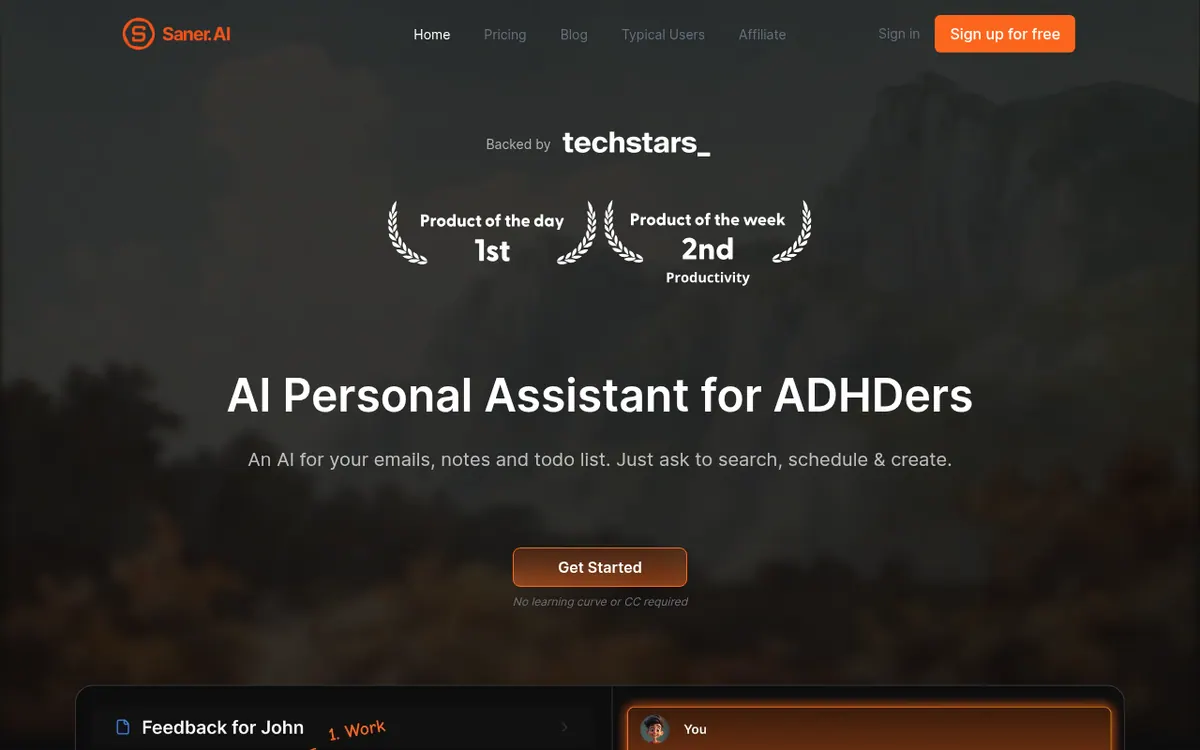
Saner.AI is an AI personal assistant that works on top of your notes, emails, calendar and tasks. You talk to it in a chat to look things up, handle messages and plan your work. The vendor positions it for people with ADHD and says the idea came from a co-founder's own struggle to manage information, while also stating that people without ADHD can use it.
For capturing information you can type notes, dictate them by voice, or import existing material. The product suggests tags based on a note's content. For planning, its Skai assistant can turn emails and rough brain dumps into tasks and schedule them, and a timeline view shows tasks in a calendar layout. It can pull in data from Calendar, Slack, Drive and Gmail, and a separate Slack connector lets you choose channels and date ranges to sync, then ask the AI to summarize or create tasks from those messages. A Chrome extension is listed on the pricing page.
Pricing is freemium. The Free plan is $0 per month with 30 AI messages per month and 100 notes. Starter is listed at $8 per month with 30 AI messages per day and 1000 notes. Standard is listed at $16 per month with unlimited notes and AI messages, subject to reasonable use, plus 100 AI requests per day. The pricing page has a monthly/yearly toggle marked -20% for yearly, but it does not say which period the displayed figures reflect. External models such as GPT, Claude or Gemini are paid for separately. The vendor describes the product as a beta.
- Chat to search notes, emails and schedule
- Turns emails into tasks
- Voice notes
- AI tag suggestions
- Calendar, Slack, Drive and Gmail sync
- Slack connector with channel and date selection
- Chrome extension
- Note export
Good for / Not for
Good for
- People with scattered notes, emails and Slack messages who want one place to search them
- Users with ADHD, the audience the vendor builds for
- Those who want to turn emails or rough thoughts into a task plan
Not for
- Anyone who needs a documented public API, which the pages do not state
- Users who want unlimited free use: the Free plan caps AI messages at 30 per month
How to start
Sign up for free; the homepage says no credit card is required. source
Start on the Free plan with a trial bonus of 50 AI requests and 10MB PDFs. source
Optionally connect Slack by clicking Add source, then choose channels, dates and grouping. source
Have the AI create tasks from, summarize, or analyze the Slack messages you have synced. source
Limits and gotchas
- Free plan: 30 AI messages per month, 100 notes, 1MB per PDF, 100MB storage. source
- Standard unlimited usage must be reasonable and follow the terms; violations may cause a temporary restriction. source
- External AI models are billed per token separately or need your own API key. source
- The vendor describes the product as an early beta release. source
From the official site and docs of Saner.AI, checked on October 29, 2026.
Pros and cons
Pros
- Free plan at $0 per month, with no credit card required according to the pricing page
- Pulls in data from Calendar, Slack, Drive and Gmail, and has a dedicated Slack connector
- Can turn emails and brain dumps into tasks and schedule them
- Voice capture and AI-suggested tags for notes
- Built-in export of your notes from the app
Cons
- Free plan is limited to 30 AI messages per month and 100 notes
- Pricing page does not say which billing period the $8 and $16 figures reflect
- Unlimited use on Standard must stay within reasonable use and the vendor's policies
- External AI models such as GPT, Claude or Gemini are paid separately or need your own API key
- The vendor describes the product as a beta release
Our take
Saner.AI fits people whose information is spread across notes, email, Slack and a calendar and who want one chat-driven assistant to find things and turn them into tasks. The free plan allows a trial before paying, and Starter and Standard raise the caps on notes, storage and daily AI use. The trade-offs are visible on the pricing page: the free allowance is small, unlimited use on Standard depends on reasonable use, external AI models cost extra, and the page does not label whether the shown prices are for monthly or yearly billing. The vendor also calls the product a beta. Anyone needing a documented API or specific desktop apps should check first, since the pages do not state them.
Comparisons and lists with Saner.AI
Coming soon
Coming soon — we are writing comparisons that include Saner.AI.
Saner.AI pricing
| Plan | Monthly billing | Annual billing (per month) | Limits / what’s included |
|---|---|---|---|
| Free | Free | — | 30 AI messages/month, 100 Notes, PDF 1MB/file, Storage 100MB, 30 AI requests/month |
| Starter | $8 | — | 30 AI messages/day, 1000 Notes, PDF 5MB/file, Storage 5GB, 30 AI requests/day; the page has a monthly/yearly toggle (YEARLY -20%) but does not label which billing period the shown figure uses |
| Standard | $16 | — | Unlimited* AI messages, Unlimited Notes, PDF 10MB/file, Storage 100GB, 100 AI requests/day; the page has a monthly/yearly toggle (YEARLY -20%) but does not label which billing period the shown figure uses |
Free trial: none listed. Free plan: yes.
Prices checked on on the official Saner.AI pricing page. “—” = not published.
All Saner.AI plans, limits and annual prices →
Frequently asked questions
Does Saner.AI have a free plan?
Yes. The pricing page lists a Free plan at $0 per month with 30 AI messages per month, 100 notes, 1MB per PDF and 100MB of storage.
How much do the paid plans cost?
Starter is listed at $8 per month and Standard at $16 per month. The page has a monthly/yearly toggle marked -20% for yearly but does not state which period the shown figures use.
Are external AI models like GPT or Claude included?
No. Messages to external models are not counted in the plan message limit, and their cost is separate, billed per token or covered by your own API key.
Can I export my notes?
Yes. The official site says you can export notes from the app using a built-in feature.
Does it work with Slack?
Yes. A Slack connector syncs selected channels and date ranges into Saner.AI so you can ask the AI to analyze, summarize or create tasks from the messages.
Recently verified in AI Chatbots & Assistants
 DeepSeek
 Gleap
 Microsoft Copilot
 Continue
Add an AGIPicks badge to your site
The badge shows Saner.AI’s verification status on AGIPicks and links to this page. Light/dark and compact versions: badges.

Suggest an update
Wrong price, outdated fact or a tool that shut down? Are you the vendor and disagree with this page? Tell us, ideally with a link to the official page. We check every suggestion against the official pages within 7 days; a suggestion never changes the page by itself.