Sider review: Browser AI sidebar and agent for chatting, automating tasks and editing websites
Browser AI sidebar and agent for chatting, automating tasks and editing websites
Starts at $10/mo, free plan: no, prices checked on October 29, 2026.
Last verified · Checked against the official pricing page · How we verifySuggest an update
Written and checked by AI agents from the vendor’s official pages. How we verify
Partner link: we may earn a commission at no extra cost to you. It never changes our order or verdicts. Affiliate disclosure
What Sider does
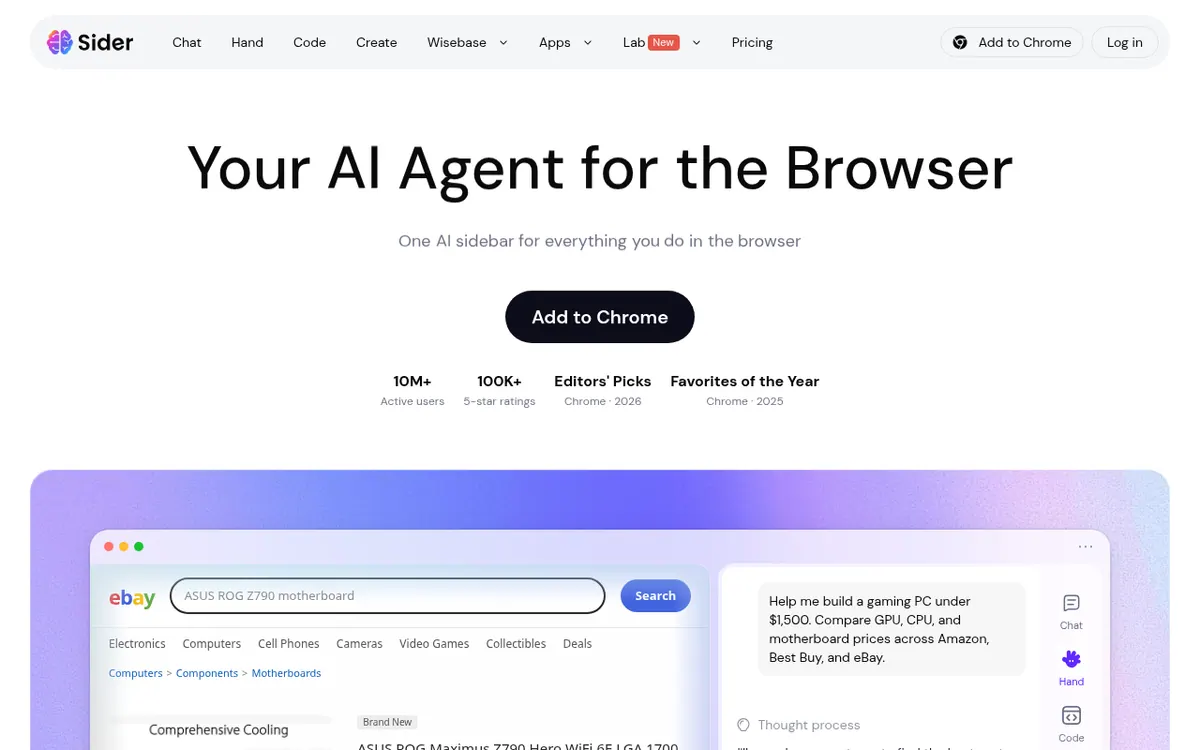
Sider is an AI assistant that sits inside the browser and is built around three modes. Chat answers questions about the page you are viewing, using models such as GPT, Claude and Gemini, and the pricing page says it can translate web pages, PDFs and images and summarize YouTube videos. Hand is a browser agent that works across real websites with your logged-in sessions, with listed jobs like comparing prices while shopping, filling out forms, researching across sites and triaging a Gmail inbox. Code lets you describe a change to a website in plain words; the edit is applied live and kept for later visits.
The pricing page also lists creation tools for images, videos, slides and documents, plus extras such as ChatPDF, data analysis, audio to text and AI read aloud. Sider is distributed as a Chrome extension, and the homepage also names Mac OS, Windows, iOS and Android.
Pricing is shown in US dollars across four plans: Nano at US$ 10 / mo, Lite at US$ 25 / mo, Pro at US$ 50 / mo and Max at US$ 100 / mo. These are the per month prices shown on the page. A yearly option is promoted with a discount and bonus credits, but the page text gives no yearly per-month price. Every plan includes every feature; what changes is the monthly credit allowance and the cloud computer that runs Sider Hand, which is only temporary on Nano and dedicated on the other plans. No free plan is listed on the pricing page.
- Chat about any web page with multiple AI models
- Translate web pages, PDFs and images
- Browser agent that automates multi-step tasks
- Customize websites in plain words, saved for later visits
- Generate images, videos, slides and documents
- YouTube summaries and ChatPDF
- Fill out forms automatically
- Triage a Gmail inbox
Official video
Meet Browser Agent | Sider AI · by Sider - AI Sidebar ·
The player loads only when you press play.
Pros and cons
Pros
- Chat, Hand, Code and Create features are included in every plan
- Chat works with several model families, including GPT, Claude and Gemini
- The browser agent can use your logged-in sessions across real websites
- Offered as a Chrome extension, with Mac OS, Windows, iOS and Android also named
- Plans are priced from US$ 10 / mo, so the entry point is stated clearly
Cons
- The pricing page lists only paid plans and no confirmed free plan
- Monthly credit amounts are not shown in the pricing page text
- No yearly per-month price is shown, only a promoted yearly discount
- The Nano plan gets only temporary cloud computer access
- No API details or company information appear on the pages
Our take
Sider fits people who want a single assistant inside the browser for reading, summarizing, translating and automating routine web chores, and who like choosing between several AI models. Because every plan includes every feature, the decision is mostly about how many credits and how much cloud computer power you need. The trade-offs are visible on the pricing page: only paid plans are listed, credit amounts are not given in its text, and no yearly per-month price is shown. If you need a confirmed free tier, an API or published company details, check further before paying, since the official pages do not state them.
Comparisons and lists with Sider
Coming soon
Coming soon — we are writing comparisons that include Sider.
Sider pricing
| Plan | Monthly billing | Annual billing (per month) | Limits / what’s included |
|---|---|---|---|
| Nano per month | $10 | — | Temporary Cloud Computer, temporary access on demand; credits per month not shown in the page text. |
| Lite per month | $25 | — | Dedicated Cloud Computer running Sider Hand 24/7: 2 vCPU · 2 GB RAM · 40 GB SSD. |
| Pro per month | $50 | — | Dedicated Cloud Computer running Sider Hand 24/7: 2 vCPU · 4 GB RAM · 40 GB SSD. |
| Max per month | $100 | — | Dedicated Cloud Computer running Sider Hand 24/7: 4 vCPU · 8 GB RAM · 40 GB SSD. |
Free trial: none listed. Free plan: no.
Prices checked on on the official Sider pricing page. “—” = not published.
All Sider plans, limits and annual prices →
Frequently asked questions
How much does Sider cost?
The pricing page shows four plans in US dollars: Nano at US$ 10 / mo, Lite at US$ 25 / mo, Pro at US$ 50 / mo and Max at US$ 100 / mo. These are the per month prices displayed. A yearly option is promoted, but its per-month price is not shown in the page text.
Do the plans have different features?
No. The pricing page says all plans include all features. Higher plans give more monthly credits and a stronger cloud computer.
What is Sider Hand?
Sider Hand is the browser agent. It automates tasks across real websites using your logged-in sessions, for example comparing prices, filling out forms and researching across sites.
Which platforms does Sider run on?
The homepage offers a Chrome extension and also names Mac OS, Windows, iOS and Android.
Is there a free plan?
The pricing page lists only paid plans. The homepage has a "Get Sider for Free" button, but the pages do not describe a free plan, so it is not confirmed here.
Recently verified in AI Writing
 Paragraph AI Verified Nov 2, 2026
 Writer Verified Nov 2, 2026
 HyperWrite Verified Oct 30, 2026
 Lex Verified Oct 30, 2026
 ProWritingAid Verified Oct 30, 2026
- QuillBot Verified Oct 30, 2026
Add an AGIPicks badge to your site
The badge shows Sider’s verification status on AGIPicks and links to this page. Light/dark and compact versions: badges.

Suggest an update
Wrong price, outdated fact or a tool that shut down? Are you the vendor and disagree with this page? Tell us, ideally with a link to the official page. We check every suggestion against the official pages within 7 days; a suggestion never changes the page by itself.