
Superspeed review: Shopify app linking store speed and session data to lost revenue
Shopify app linking store speed and session data to lost revenue
Starts at $29/mo, free plan: no, free trial: 14-day free trial, no credit card required, prices checked on October 20, 2026.
Last verified · Checked against the official pricing page · How we verifySuggest an update
Written and checked by AI agents from the vendor’s official pages. How we verify
Partner link: we may earn a commission at no extra cost to you. It never changes our order or verdicts. Affiliate disclosure
What Superspeed does
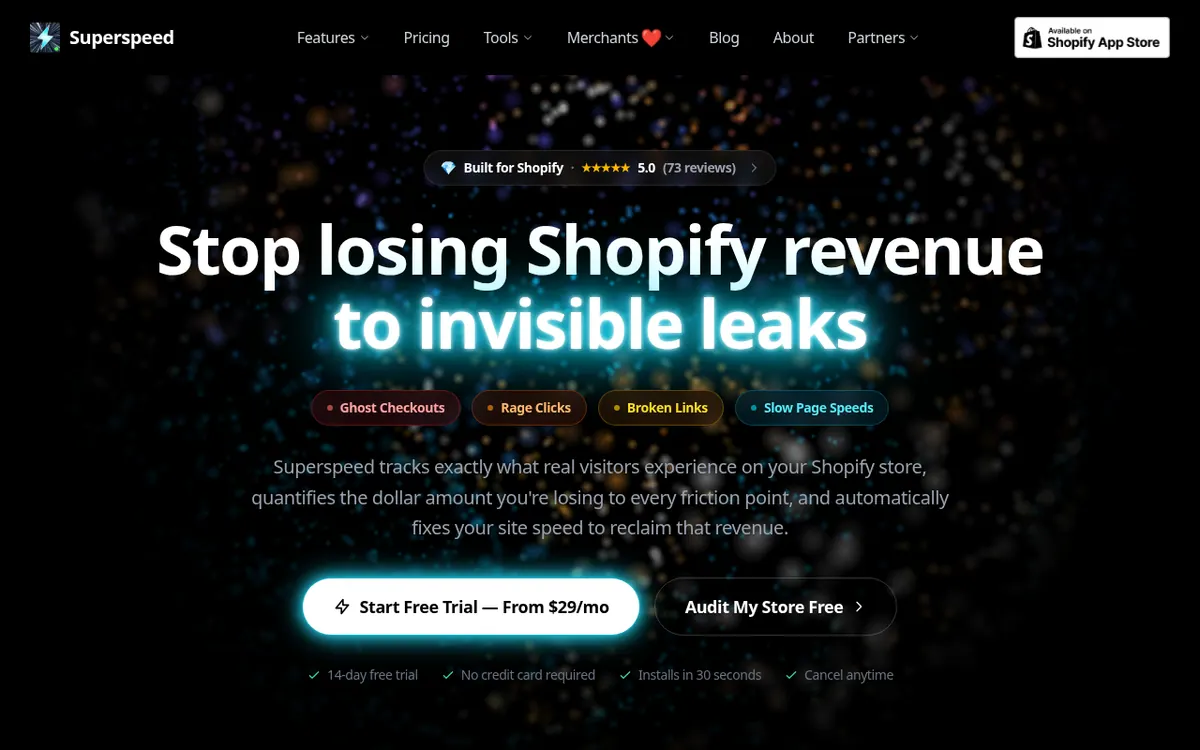
Superspeed is an app for Shopify stores that connects page speed and visitor behaviour to money lost at checkout. It gathers real visitor session data and uses it to flag ghost checkouts, rage clicks and dead links, then attaches a dollar value to each problem so merchants can decide what to fix first.
Beyond monitoring, Superspeed applies automated fixes for layout shift and largest contentful paint, and includes a Core Web Vitals dashboard. It can also send shoppers who arrive from Instagram or Facebook in-app browsers over to native Safari or Chrome. According to the vendor, it is built on Shopify's ScriptTag and Theme App Extensions.
Pricing is paid, with a 14-day free trial that needs no credit card. There are four plans, and the prices below are per month billed monthly in USD. Lite costs $29 and covers up to 200K sessions per month and the top 10 revenue pages. Growth costs $49 and covers up to 1M sessions and up to 30 key pages, and it adds rage click detection. Pro costs $99 and covers up to 3M sessions, unlimited page monitoring and ghost checkout detection and recovery. Business costs $249 and covers up to 10M sessions, with 180-day historical data retention. Yearly billing carries a 20% saving; the page lists yearly totals of $278, $470, $948 and $2388 per year, in the same order, instead of a per-month yearly rate.
- Revenue impact analysis of slow pages
- Ghost checkout detection
- Rage click detection
- Broken 404 link catching
- Automated CLS and LCP optimization
- Core Web Vitals monitoring dashboard
- Social in-app browser redirect to Safari or Chrome
- Uses Shopify ScriptTag and Theme App Extensions
Pros and cons
Pros
- Ties page speed to checkout data, with a dollar figure for lost revenue
- 14-day free trial with no credit card required
- Four plans, starting at $29 per month billed monthly
- Covers ghost checkouts, rage clicks and broken 404 links in one app
- Can redirect social in-app browser visitors to native Safari or Chrome
Cons
- No free plan is listed, only a trial
- Built for Shopify, so it does not apply to other platforms
- Plans cap tracked sessions, from 200K up to 10M per month
- Rage click detection starts at Growth, and ghost checkout recovery at Pro
- Yearly billing is shown only as yearly totals, so no per-month yearly rate is published
Our take
Superspeed fits Shopify merchants who want speed work expressed as lost revenue rather than as scores alone, and agencies or high-traffic stores that may need the Business tier. It is built for Shopify, so stores on other platforms are not covered. There is no free plan, only a 14-day trial, and each tier is capped by tracked sessions and monitored pages, so traffic volume largely decides the price. Some features, such as rage click detection and ghost checkout recovery, sit above the entry plan. This summary relies only on the vendor's own pages, and its claims are the vendor's.
Comparisons and lists with Superspeed
Coming soon
Coming soon — we are writing comparisons that include Superspeed.
Superspeed pricing
| Plan | Monthly billing | Annual billing (per month) | Limits / what’s included |
|---|---|---|---|
| Lite per month billed monthly; yearly billing is listed as a $278 | $29 | — | Up to 200K sessions tracked per month; monitor your top 10 revenue pages |
| Growth per month billed monthly; yearly billing is listed as a $470 | $49 | — | Up to 1M sessions tracked per month; monitor up to 30 key store pages |
| Pro per month billed monthly; yearly billing is listed as a $948 | $99 | — | Up to 3M sessions tracked per month; unlimited page monitoring |
| Business per month billed monthly; yearly billing is listed as a $238 | $249 | — | Up to 10M sessions tracked per month; 180-day historical data retention |
Free trial: 14-day free trial, no credit card required. Free plan: no.
Prices checked on on the official Superspeed pricing page. “—” = not published.
All Superspeed plans, limits and annual prices →
Frequently asked questions
Does Superspeed have a free trial?
Yes. The pricing page lists a 14-day free trial and says no credit card is required.
How much does Superspeed cost?
Billed monthly, Lite is $29, Growth is $49, Pro is $99 and Business is $249, all per month in USD.
Is there a free plan?
The pricing page does not list a free plan. It offers a free trial only.
What limits do the plans have?
Lite covers up to 200K sessions per month, Growth up to 1M, Pro up to 3M and Business up to 10M. Lite monitors the top 10 revenue pages, Growth up to 30 key pages, and Pro has unlimited page monitoring.
Is there a discount for yearly billing?
The pricing page shows a 20% saving for yearly billing, with totals of $278 for Lite, $470 for Growth, $948 for Pro and $2388 for Business per year. A per-month yearly price is not stated.
Recently verified in AI for E-commerce
 Genlook
 Octane AI
 PageFly
 Rep AI
 SellerSprite
Add an AGIPicks badge to your site
The badge shows Superspeed’s verification status on AGIPicks and links to this page. Light/dark and compact versions: badges.

Suggest an update
Wrong price, outdated fact or a tool that shut down? Are you the vendor and disagree with this page? Tell us, ideally with a link to the official page. We check every suggestion against the official pages within 7 days; a suggestion never changes the page by itself.