
TextExpander review: Text replacement app that inserts saved snippets via shortcuts, for individuals and teams
Text replacement app that inserts saved snippets via shortcuts, for individuals and teams
Starts at $6/mo, free plan: yes, free trial: 30-day preview of paid features for new accounts, prices checked on October 20, 2026.
Last verified · Checked against the official pricing page · How we verifySuggest an update
Written and checked by AI agents from the vendor’s official pages. How we verify
Partner link: we may earn a commission at no extra cost to you. It never changes our order or verdicts. Affiliate disclosure
What TextExpander does
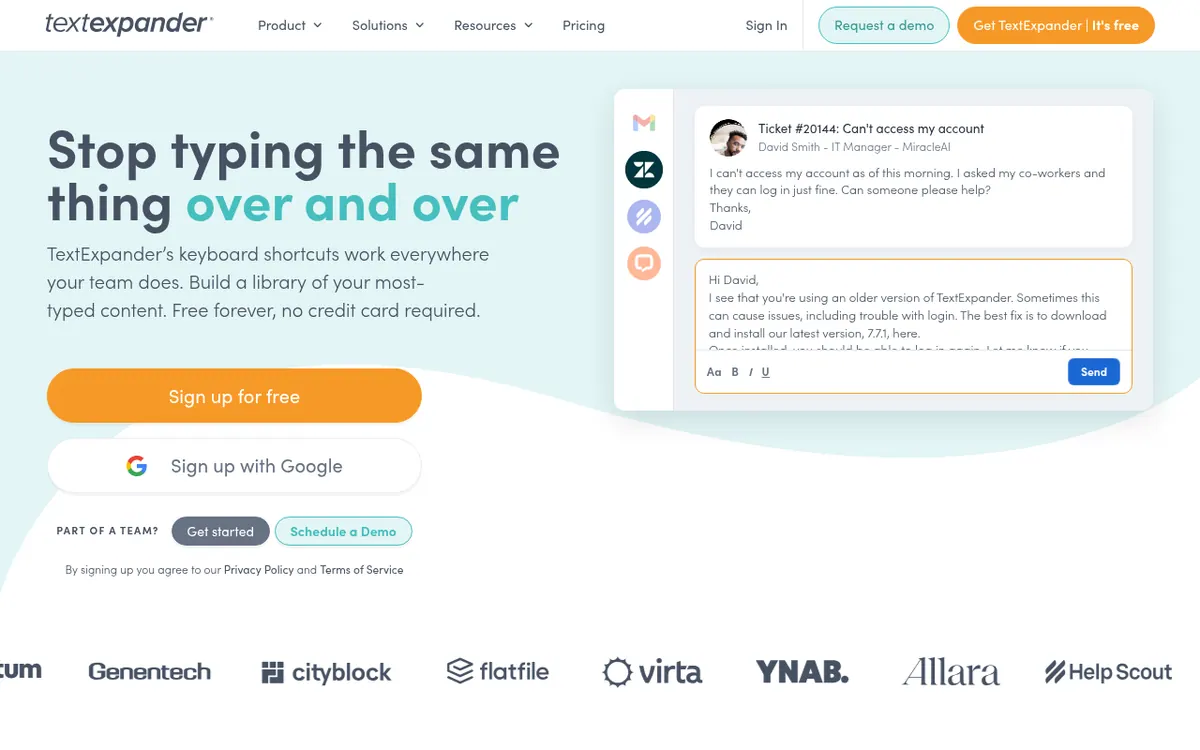
TextExpander is a text replacement and shortcut tool. You store the content you type most often, such as emails, phrases and URLs, as Snippets, and then insert them with a few keystrokes in the apps you already use. Snippets can contain fill-in-the-blank fields, and teams can share a library so everyone works from the same up-to-date wording.
The official pages also describe an AI side: AI Recommended Snippets in the Chrome extension, which surfaces relevant Snippets from your library, and MCP access for AI agents. Higher plans add dynamic content such as JavaScript Snippets, Snippet Requests that let team members ask editors for new or improved content, and analytics about how an organization uses the tool.
One account works across Mac, Windows, iPhone and iPad, and the Chrome extension. For enterprise teams, the vendor states SOC 2, SOC 3 and HIPAA compliance.
Pricing is freemium and in US dollars, excluding tax. The Free plan costs $0 with no time limit, but allows 5 active Snippets and 1 Snippet swap every 2 weeks. Pro is $6 per user per month billed monthly, or $5 per user per month billed yearly ($60 per year). Business is $12 per user per month billed monthly, or $10 per user per month billed yearly ($120 per year). Pro covers up to 5 users, while Business removes that cap. Enterprise pricing is custom and adds SSO for all providers with SCIM. New accounts get a 30-day preview of paid features.
- Saved text Snippets inserted by shortcut
- Fill-in-the-blank fields
- Team-shared snippet library
- AI Recommended Snippets in Chrome extension
- MCP access for AI agents
- JavaScript Snippets
- Snippet Requests for teams
- SOC 2, SOC 3 and HIPAA compliance
Pros and cons
Pros
- Free plan with no time limit and no credit card required
- One account covers Mac, Windows, iPhone and iPad, and the Chrome extension
- Snippets can include fill-in-the-blank fields and be shared with a team
- Paid tiers add JavaScript Snippets, Snippet Requests and team analytics
- New accounts get a 30-day preview of paid features
Cons
- Free plan allows only 5 active Snippets and 1 swap every 2 weeks
- Pro covers up to 5 users; larger teams need Business
- Enterprise has no published price; contact sales
- Priced per user, so team cost grows with headcount
- Android and Linux support is not stated on the official pages
Our take
TextExpander fits people and teams who repeat the same replies, notes or templates and want one shared library across Mac, Windows, iPhone, iPad and Chrome. The Free plan is a low-risk way to try it, though the limit of 5 active Snippets will matter quickly for heavy users. Groups of up to 5 users can look at Pro, while larger teams need Business. Android and Linux users should check first, because those platforms are not mentioned on the official pages. Annual billing lowers the per-user monthly price on both paid plans.
Comparisons and lists with TextExpander
Coming soon
Coming soon — we are writing comparisons that include TextExpander.
TextExpander pricing
| Plan | Monthly billing | Annual billing (per month) | Limits / what’s included |
|---|---|---|---|
| Free | Free | — | 5 active Snippets, 1 Snippet swap every 2 weeks, sharing with up to 5 team members across 3 teams |
| Pro per user | $6 | $5 | Billed annually at $60 per year; unlimited active Snippets; up to 5 users |
| Business per user | $12 | $10 | Billed annually at $120 per year; removes the 5-user limit |
| Enterprise | — | — | Custom pricing based on needs and usage |
Free trial: 30-day preview of paid features for new accounts. Free plan: yes.
Prices checked on on the official TextExpander pricing page. “—” = not published.
All TextExpander plans, limits and annual prices →
Frequently asked questions
Is TextExpander free?
Yes. The Free plan has no time limit and needs no credit card. It includes 5 active Snippets, 1 Snippet swap every 2 weeks, and sharing with up to 5 team members across 3 teams.
How much do the paid plans cost?
Pro is $6 per user per month billed monthly, or $5 per user per month billed yearly ($60 per year). Business is $12 per user per month billed monthly, or $10 per user per month billed yearly ($120 per year). Enterprise pricing is custom.
Which platforms does it work on?
One account works across Mac, Windows, iPhone and iPad, and the Chrome extension. Snippets sync on every plan, including Free.
Is there a trial of paid features?
New accounts get a 30-day preview of paid features, then move to the Free plan automatically.
Is tax included in the prices?
No. Prices are in US dollars and exclude tax. Where VAT or GST is required, the base price may include an estimated 20% increase, and the total is shown before you pay.
Recently verified in Productivity
 Fyxer
 Craft
 ClickUp
 Eurekaa.io
 Jotform
 Logseq
Add an AGIPicks badge to your site
The badge shows TextExpander’s verification status on AGIPicks and links to this page. Light/dark and compact versions: badges.

Suggest an update
Wrong price, outdated fact or a tool that shut down? Are you the vendor and disagree with this page? Tell us, ideally with a link to the official page. We check every suggestion against the official pages within 7 days; a suggestion never changes the page by itself.