
UptimeRobot review: Uptime monitoring for websites, APIs, ports and cron jobs, with public status pages
Uptime monitoring for websites, APIs, ports and cron jobs, with public status pages
Starts at €10/mo, free plan: yes, prices checked on October 20, 2026.
Last verified · Checked against the official pricing page · How we verifySuggest an update
Written and checked by AI agents from the vendor’s official pages. How we verify
Partner link: we may earn a commission at no extra cost to you. It never changes our order or verdicts. Affiliate disclosure
What UptimeRobot does
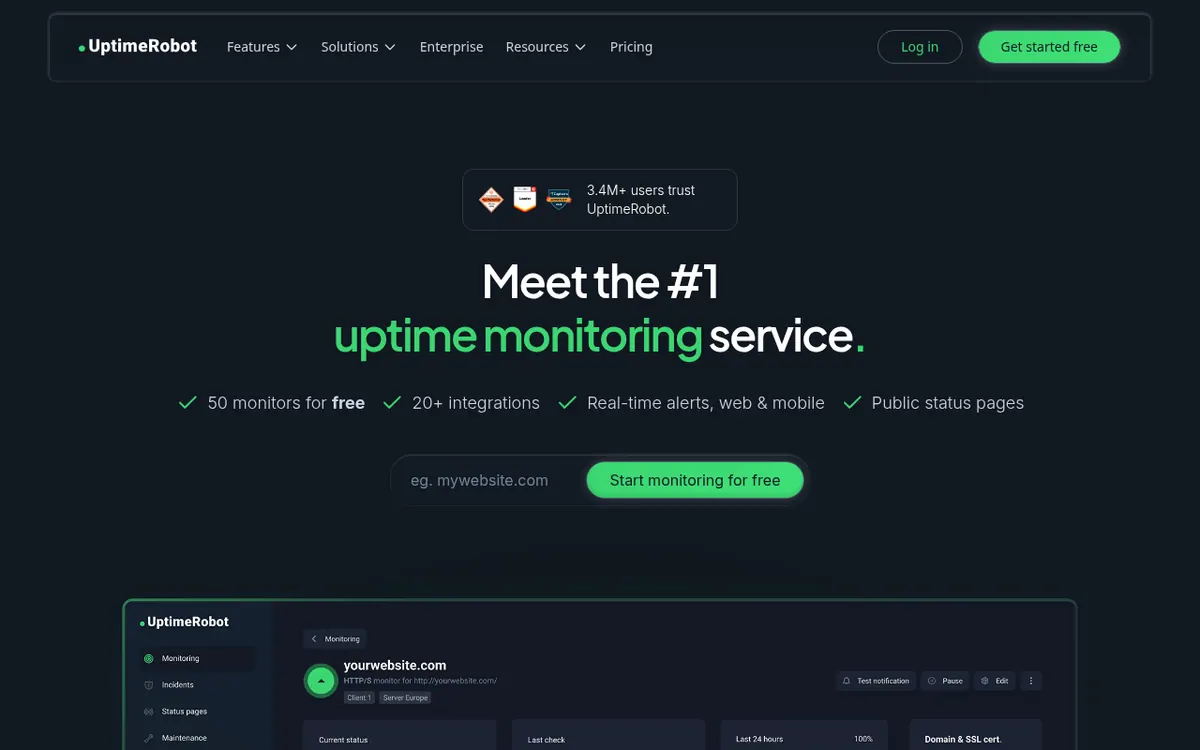
UptimeRobot is a monitoring service that watches websites, APIs, servers and other endpoints and sends an alert when something stops responding. Beyond plain HTTP checks it covers keyword checks, ping, ports, UDP, heartbeat-style cron job checks, DNS changes, SSL certificate expiry and domain expiry. Alerts can go out by email, SMS, voice call and mobile app push, or to services such as Slack, Telegram, Discord, Microsoft Teams, PagerDuty and webhooks.
The product also lets you publish status pages. Higher plans add a custom domain, white-label branding, password protection and email subscribers. Incident records, maintenance windows and a mobile app for Android and iOS round out the toolset, and an API exposes monitor and incident data.
Pricing is freemium. The Free plan costs €0 per month and includes 50 monitors with a 5-minute check interval. Paid plans are Solo (€10 per month billed monthly, €9 per month billed yearly), Team (€41 per month billed monthly, €35 per month billed yearly) and Scale (€77 per month billed monthly, €65 per month billed yearly). Check intervals shorten from 60 seconds on Solo to 30 seconds on Team and 15 seconds on Scale. Enterprise has no published price; the vendor asks you to book a demo. New subscriptions and upgrades carry a 14-day money-back guarantee.
- HTTP, keyword, ping and port monitoring
- UDP and API monitoring
- Heartbeat monitoring for cron jobs
- SSL and domain expiry alerts
- DNS change monitoring
- Region-specific monitoring
- Public status pages
- Maintenance windows
- Android and iOS mobile app
- Slack, Telegram and webhook alerts
Pros and cons
Pros
- Free plan at €0 per month with 50 monitors and no credit card required
- Many monitor types: HTTP, keyword, ping, port, UDP, DNS, SSL and heartbeat
- Alerts by email, SMS, voice call, mobile push and integrations such as Slack and Telegram
- Status pages with custom domain, white-label and password options on higher plans
- 14-day money-back guarantee on new subscriptions and upgrades
Cons
- Free plan checks only every 5 minutes
- SSL monitoring is included only in paid plans
- Free plan lists no login seats and no notify seats
- Enterprise pricing is not published on the official site
- SMS and voice call credits are not included in Free and are bought separately
Our take
UptimeRobot suits individuals, small sites and small teams that want broad monitoring types with straightforward alerting, and the Free plan is a reasonable way to start. Teams that need shorter check intervals, SSL monitoring or more status pages must move to a paid plan. Shared dashboard access also depends on the plan, since the Free plan lists no login seats. Large organizations with compliance or procurement needs are pointed to Enterprise, whose price is not published. Judge fit against your monitor count, interval and seat needs.
Comparisons and lists with UptimeRobot
Coming soon
Coming soon — we are writing comparisons that include UptimeRobot.
UptimeRobot pricing
| Plan | Monthly billing | Annual billing (per month) | Limits / what’s included |
|---|---|---|---|
| Free | Free | — | 50 monitors; 5 min. monitoring interval; basic status pages |
| Solo | €10 | €9 | 10 monitors (50 monitors tier available); 60-second monitoring interval; 3 status pages; 12-month data retention |
| Team | €41 | €35 | 100 monitors; 30 sec. monitoring interval; 3 seats included; 100 status pages |
| Scale | €77 | €65 | 200 or 500 monitors; 15 sec. monitoring interval; 5 seats included; unlimited status pages |
| Enterprise | — | — | Custom scale; custom and faster monitoring intervals; no public price |
Free trial: none listed. Free plan: yes.
Prices checked on on the official UptimeRobot pricing page. “—” = not published.
All UptimeRobot plans, limits and annual prices →
Frequently asked questions
Does UptimeRobot have a free plan?
Yes. The Free plan costs €0 per month, includes 50 monitors with a 5-minute check interval, and requires no credit card.
How much do the paid plans cost?
Solo is €10 per month billed monthly or €9 per month billed yearly. Team is €41 per month billed monthly or €35 per month billed yearly. Scale is €77 per month billed monthly or €65 per month billed yearly. Enterprise has no published price.
Is there a refund policy?
Yes. UptimeRobot offers a 14-day money-back guarantee for new subscriptions and upgrades, and you can cancel at any time to stop future renewals.
Is there a mobile app?
Yes. The pricing page lists a mobile app for Android and iOS for staying notified on the go.
Can I get alerts in Slack or Telegram?
Yes. Slack and Telegram are listed as integrations. The Telegram page says that feature is available in the Solo, Team and Enterprise plans.
Recently verified in AI APIs & Models
 Langfuse Verified Nov 2, 2026
 Portkey Verified Nov 2, 2026
 Supermemory Verified Nov 2, 2026
 LangChain Verified Oct 31, 2026
 Hoppscotch Verified Oct 30, 2026
 Hugging Face Verified Oct 30, 2026
Add an AGIPicks badge to your site
The badge shows UptimeRobot’s verification status on AGIPicks and links to this page. Light/dark and compact versions: badges.

Suggest an update
Wrong price, outdated fact or a tool that shut down? Are you the vendor and disagree with this page? Tell us, ideally with a link to the official page. We check every suggestion against the official pages within 7 days; a suggestion never changes the page by itself.