
Webflow review: Visual website builder with CMS, hosting and AI tools for marketing and design teams
Visual website builder with CMS, hosting and AI tools for marketing and design teams
Custom (contact sales), free plan: yes, prices checked on October 30, 2026.
Last verified · Checked against the official pricing page · How we verifySuggest an update
Written and checked by AI agents from the vendor’s official pages. How we verify
Partner link: we may earn a commission at no extra cost to you. It never changes our order or verdicts. Affiliate disclosure
What Webflow does
Lets teams design, build and publish websites in a visual canvas with a built-in CMS and hosting, plus testing, translation and AI-search add-ons.
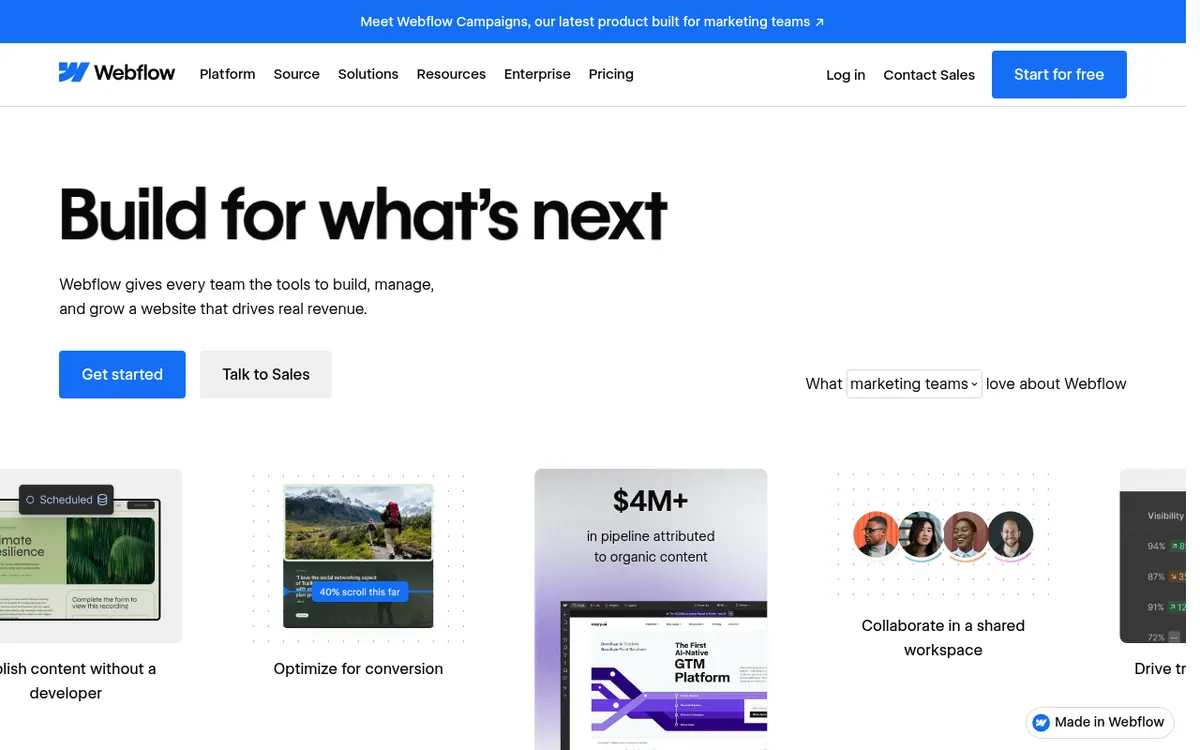
Webflow is a visual website platform that brings a design canvas, a CMS, hosting and AI features together in one product. Teams lay out pages with drag-and-drop controls, change content directly on the canvas, and ship updates without a developer in the loop, as the vendor describes it. The platform also covers page branching, shared component libraries, interactions, code components and Webflow Cloud, which runs web apps next to a site. Optimize (A/B tests and personalization), Analyze and Localize are optional add-ons, and the Team plan lists AEO agents aimed at visibility in AI search.
Pricing is split into Site plans, charged per site, and Workspace plans, which cover staging and collaboration. All prices are in USD. The Starter site plan is free and comes with 2 static pages and 1 GB bandwidth. Basic costs $15 per month billed yearly, and Premium costs $25 per month billed yearly. Team is $2500 per month with an annual contract required, while Enterprise is custom and handled through sales. On the Workspace side there is a free Starter, Core at $19 per month billed yearly and Growth at $49 per month billed yearly. Extra seats, AI credits and larger bandwidth tiers are charged separately, and the official pages do not show monthly-billed prices for the lower plans.
- Visual design canvas
- CMS for static and dynamic content
- AI site builder and copy generation
- Page branching and publishing workflows
- A/B testing with Optimize
- Webflow Cloud app hosting
- HTML and CSS code export
- Ecommerce plans with custom checkout
Good for / Not for
Good for
- Marketing teams that want to publish content without waiting for a developer
- Design teams reusing components across several sites via Shared Libraries
- Agencies and freelancers handing sites to clients, with Workspace plans for them
Not for
- Anyone who needs to import an existing site or code into Webflow
- Buyers who need published pricing for Enterprise-level needs
How to start
Sign up on the free Starter plan, which the vendor says you can use for as long as you like. source
Build and style pages in the visual canvas, working within the Starter limits of 2 static pages and 1 GB bandwidth. source
Buy a paid Site plan such as Basic or Premium when you are ready to publish and host. source
Limits and gotchas
From the official site and docs of Webflow, checked on October 30, 2026.
Pros and cons
Pros
- Free Starter site plan and free Workspace plan let you build before paying
- CMS, hosting and visual design canvas sit in one platform
- Page branching and publishing workflows help teams edit in parallel
- AI features cover site generation, copy, code components and SEO/AEO audits
- REST API for managing CMS content programmatically
Cons
- Pricing is layered across Site plans, Workspace plans, add-ons and seats
- Only yearly-billed per-month prices are shown for Basic ($15) and Premium ($25)
- Free Starter site allows just 2 static pages and 1 GB bandwidth
- Team plan costs $2500 per month and requires an annual contract
- Optimize, Analyze and Localize are paid add-ons; Enterprise pricing is not published
Our take
Webflow suits marketing, design and agency teams that want to build and edit a site visually, keep a CMS and hosting in the same product, and add AI features and testing as needed. The free Starter site plan, with no trial period mentioned, lets you try it, but publishing to a custom domain needs a paid plan. The trade-off is layered pricing: Site plans, Workspace plans, add-ons and seats are priced separately, and Team requires an annual contract at $2500 per month. Buyers wanting one flat price will need to add things up carefully.
Comparisons and lists with Webflow
Coming soon
Coming soon — we are writing comparisons that include Webflow.
Webflow pricing
| Plan | Monthly billing | Annual billing (per month) | Limits / what’s included |
|---|---|---|---|
| Starter (Site plan) per site | — | — | Webflow.io domain, 2 static pages, 1 GB bandwidth, 50 form submissions |
| Basic (Site plan) per site, per month, billed yearly | — | $15 | Custom domain, 300 static pages, 10 GB bandwidth, unlimited form submissions |
| Premium (Site plan) per site, per month, billed yearly | — | $25 | Includes Webflow CMS and code components; everything in Basic |
| Team (Platform plan) per month, annual contract required | — | $2,500 | Everything in Premium plus Webflow Localize, AEO agents, publishing workflows; 100,000 AI credits/year |
| Enterprise (Platform plan) custom | — | — | Custom pricing via sales; everything in Team plus granular permissions, custom roles, dedicated account manager |
| Core (Workspace plan) per month, billed yearly | — | $19 | 10 staging sites, 300 pages per staged site, 300 AI credits |
| Growth (Workspace plan) per month, billed yearly | — | $49 | Unlimited staging sites, 400 AI credits |
Free trial: none listed. Free plan: yes.
Prices checked on on the official Webflow pricing page. “—” = not published.
All Webflow plans, limits and annual prices →
Frequently asked questions
Does Webflow have a free plan?
Yes. The Starter site plan is free and includes 2 static pages and 1 GB bandwidth. Every account also gets a free Starter Workspace. A paid Site plan is needed to publish to a custom domain.
How much does a paid Webflow site plan cost?
Basic is $15 per month billed yearly and Premium is $25 per month billed yearly, in USD and per site. Team is $2500 per month with an annual contract required. Enterprise pricing is custom.
What do Workspace plans cost?
The Workspace Starter plan is free, Core is $19 per month billed yearly, and Growth is $49 per month billed yearly. Free Workspaces include 2 staging sites and 200 AI credits.
Does Webflow offer an API?
Yes. The pricing page says the REST API lets you add, update and remove items in your CMS.
Recently verified in AI Design & Websites
 10Web
 Elementor
 Glorify
 Mockship
 PageFly
 Pixpa
Add an AGIPicks badge to your site
The badge shows Webflow’s verification status on AGIPicks and links to this page. Light/dark and compact versions: badges.

Suggest an update
Wrong price, outdated fact or a tool that shut down? Are you the vendor and disagree with this page? Tell us, ideally with a link to the official page. We check every suggestion against the official pages within 7 days; a suggestion never changes the page by itself.