
Wispr Flow review: Voice dictation that types cleaned-up text into any app, plus a meeting Notetaker
Voice dictation that types cleaned-up text into any app, plus a meeting Notetaker
Starts at $15/mo, free plan: yes, prices checked on October 25, 2026.
Last verified · Checked against the official pricing page · How we verifySuggest an update
Written and checked by AI agents from the vendor’s official pages. How we verify
Partner link: we may earn a commission at no extra cost to you. It never changes our order or verdicts. Affiliate disclosure
What Wispr Flow does
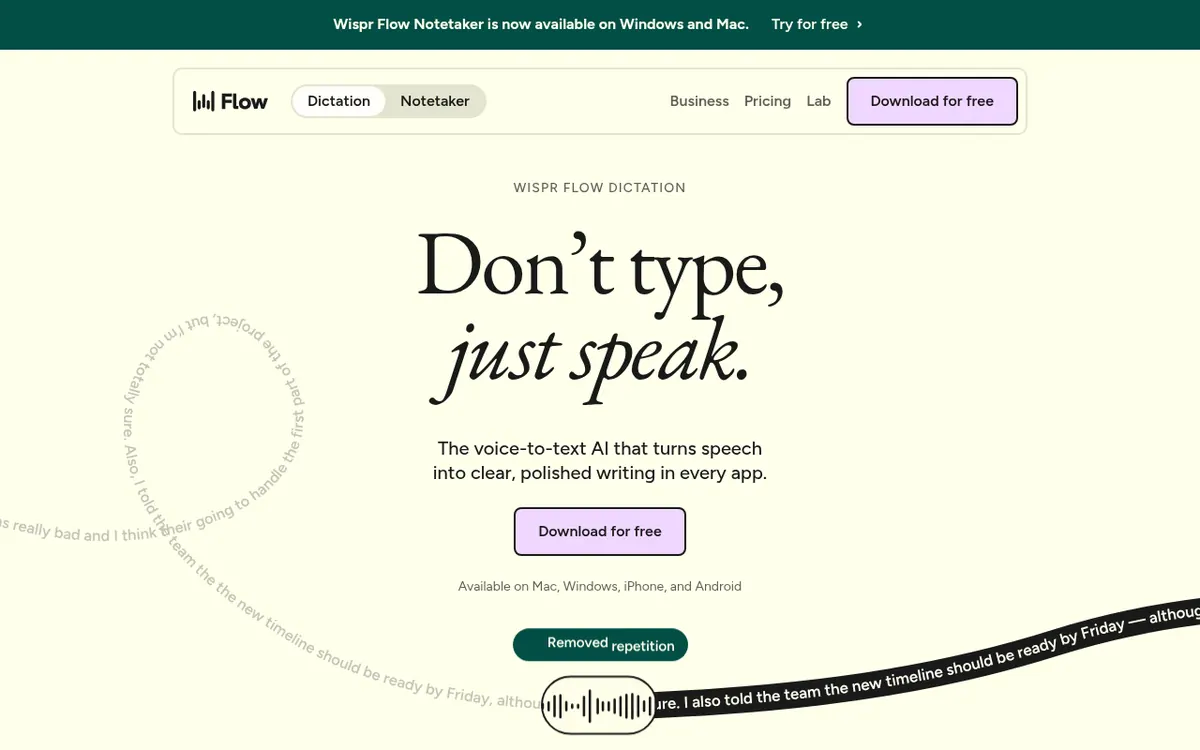
Wispr Flow is a voice-to-text tool. You speak, and it enters the result at your cursor, so it is not tied to one editor or messaging app. According to the vendor, it needs no setup or integrations on a computer. It removes filler words, adds punctuation and formats the writing automatically.
It detects which language you are speaking and handles 100+ languages, so you can switch between them. It learns names and jargon by itself, or you can add words to a dictionary. Snippets let you speak a shortcut and have it expand into saved text. You can set a different writing style for messages, work chats, emails and other uses.
Flow is available on Mac, Windows, iOS and Android. A separate Notetaker covers meetings and voice memos, and the vendor says no bot joins your calls. Meeting notes can be used in Claude, ChatGPT and other AI tools via MCP. The Notetaker currently runs only on Mac and Windows, with mobile on the roadmap.
Pricing is freemium. Free costs $0 per month, with a 2,000 per week word limit on desktop, limited weekly use on mobile, limited Notetaker access and a weekly meeting limit. Pro is $15 per user per month billed monthly, or $12 per user per month billed yearly, and includes unlimited dictations. Enterprise has custom pricing on an annual contract and adds SCIM, audit logs, MDM and dedicated support with SLAs.
- Voice dictation in any app
- Automatic filler-word removal and punctuation
- 100+ languages with automatic detection
- Personal dictionary for names and jargon
- Snippets that expand spoken shortcuts
- Writing styles per type of app
- Notetaker for meetings and voice memos
- Meeting notes in Claude and ChatGPT via MCP
Pros and cons
Pros
- Free plan at $0 per month with no credit card needed to start
- Works in any app where you can type, with no integrations needed according to the vendor
- Removes filler words and adds punctuation and formatting automatically
- Detects and transcribes 100+ languages and learns names and jargon
- Notetaker works without a bot joining calls and shares notes with AI tools via MCP
Cons
- Free plan caps desktop use at 2,000 words per week
- Free accounts have a weekly meeting limit
- Notetaker runs only on Mac and Windows for now
- Notetaker and Scratchpad are disabled on BAA accounts
- Enterprise pricing is custom and no API is mentioned on the official pages
Our take
Wispr Flow fits people who write many messages, emails or notes and would rather speak than type, since the Free plan needs no credit card and covers dictation and limited Notetaker use. Individuals who hit the 2,000 words per week desktop cap can look at Pro for unlimited dictations. Teams with compliance needs should compare Growth, which adds SSO with SAML and org-wide HIPAA enforcement with a signed BAA, and Enterprise, which is custom-priced. Trade-offs: the Notetaker is limited to Mac and Windows for now, it is disabled on BAA accounts, and the official pages say nothing about an API.
Comparisons and lists with Wispr Flow
Coming soon
Coming soon — we are writing comparisons that include Wispr Flow.
Wispr Flow pricing
| Plan | Monthly billing | Annual billing (per month) | Limits / what’s included |
|---|---|---|---|
| Free per month | Free | — | Word limit 2,000/week on desktop; limited weekly use on mobile; limited Notetaker access; weekly meeting limit |
| Pro per user | $15 | $12 | Unlimited dictations; longer Notetaker history; higher meeting limits |
| Growth per user (from; the page shows a second, higher Growth price | $23 | $18 | Adds SSO with SAML, org-wide HIPAA enforcement with a signed BAA, multiple domains, admin tools |
| Enterprise custom | — | — | Custom price; annual contract; adds SCIM, audit logs and MDM, free IT admin seats, dedicated support with SLAs |
Free trial: none listed. Free plan: yes.
Prices checked on on the official Wispr Flow pricing page. “—” = not published.
All Wispr Flow plans, limits and annual prices →
Frequently asked questions
Is Wispr Flow free?
Yes. The Free plan costs $0 per month and includes dictation and the Notetaker with weekly usage limits. The vendor says you never need a credit card to start.
What does Growth add over Pro?
Growth adds SSO with SAML, org-wide HIPAA enforcement with a signed BAA, multiple domains and admin tools.
Which platforms does it run on?
Flow is available on Mac, Windows, iOS and Android. The Notetaker runs only on Mac and Windows for now, and mobile is on the roadmap.
Does the Notetaker join meetings as a bot?
No. The vendor says no bot joins your calls and there is nothing for other participants to admit into the meeting.
Recently verified in AI Writing
 Paragraph AI Verified Nov 2, 2026
 Writer Verified Nov 2, 2026
 HyperWrite Verified Oct 30, 2026
 Lex Verified Oct 30, 2026
 ProWritingAid Verified Oct 30, 2026
- QuillBot Verified Oct 30, 2026
Add an AGIPicks badge to your site
The badge shows Wispr Flow’s verification status on AGIPicks and links to this page. Light/dark and compact versions: badges.

Suggest an update
Wrong price, outdated fact or a tool that shut down? Are you the vendor and disagree with this page? Tell us, ideally with a link to the official page. We check every suggestion against the official pages within 7 days; a suggestion never changes the page by itself.