
WP Umbrella review: Manage, monitor, and update multiple WordPress sites from a single dashboard.
Manage, monitor, and update multiple WordPress sites from a single dashboard.
Starts at €1.99/mo, free plan: no, free trial: 14 days, prices checked on October 23, 2026.
Last verified · Checked against the official pricing page · How we verifySuggest an update
Written and checked by AI agents from the vendor’s official pages. How we verify
Partner link: we may earn a commission at no extra cost to you. It never changes our order or verdicts. Affiliate disclosure
What WP Umbrella does
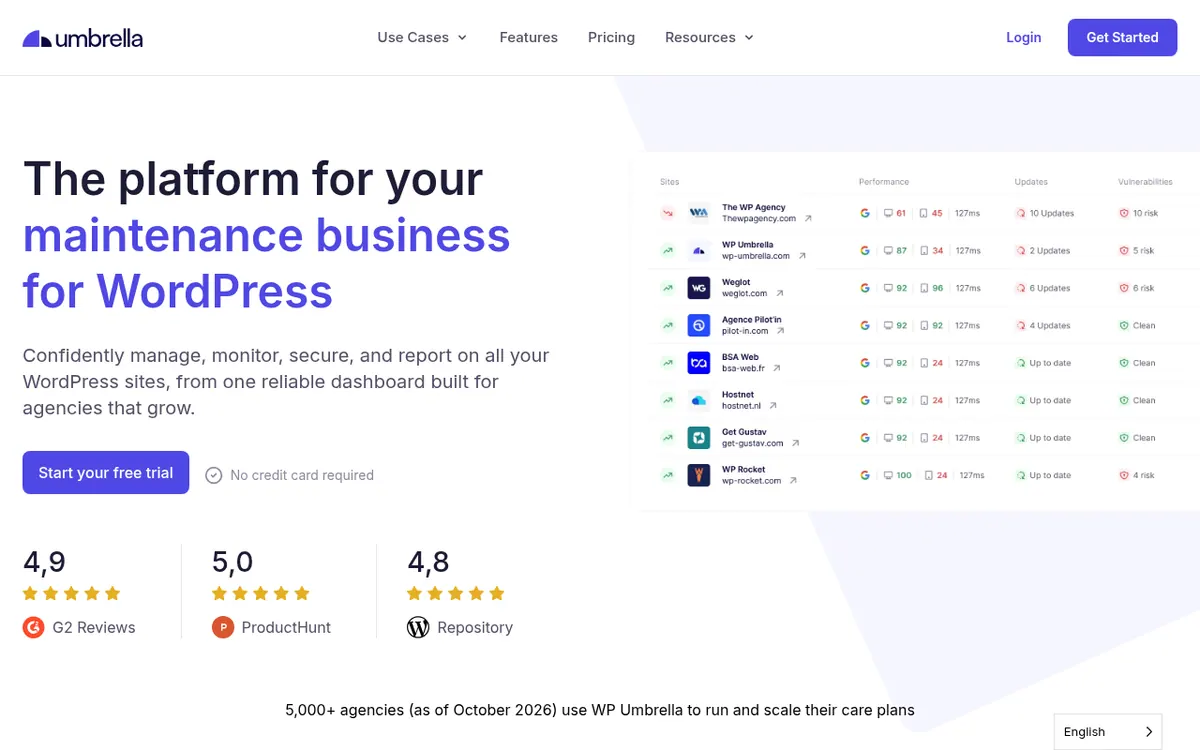
WP Umbrella is a management platform designed for freelancers and agencies that handle WordPress maintenance. It centralizes operations, allowing users to oversee backups, updates, security, and monitoring across all client sites from one dashboard. The tool aims to streamline workflows by automating routine tasks and providing visibility into site health and performance.
Key capabilities include automated safe updates with visual regression testing and automatic rollbacks, encrypted incremental backups stored on EU infrastructure, and continuous uptime and performance monitoring. The platform also offers vulnerability checks every six hours, PHP error tracking, and automated white-label reporting to help agencies demonstrate the value of their maintenance work to clients. An AI assistant integration via MCP is available to query site data.
Pricing operates on a pay-as-you-go model at €1.99 per site per month, with no site minimums or limits on team members. Optional add-ons for enhanced security and hourly backups are available for an additional fee per site. There is no free plan, but a 14-day free trial is offered without requiring a credit card.
- Automated safe updates
- Encrypted incremental backups
- Uptime and performance monitoring
- White-label client reporting
- Vulnerability monitoring
- PHP error tracking
- AI assistant integration
Good for / Not for
Good for
- Agencies and freelancers managing multiple WordPress client sites on retainer.
- Teams needing automated updates with visual regression testing and rollbacks.
Not for
- Users looking for a permanently free WordPress management tool.
- Single-site owners who do not need bulk management features.
How to start
Limits and gotchas
From the official site and docs of WP Umbrella, checked on October 23, 2026.
Pros and cons
Pros
- Simple per-site pricing with no minimums or user limits.
- Automated updates include visual regression testing and automatic rollbacks.
- Provides automated white-label client reports.
- Includes a 14-day free trial with no credit card required.
Cons
- No free plan available after the trial period.
- Advanced security features require an additional paid add-on.
- Hourly backups are not included in the base price and cost extra.
- Backups are only stored for 50 days.
Our take
WP Umbrella is well-suited for WordPress agencies and freelancers managing multiple client sites on retainer. Its per-site pricing model and unlimited team members make it scalable for growing businesses. The inclusion of automated safe updates and white-label reporting adds significant value for client retention. However, it is not for those seeking a free tool, as it only offers a paid model after the trial. Additionally, advanced security features and hourly backups require separate paid add-ons.
Comparisons and lists with WP Umbrella
Coming soon
Coming soon — we are writing comparisons that include WP Umbrella.
WP Umbrella pricing
| Plan | Monthly billing | Annual billing (per month) | Limits / what’s included |
|---|---|---|---|
| Per site per site/month | €1.99 | — | No site minimums. Add or remove sites anytime. |
Free trial: 14 days. Free plan: no.
Prices checked on on the official WP Umbrella pricing page. “—” = not published.
Frequently asked questions
Is there a free plan?
No, WP Umbrella does not offer a free plan, but it provides a 14-day free trial with full feature access and no credit card required.
How does the pricing work?
Pricing is €1.99 per site per month. You pay only for the number of sites you manage, with no site minimums or limits on team members.
Recently verified in Website Builders & Hosting
 Elementor
 PageFly
 Pixpa
 Mixo
 SimpleBackups
 xCloud
Add an AGIPicks badge to your site
The badge shows WP Umbrella’s verification status on AGIPicks and links to this page. Light/dark and compact versions: badges.

Suggest an update
Wrong price, outdated fact or a tool that shut down? Are you the vendor and disagree with this page? Tell us, ideally with a link to the official page. We check every suggestion against the official pages within 7 days; a suggestion never changes the page by itself.