
Async review: Chat-based AI video editor and creative suite for creators and small teams
Chat-based AI video editor and creative suite for creators and small teams
Custom (contact sales), free plan: yes, free trial: A free trial is offered on paid plans; its length is not stated, prices checked on October 29, 2026.
Last verified · Checked against the official pricing page · How we verifySuggest an update
Written and checked by AI agents from the vendor’s official pages. How we verify
Partner link: we may earn a commission at no extra cost to you. It never changes our order or verdicts. Affiliate disclosure
What Async does
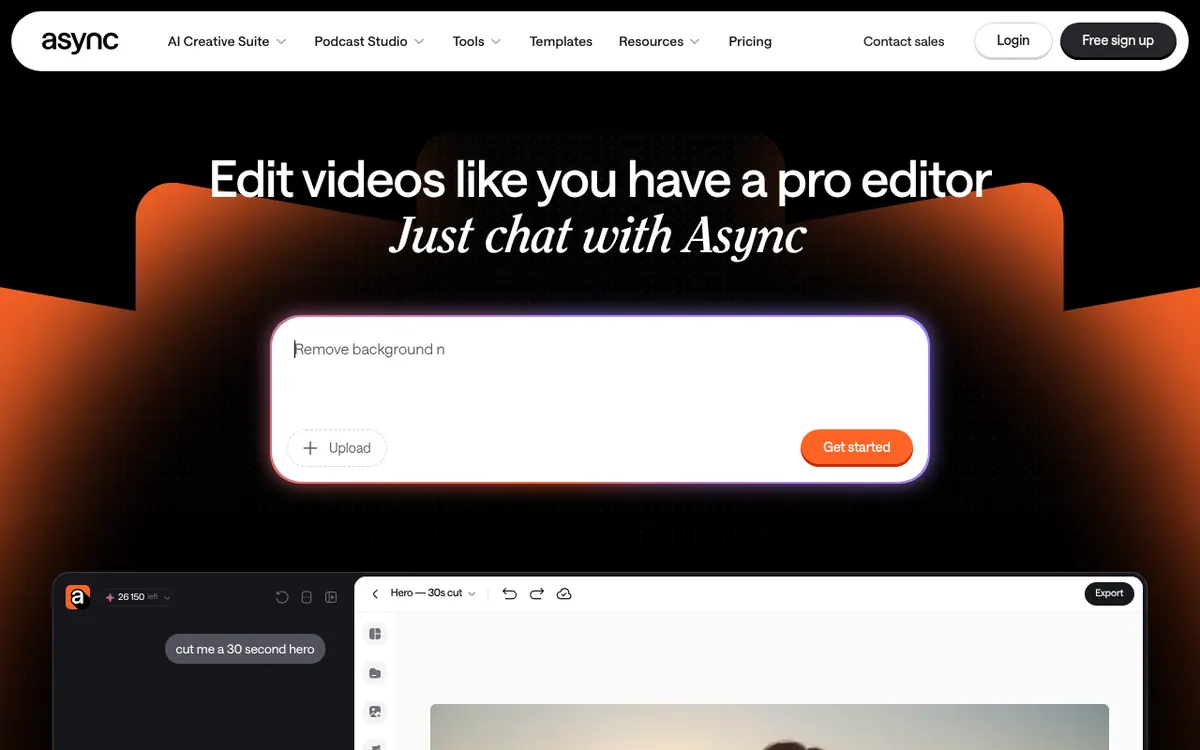
Edits video from chat prompts: removes filler, syncs cuts to music, adds captions, makes short clips and generates B-roll or music.
Async is an online video and audio platform where you describe the edit you want in a chat and the AI carries it out. According to its official pages, it is meant for creators and small teams who want finished videos without learning traditional editing software. The AI can clear rough cuts of filler, pauses and bad takes, line up cuts with a chosen music track, clean noisy voices with a tool called Magic Dust, add and style captions, and pick out strong moments to make short clips for social platforms. It can also generate B-roll, images, voices, music and sound effects with third-party models, and it offers AI subtitles and dubbing for multilingual versions. A remote recording studio with separate tracks per guest sits alongside the editor, and you can save your own editing style as a reusable skill. The company was formerly known as Podcastle.
Pricing combines subscriptions with AI credits. The Free plan needs no credit card and includes 10 lifetime credits. Paid plans are Essentials at €11.99 per month, Pro at €23.99 per month and Teams at €49.99 per creator, with 450, 1200 and 3000 credits per month. The page shows one price per plan beside its yearly-plan savings and does not display a separate monthly-billed price, so treat these as yearly-billing figures and confirm at checkout. Business is custom and goes through sales. Paid plans offer a free trial, but its length is not stated.
- Chat-based video editing
- Filler and bad-take removal
- Beat-synced cutting
- Magic Dust audio cleanup
- B-roll, music and image generation
- Captions and AI subtitles
- AI dubbing
- Short-form clip creation
- Remote recording studio
- Reusable editing skills
Good for / Not for
Good for
- Creators who want to edit by describing changes instead of working a timeline
- Podcasters who record remote guests on separate tracks and then turn episodes into clips
- Small teams producing social videos that need captions, dubbing and reusable editing styles
Not for
- Anyone who needs a large free allowance, since the Free plan has 10 lifetime credits
- Buyers who want predictable per-task costs, since chat edit credit use depends on what the AI does
How to start
Sign up for the Free plan; no credit card is required. source
Upload your video and tell Async in chat what to change, such as trimming, subtitles or reframing. source
Review the edits, since the product warns that AI can make mistakes, and adjust manually if needed. source
When the 10 lifetime Free credits run out, choose a paid plan; paid plans show a free trial button. source
Limits and gotchas
- Monthly subscription credits reset each billing cycle and do not roll over. source
- Used credits are non-refundable unless a technical error stops the generation. source
- With annual billing, your credit balance is topped up each month instead of receiving everything upfront. source
- Credit use for chat editing depends on what the AI ends up doing. source
- New subscriptions have a 7-day refund policy that excludes AI credits used. source
From the official site and docs of Async, checked on October 29, 2026.
Pros and cons
Pros
- Free plan is available and needs no credit card to sign up
- One workspace covers recording, editing, captions, dubbing, clips and generation
- Edits can be requested in chat, with the option to adjust manually
- Paid plans include a monthly credit allowance of 450, 1200 or 3000 depending on tier
- Editing styles can be saved as reusable skills
Cons
- Free plan gives only 10 lifetime credits
- Monthly credits reset each cycle and do not roll over
- Used credits are non-refundable unless a technical error stops generation
- Credit cost of chat edits varies with what the AI decides to do
- No separate monthly-billed price is shown, and trial length is not stated
Our take
Async fits creators, podcasters and small teams who want recording, editing, captions and repurposing in one place, driven by chat instead of a timeline-first tool. The credit model is the main trade-off: edits and generation draw on a monthly allowance that does not roll over, and the cost of a broad chat request depends on what the AI decides to do. The Free plan is small, so regular use points to a paid tier. The pricing page does not show a monthly-billed price, so compare billing options before committing. Teams that need custom limits or stronger security must talk to sales. The vendor itself notes that AI can make mistakes, so plan to review every edit.
Comparisons and lists with Async
Coming soon
Coming soon — we are writing comparisons that include Async.
Async pricing
| Plan | Monthly billing | Annual billing (per month) | Limits / what’s included |
|---|---|---|---|
| Free per month | Free | — | 10 AI credits (lifetime); 1 hour of media uploaded to AI chat (lifetime) |
| Essentials per month | — | €11.99 | 450 credits / month; 20 GB of Cloud Storage; AI Subtitles (English only). Only one price is shown on the page, next to the yearly-plan savings; no separate monthly-billed price is displayed. |
| Pro per month | — | €23.99 | 1200 credits / month; 120 GB of Cloud Storage; AI Subtitles (English only). Only one price is shown on the page; no separate monthly-billed price is displayed. |
| Teams per creator | — | €49.99 | 3000 credits / month; 1 TB of Cloud Storage; AI Subtitles (5+ languages); Brand Kit; Producer Mode. Only one price is shown on the page; no separate monthly-billed price is displayed. |
| Business custom | — | — | Custom credits / month; advanced user management; priority support; advanced security & compliance |
Free trial: A free trial is offered on paid plans; its length is not stated. Free plan: yes.
Prices checked on on the official Async pricing page. “—” = not published.
All Async plans, limits and annual prices →
Frequently asked questions
Does Async have a free plan?
Yes. The Free plan needs no credit card and includes 10 AI credits for the lifetime of the account.
How much do the paid plans cost?
Essentials is €11.99 per month, Pro is €23.99 per month and Teams is €49.99 per creator. The page shows one price per plan beside its yearly-plan savings and no separate monthly-billed price. Business is custom.
Do unused credits roll over?
No. Monthly subscription credits reset at the start of each billing cycle.
Can I get a refund?
The site mentions a 7-day refund policy on new subscriptions, excluding AI credits used. Used credits are non-refundable unless a technical error prevents generation.
Recently verified in AI Video
 CapCut
 Lumen5
 NoteGo
 ReelsCut
 VEED
Add an AGIPicks badge to your site
The badge shows Async’s verification status on AGIPicks and links to this page. Light/dark and compact versions: badges.

Suggest an update
Wrong price, outdated fact or a tool that shut down? Are you the vendor and disagree with this page? Tell us, ideally with a link to the official page. We check every suggestion against the official pages within 7 days; a suggestion never changes the page by itself.