
Capte review: Online tool that adds subtitles, translations and clips to videos for creators
Online tool that adds subtitles, translations and clips to videos for creators
Starts at €7/mo, free plan: no, free trial: 3-day free trial on every plan, prices checked on October 25, 2026.
Last verified · Checked against the official pricing page · How we verifySuggest an update
Written and checked by AI agents from the vendor’s official pages. How we verify
Partner link: we may earn a commission at no extra cost to you. It never changes our order or verdicts. Affiliate disclosure
What Capte does
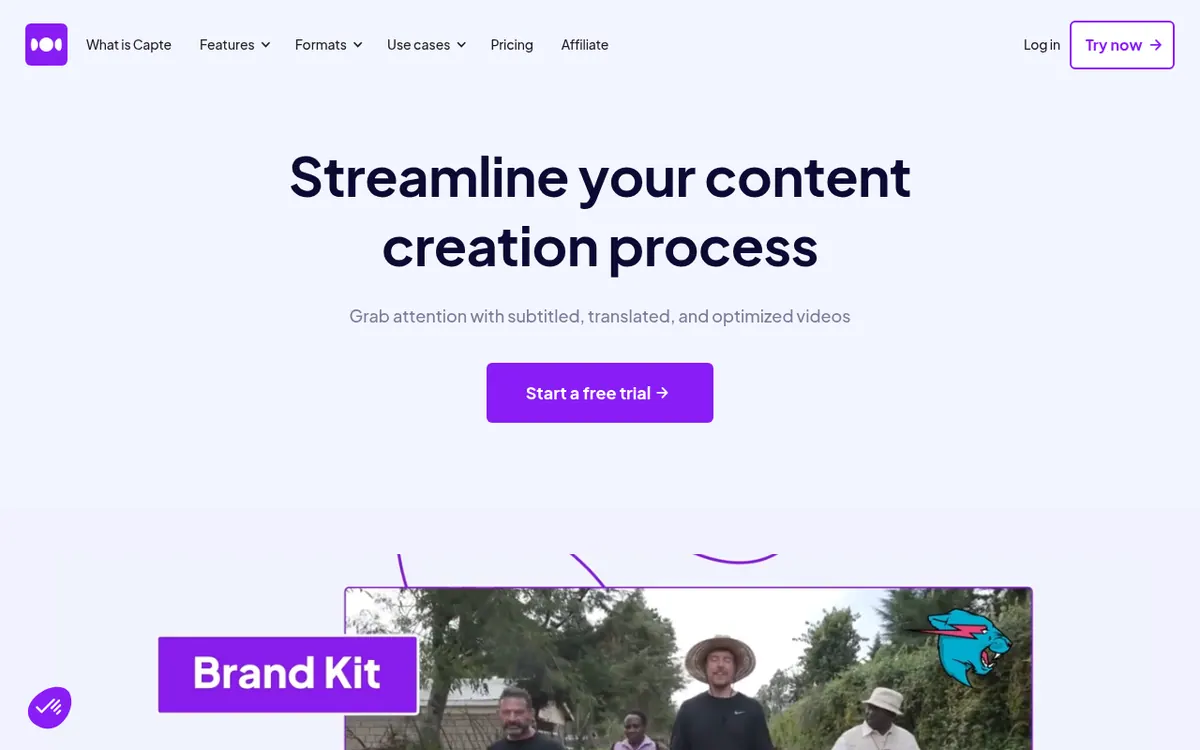
Capte is a web-based video tool that uses AI to turn a single recording into subtitled, translated and cut content for social networks. You upload a video, the transcription is produced automatically, and an editor lets you adjust the look of the text with colours, fonts, themes, effects and emojis. From the same source file it can also produce several shorter clips and a suggested post for the matching network, and it includes safe zones so elements sit correctly on each platform.
The vendor addresses content creators, solopreneurs, freelancers and agencies. Exports are available in Full HD and 4K, depending on the plan, and a brand kit is offered on the higher tiers.
Pricing is subscription-based and there is no free plan on the pricing page; each of the four plans, Starter, Standard, Premium and Expert, comes with a 3-day free trial. Billed monthly, Starter costs 7€ per month, Standard 20€, Premium 50€ and Expert 110€. The plans differ mainly by maximum video length, from 10 min per video on Starter to 240 min on Expert, and by file size, support level and translation access.
- Automatic AI subtitles
- Subtitle translation
- Clips generated from one video
- Full HD and 4K export
- Subtitle themes and effects
- Brand kit
- Automatic emojis in subtitles
- Social post suggestions per video
- Safe zones for each social network
Pros and cons
Pros
- Subtitles, translation, clips and styling are covered in one browser-based editor
- Four plans with a stated per-video length cap, from 10 min to 240 min
- 3-day free trial on every plan
- Yearly billing lowers the monthly price on Starter, Standard and Premium
- Brand kit and hundreds of subtitle themes on the higher plans
Cons
- No free plan is stated on the pricing page, only a trial
- Starter has no translation and no support
- Standard has no 4K export
- Starter videos are limited to 10 min and 200 Mo
- No yearly price is shown for the Expert plan, and no API or app is mentioned
Our take
Capte looks suited to creators and small teams who mostly need subtitles, translation and short clips cut from longer videos, and who want to do it in a browser. The plan ladder is clear, and the 3-day trial lets you check the output before paying. It is less suited to anyone who needs a free tier, since none is stated, or who wants to work on long recordings with the cheapest plan: Starter caps videos at 10 min and has neither translation nor support. Standard lacks 4K export. The pages we read do not mention an API or native apps, so check those separately if they matter to you.
Comparisons and lists with Capte
Coming soon
Coming soon — we are writing comparisons that include Capte.
Capte pricing
| Plan | Monthly billing | Annual billing (per month) | Limits / what’s included |
|---|---|---|---|
| Starter per month | €7 | €5 | 10 min per video; 200 Mo per video; no translation; no support |
| Standard per month | €20 | €18 | 35 min per video; 1 Go per video; automatic translation; unlimited chat support |
| Premium per month | €50 | €45 | 120 min per video; 5 Go per video; automatic translation; unlimited priority support; brand kit |
| Expert per month | €110 | — | 240 min per video; 10 Go per video; automatic translation; unlimited priority support; brand kit |
Free trial: 3-day free trial on every plan. Free plan: no.
Prices checked on on the official Capte pricing page. “—” = not published.
All Capte plans, limits and annual prices →
Frequently asked questions
How much does Capte cost?
Billed monthly: Starter 7€ per month, Standard 20€, Premium 50€, Expert 110€. Billed yearly, the pricing page shows 5€ per month for Starter, 18€ for Standard and 45€ for Premium, with no yearly price for Expert.
Is there a free trial?
Yes, each plan lists a 3-day free trial. No free plan is stated on the pricing page.
How long can my videos be?
The cap per video is 10 min on Starter, 35 min on Standard, 120 min on Premium and 240 min on Expert.
Which plans include translation?
Starter has no translation. Standard, Premium and Expert list automatic translation.
Does it work in the browser?
The vendor describes Capte as an online tool. The pages do not mention a mobile app, desktop app or API.
Recently verified in AI Video
 CapCut
 Lumen5
 NoteGo
 ReelsCut
 VEED
Add an AGIPicks badge to your site
The badge shows Capte’s verification status on AGIPicks and links to this page. Light/dark and compact versions: badges.

Suggest an update
Wrong price, outdated fact or a tool that shut down? Are you the vendor and disagree with this page? Tell us, ideally with a link to the official page. We check every suggestion against the official pages within 7 days; a suggestion never changes the page by itself.