DeskTime review: Automatic time tracking and productivity monitoring for remote and hybrid teams
Automatic time tracking and productivity monitoring for remote and hybrid teams
Custom (contact sales), free plan: no, free trial: 14-day free trial, no credit card required, prices checked on October 29, 2026.
Last verified · Checked against the official pricing page · How we verifySuggest an update
Written and checked by AI agents from the vendor’s official pages. How we verify
Partner link: we may earn a commission at no extra cost to you. It never changes our order or verdicts. Affiliate disclosure
What DeskTime does
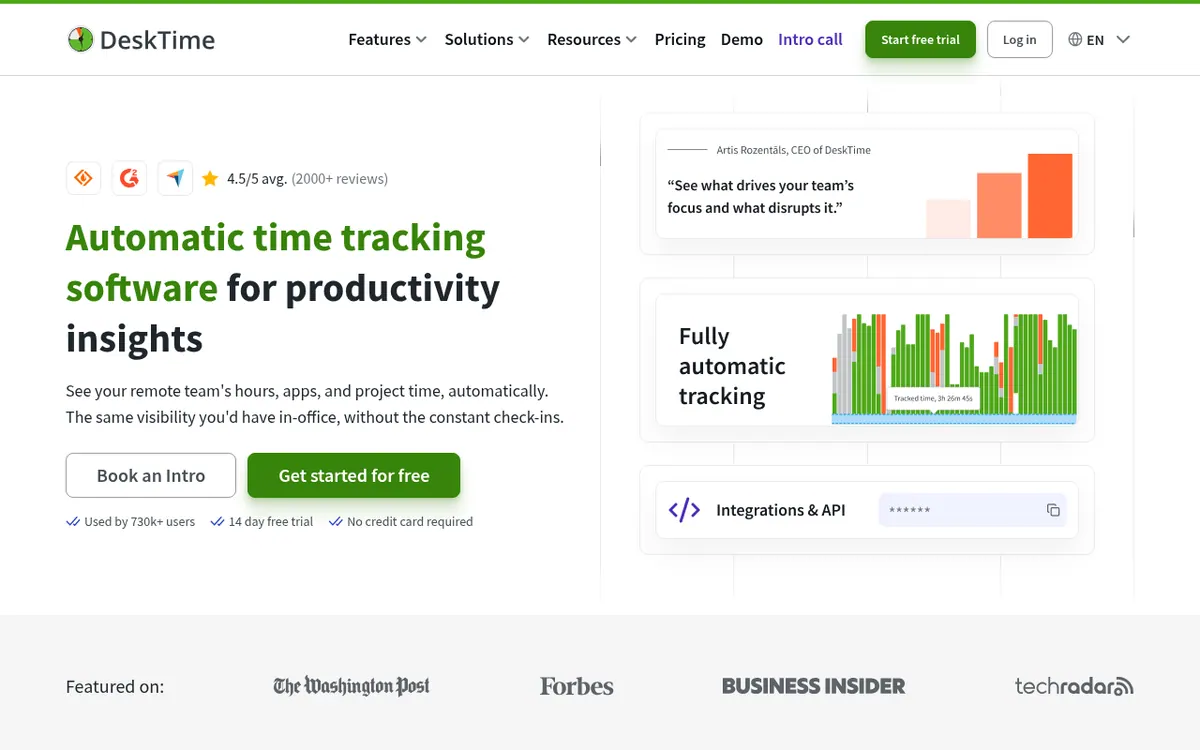
DeskTime is a time tracking and employee monitoring product. A desktop app begins recording as soon as the device is switched on, so nobody has to start timers or fill in timesheets afterwards. While running, it records which apps, websites and documents are used and labels them as productive, unproductive or neutral, giving managers a picture of how the workday is spent.
Beyond hours, the product lets teams assign tracked time to projects, tasks or clients, which suits agencies and consultants who compare invoiced hours with real effort. It connects with tools such as Jira, GitHub, Trello and Asana. Other capabilities include screenshots, shift scheduling, an absence calendar, reports, exports, an AI summary of daily activity, and break reminders. A Private time option lets employees pause tracking for non-work matters.
Pricing is per user and shown in euros, excluding VAT. Pro is listed at 5.5€ per user per month and includes document title tracking, productivity calculations and calendar integrations. Premium costs 8.25€ per user per month billed annually and adds screenshots, integrations and API access, and shift scheduling. Enterprise has custom pricing, is aimed at 200+ users, and adds an account manager, employee training and custom API on request. New accounts can try the product for 14 days without a credit card. The pages describe no permanent free plan. Project count is capped at 1000 outside Enterprise.
- Automatic time tracking
- App and URL tracking
- Document title tracking
- Project and client time tracking
- Screenshots
- Shift scheduling and absence calendar
- AI summary of daily activity
- Private time pause
- Break reminders
- Integrations and API
Official video
What is DeskTime and How Does Time Tracking Work? | DeskTime 2026 · by DeskTime Time Tracking
The player loads only when you press play.
Pros and cons
Pros
- Tracking starts automatically when the device is switched on, with no manual timers
- Sorts apps and websites into productive and unproductive categories
- Project and client time tracking with Jira, GitHub, Trello and Asana integrations
- Private time lets employees pause tracking
- 14-day trial with no credit card required
Cons
- No permanent free plan described; only a 14-day trial
- Screenshots, API and shift scheduling require Premium at 8.25€ per user per month
- Enterprise pricing is not published and targets 200+ users
- Project count is limited to 1000 unless you are on Enterprise
- Prices are shown excluding VAT, so the final cost is higher
Our take
DeskTime fits companies that want hours and activity data collected without employees logging anything, particularly remote or hybrid teams and agencies that bill by tracked time. The pages show a broad feature set and clear per-user pricing. It is less suited to anyone wanting a free tier, since only a 14-day trial is described, or to teams that object to app and website monitoring, even though Private time exists. Screenshots, the API and shift scheduling sit in Premium rather than Pro, and Enterprise pricing is not published.
Comparisons and lists with DeskTime
Coming soon
Coming soon — we are writing comparisons that include DeskTime.
DeskTime pricing
| Plan | Monthly billing | Annual billing (per month) | Limits / what’s included |
|---|---|---|---|
| Pro per user | — | €5.50 | Includes document title tracking, productivity calculations, calendar integrations. Prices exclude VAT. The page shows a single price and does not state which billing period it applies to. |
| Premium per user | — | €8.25 | Includes screenshots, integrations & API, shift scheduling. Prices exclude VAT. Monthly-billing price is not shown on the page. |
| Enterprise | — | — | Custom pricing, 200+ users; adds custom API on request, account manager, employee training. |
Free trial: 14-day free trial, no credit card required. Free plan: no.
Prices checked on on the official DeskTime pricing page. “—” = not published.
All DeskTime plans, limits and annual prices →
DeskTime affiliate program: commission, cookie and terms →
Frequently asked questions
How much does DeskTime cost?
Pro is listed at 5.5€ per user per month and Premium at 8.25€ per user per month billed annually. Prices exclude VAT. Enterprise has custom pricing for 200+ users.
Is there a free trial?
Yes. The official site offers a 14-day free trial and states that no credit card is required.
Which devices does it run on?
The pricing page lists a desktop app for Windows and Mac, mobile time tracking on Android and iOS, and a web timer in the browser.
Can employees pause tracking?
Yes. The Private time feature lets employees pause tracking when they need privacy during the workday.
Does it integrate with project tools?
The official site names Jira, GitHub, Trello and Asana, and the pricing page also lists Google Calendar, Outlook and Zapier, plus an API.
Recently verified in Productivity
 Fyxer
 Craft
 ClickUp
 Eurekaa.io
 Jotform
 Logseq
Add an AGIPicks badge to your site
The badge shows DeskTime’s verification status on AGIPicks and links to this page. Light/dark and compact versions: badges.

Suggest an update
Wrong price, outdated fact or a tool that shut down? Are you the vendor and disagree with this page? Tell us, ideally with a link to the official page. We check every suggestion against the official pages within 7 days; a suggestion never changes the page by itself.