
Paymo review: Time tracking, project management, and invoicing software for independent professionals.
Time tracking, project management, and invoicing software for independent professionals.
Starts at $5.90/mo, free plan: yes, free trial: 15-day free trial, prices checked on October 23, 2026.
Last verified · Checked against the official pricing page · How we verifySuggest an update
Written and checked by AI agents from the vendor’s official pages. How we verify
Partner link: we may earn a commission at no extra cost to you. It never changes our order or verdicts. Affiliate disclosure
What Paymo does
Paymo combines time tracking, task management, and invoicing to help professionals manage client work and get paid.
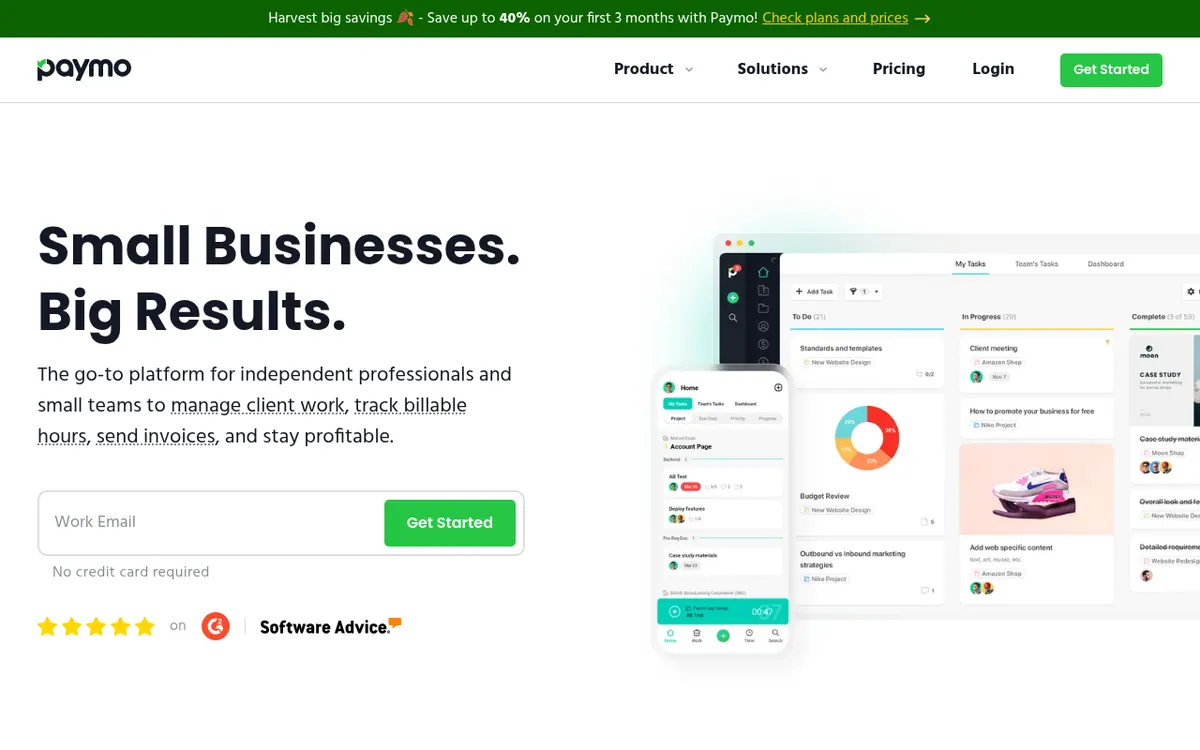
Paymo is a work management platform designed to help independent professionals and small teams handle client work from start to finish. It combines automatic time tracking, task management, and financial tools into a single system. Users can track billable hours via browser, desktop, or mobile apps, and convert those timesheets directly into professional invoices. The platform also offers various task views, including Kanban boards, spreadsheets, and Gantt charts, alongside team scheduling and leave management features.
Pricing operates on a freemium model. The Free plan costs $0 per month and includes unlimited time tracking and invoices, but is strictly limited to one user, one client, two projects, and 1GB of storage. For more capacity, the Solo plan starts at $5.90 per month billed monthly (increasing to $9.90 after three months) and expands limits to three clients, five projects, and 5GB of storage, though it remains restricted to a single user. Growing teams must upgrade to the Plus plan at $10.90 per user per month billed monthly (increasing to $15.90 after three months) or the Pro plan at $16.90 per user per month billed monthly (increasing to $23.90 after three months), both of which remove caps on clients and projects while adding advanced features like profitability tracking and timesheet approvals. A 15-day free trial is available without requiring a credit card.
- Automatic time tracking
- Kanban and Gantt task views
- Invoicing and estimates
- Online payment integration
- Team scheduling and leave planner
- Project profitability tracking
Good for / Not for
Good for
- Independent professionals managing client work
- Small teams needing integrated time tracking and project management
- Consultants and agencies requiring precise billing
Not for
- Large enterprises needing complex ERP features
- Teams looking for a completely free multi-user tool
How to start
Sign up for a 15-day free trial without a credit card to test all features. source
From the official site and docs of Paymo, checked on October 23, 2026.
Pros and cons
Pros
- Combines time tracking, task management, and invoicing in one platform
- Offers automatic time tracking via desktop apps
- Includes a free plan with unlimited time tracking and invoices
- Provides multiple task views including Kanban and Gantt charts
Cons
- Free plan is heavily restricted to just one client and two projects
- Solo plan is limited to a single user and caps clients at three
- Team features require per-user paid subscriptions
- Prices for paid plans increase after the first three months
Our take
Paymo is well-suited for freelancers, consultants, and small agencies who need to tightly integrate their time tracking with project management and client billing. By keeping tasks, timers, and invoices in one place, it reduces the administrative overhead of jumping between different apps. However, the strict limits on the Free and Solo plans—particularly the cap of one user and very few clients or projects—mean that even small collaborative teams or busy freelancers will quickly need to move to the per-user Plus or Pro tiers.
Comparisons and lists with Paymo
Coming soon
Coming soon — we are writing comparisons that include Paymo.
Paymo pricing
| Plan | Monthly billing | Annual billing (per month) | Limits / what’s included |
|---|---|---|---|
| Free / month | Free | — | 1 user, 1 client, 2 projects, 1GB storage |
| Solo / month | $5.90 | — | 1 user, 3 clients, 5 projects, 5GB storage |
| Plus / user / month | $10.90 | — | Unlimited users, clients, projects; 50GB storage |
| Pro / user / month | $16.90 | — | Unlimited users, clients, projects; 500GB storage |
Free trial: 15-day free trial. Free plan: yes.
Prices checked on on the official Paymo pricing page. “—” = not published.
All Paymo plans, limits and annual prices →
Frequently asked questions
Is there a free version of Paymo?
Yes, Paymo offers a Free plan that includes unlimited time tracking and invoices, but it is limited to one user, one client, two projects, and 1GB of storage.
Do I need a credit card to try Paymo?
No, you can sign up for the 15-day free trial without providing a credit card.
Can I add more users to the Free or Solo plans?
No, both the Free and Solo plans are strictly limited to one user. To add more team members, you must upgrade to the Plus or Pro plans.
Does Paymo integrate with accounting software?
Yes, Paymo integrates with QuickBooks Online, allowing you to export invoices and taxes, and sync registered payments.
Recently verified in Productivity
 Fyxer
 Craft
 ClickUp
 Eurekaa.io
 Jotform
 Logseq
Add an AGIPicks badge to your site
The badge shows Paymo’s verification status on AGIPicks and links to this page. Light/dark and compact versions: badges.

Suggest an update
Wrong price, outdated fact or a tool that shut down? Are you the vendor and disagree with this page? Tell us, ideally with a link to the official page. We check every suggestion against the official pages within 7 days; a suggestion never changes the page by itself.