
timeBuzzer review: Time tracking on desktop, mobile and web with an optional physical start/stop device
Time tracking on desktop, mobile and web with an optional physical start/stop device
Custom (contact sales), free plan: no, free trial: 15-day free trial of the Pro plan, no credit card required, prices checked on October 20, 2026.
Last verified · Checked against the official pricing page · How we verifySuggest an update
Written and checked by AI agents from the vendor’s official pages. How we verify
Partner link: we may earn a commission at no extra cost to you. It never changes our order or verdicts. Affiliate disclosure
What timeBuzzer does
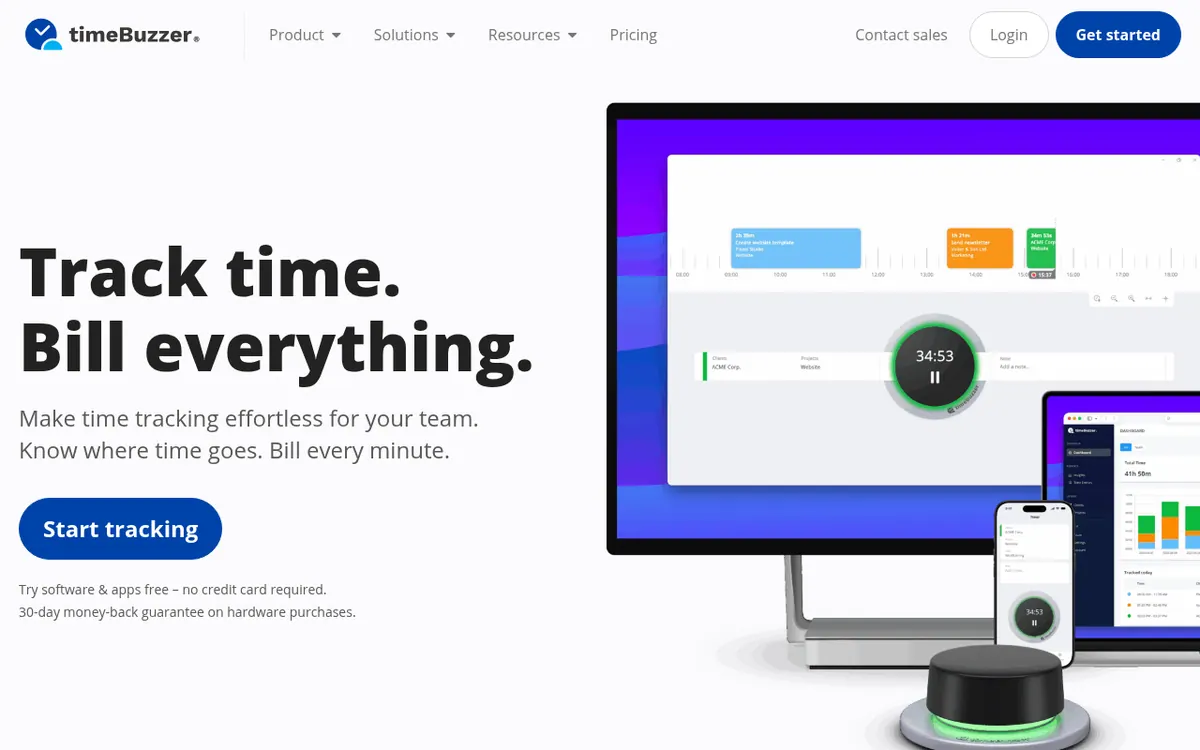
timeBuzzer is a time tracking product that runs on Mac, Windows, Linux, iOS and Android, with a web console as well. Time is tracked on desktop, mobile and web and synced online. An offline mode keeps working without a connection and syncs once the device is online again. An optional physical device lets you start and stop the timer quickly.
For reporting, the product creates PDF reports with your own logo and exports data to CSV or XLSX. Time entries can be marked as billed. Invoicing tool integrations create invoices for customers directly from time entries, and automation is possible through Zapier, Make and Integrately. An open API is also listed. For teams, roles and permissions are available, and users only see their own time. The features page also states that its servers are ISO 27001 certified.
Pricing centers on one plan, timeBuzzer Pro, at 8 € per user per month billed yearly, excluding VAT. The pricing page shows no monthly-billed price and no free plan, but it offers a 15-day free trial of Pro with no credit card and no automatic renewal. Every active user needs a paid seat, and teams with more than 10 users are asked to contact the vendor. The physical device is sold separately at 59€.
- Time tracking on desktop, mobile and web
- Optional physical start/stop device
- Offline mode with later sync
- Mark time entries as billed
- PDF reports and CSV/XLSX export
- Roles and permissions for teams
- Invoicing tool integrations
- Zapier, Make and Integrately automation
- Open API
- ISO 27001 certified servers
Pros and cons
Pros
- Apps for Mac, Windows, Linux, iOS and Android plus a web console
- Offline mode that syncs once the device is back online
- PDF reports with your own logo and CSV or XLSX export
- Invoicing tool integrations, Zapier, Make, Integrately and an open API
- 15-day Pro trial with no credit card and no automatic renewal
Cons
- No free plan is stated on the pricing page
- Only the yearly-billed price of 8 € per user per month is shown
- Every active user needs a paid seat
- The physical device is an extra 59€
- Teams of more than 10 users must contact the vendor, and prices exclude VAT
Our take
timeBuzzer fits people and teams who want straightforward time tracking across desktop, mobile and web, with reports, billed-status marking and invoicing tool connections. The optional physical device suits those who want a dedicated start/stop control, but it costs an extra 59€ and the software can be used without it. The trade-offs are on the pricing side: the only price shown is 8 € per user per month billed yearly, with no monthly-billed price and no free plan on the pricing page. Every active user needs a paid seat, so cost scales with headcount, and teams above 10 users have to contact the vendor. Prices exclude VAT. The 15-day Pro trial, which needs no credit card, is the way to evaluate it before paying.
Comparisons and lists with timeBuzzer
Coming soon
Coming soon — we are writing comparisons that include timeBuzzer.
timeBuzzer pricing
| Plan | Monthly billing | Annual billing (per month) | Limits / what’s included |
|---|---|---|---|
| timeBuzzer Pro per user/month, billed annually, excl. VAT | — | €8 | Every active user requires a paid seat; more than 10 users: contact us |
Free trial: 15-day free trial of the Pro plan, no credit card required. Free plan: no.
Prices checked on on the official timeBuzzer pricing page. “—” = not published.
Frequently asked questions
How much does timeBuzzer cost?
timeBuzzer Pro is listed at 8 € per user per month billed yearly, excluding VAT. The pricing page shows no monthly-billed price. The optional physical device is 59€.
Can I try timeBuzzer before paying?
Yes. The Pro plan can be tried free for 15 days with no credit card and no automatic renewal.
Is there a free trial or refund for the hardware?
The vendor says it cannot ship free trial units for the device, but it offers a 30-day money-back guarantee on a first purchase.
Which platforms does timeBuzzer support?
The features page lists Mac, Windows, Linux, iOS and Android, plus a web console.
What happens with teams above 10 users?
Every active user needs a paid seat, and the pricing page asks teams with more than 10 users to contact the vendor.
Recently verified in Productivity
 Fyxer
 Craft
 ClickUp
 Eurekaa.io
 Jotform
 Logseq
Add an AGIPicks badge to your site
The badge shows timeBuzzer’s verification status on AGIPicks and links to this page. Light/dark and compact versions: badges.

Suggest an update
Wrong price, outdated fact or a tool that shut down? Are you the vendor and disagree with this page? Tell us, ideally with a link to the official page. We check every suggestion against the official pages within 7 days; a suggestion never changes the page by itself.