
TimeCamp review: Time tracking, timesheets and invoicing with a free forever plan
Time tracking, timesheets and invoicing with a free forever plan
Starts at $5.49/mo, free plan: yes, free trial: Free trial available on paid plans (length not stated); includes $10 in AI credi, prices checked on October 20, 2026.
Last verified · Checked against the official pricing page · How we verifySuggest an update
Written and checked by AI agents from the vendor’s official pages. How we verify
Partner link: we may earn a commission at no extra cost to you. It never changes our order or verdicts. Affiliate disclosure
What TimeCamp does
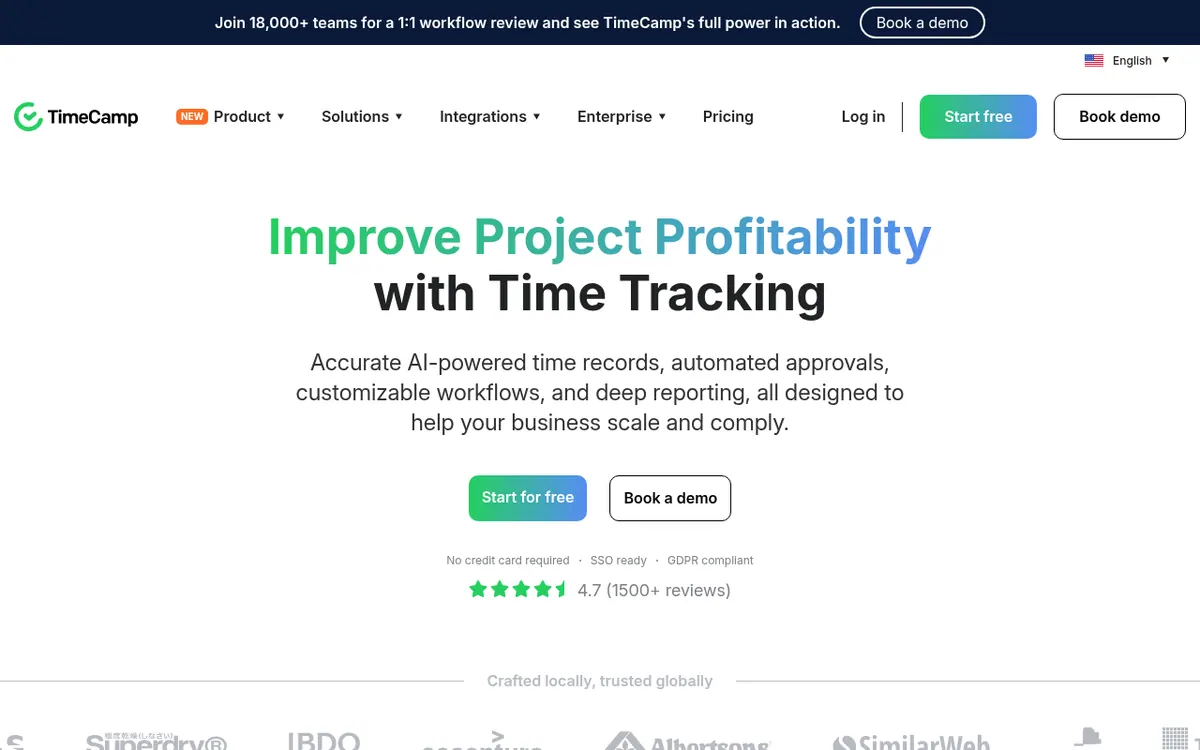
TimeCamp is a time tracking product from a company that says it has focused on automatic time tracking since 2009. It covers timers and manual entries, timesheets, attendance, time-off, overtime, invoicing and reporting. Paid tiers add budgets and estimates, billable time, timesheet approvals, screenshots and SSO login.
It runs as a web app, desktop apps for macOS, Windows and Linux, mobile apps through the App Store and Google Play, and browser extensions for Chrome and Edge. The pricing page also lists an API. Projects and tasks can be synchronized from 26 tools, and the vendor pages describe integrations with Asana and ClickUp.
Pricing is per user. The Free plan costs $0 and has no time limit, with unlimited users and projects. Starter is $3.99 per user per month billed yearly or $5.49 per user per month billed monthly. Premium is $6.99 per month billed yearly or $9.99 billed monthly. Ultimate is $9.99 per month billed yearly or $13.99 billed monthly. Enterprise is listed as on request and adds self-hosted or private cloud deployment, custom integrations and a support SLA.
An AI Time Tracker is listed on every plan, but it is billed by token usage. The page estimates $6 per user per month for time entry suggestions, and the free trial includes $10 in credits. Paid plans offer a free trial, though its length is not stated. Plan changes are prorated, and the vendor states that it does not grant refunds.
- Automatic time tracking with keywords
- AI Time Tracker for time entry suggestions
- Timesheets with approvals on Ultimate
- Attendance, time-off and overtime tracking
- Invoicing and Excel report export
- Budgets, estimates and budgeting alerts
- Screenshots and remote work detection
- SSO login and custom user roles
Pros and cons
Pros
- Free forever plan with unlimited users and unlimited projects
- Paid plans start at $3.99 per user per month billed yearly
- Apps for web, macOS, Windows, Linux, iOS and Android plus Chrome and Edge extensions
- Higher tiers add timesheet approvals, SSO login and screenshots
- Enterprise offers self-hosted or private cloud deployment
Cons
- Monthly billing costs more: Starter is $5.49 per user per month billed monthly
- AI Time Tracker is billed by token usage, estimated at $6 per user per month
- Premium includes only one integration; unlimited integrations need Ultimate
- The vendor states it does not grant refunds
- Enterprise pricing is not published on the official site
Our take
TimeCamp fits teams that want a free starting point with unlimited users and projects, then pay per user as they need invoicing, approvals or budgets. It also suits organizations that need deployment options such as self-hosting. The trade-offs are visible on the pricing page: the cheapest annual prices require yearly billing, Premium allows only one integration, and the AI Time Tracker adds token-based costs on top of the seat price. The vendor states it gives no refunds. Enterprise pricing is not published, and trial length is not stated.
Comparisons and lists with TimeCamp
Coming soon
Coming soon — we are writing comparisons that include TimeCamp.
TimeCamp pricing
| Plan | Monthly billing | Annual billing (per month) | Limits / what’s included |
|---|---|---|---|
| Free | Free | — | Free forever plan; unlimited users and projects |
| Starter per user | $5.49 | $3.99 | Unlimited tasks; AI Time Tracker billed by token usage |
| Premium per user | $9.99 | $6.99 | One integration; AI Time Tracker billed by token usage |
| Ultimate per user | $13.99 | $9.99 | Unlimited integrations; AI Time Tracker billed by token usage |
Free trial: Free trial available on paid plans (length not stated); includes $10 in AI credi. Free plan: yes.
Prices checked on on the official TimeCamp pricing page. “—” = not published.
All TimeCamp plans, limits and annual prices →
Frequently asked questions
Does TimeCamp have a free plan?
Yes. The Free plan is a free forever plan at $0 with unlimited users and unlimited projects, timesheets, and web, desktop and mobile apps.
How much does TimeCamp cost?
Per user per month: Starter is $3.99 billed yearly or $5.49 billed monthly. Premium is $6.99 billed yearly or $9.99 billed monthly. Ultimate is $9.99 billed yearly or $13.99 billed monthly. Enterprise is on request.
Is the AI Time Tracker included in the price?
It is listed on each plan but billed by token usage. The page estimates $6 per user per month for time entry suggestions, and the free trial includes $10 in credits.
Can I get a refund or change plans?
You can switch plans, change seats or cancel at any time, with charges prorated. The vendor states it does not grant refunds.
Can TimeCamp be installed on my own server?
Yes. On-premise and private SaaS models are offered to customers with 50+ users on the annual Ultimate Plan.
Recently verified in Productivity
 Fyxer
 Craft
 ClickUp
 Eurekaa.io
 Jotform
 Logseq
Add an AGIPicks badge to your site
The badge shows TimeCamp’s verification status on AGIPicks and links to this page. Light/dark and compact versions: badges.

Suggest an update
Wrong price, outdated fact or a tool that shut down? Are you the vendor and disagree with this page? Tell us, ideally with a link to the official page. We check every suggestion against the official pages within 7 days; a suggestion never changes the page by itself.