
AI Video Cut review: Turns long videos into short clips for TikTok, YouTube Shorts and ads via prompts
Turns long videos into short clips for TikTok, YouTube Shorts and ads via prompts
Starts at €12/mo, free plan: yes, prices checked on October 29, 2026.
Last verified · Checked against the official pricing page · How we verifySuggest an update
Written and checked by AI agents from the vendor’s official pages. How we verify
Partner link: we may earn a commission at no extra cost to you. It never changes our order or verdicts. Affiliate disclosure
What AI Video Cut does
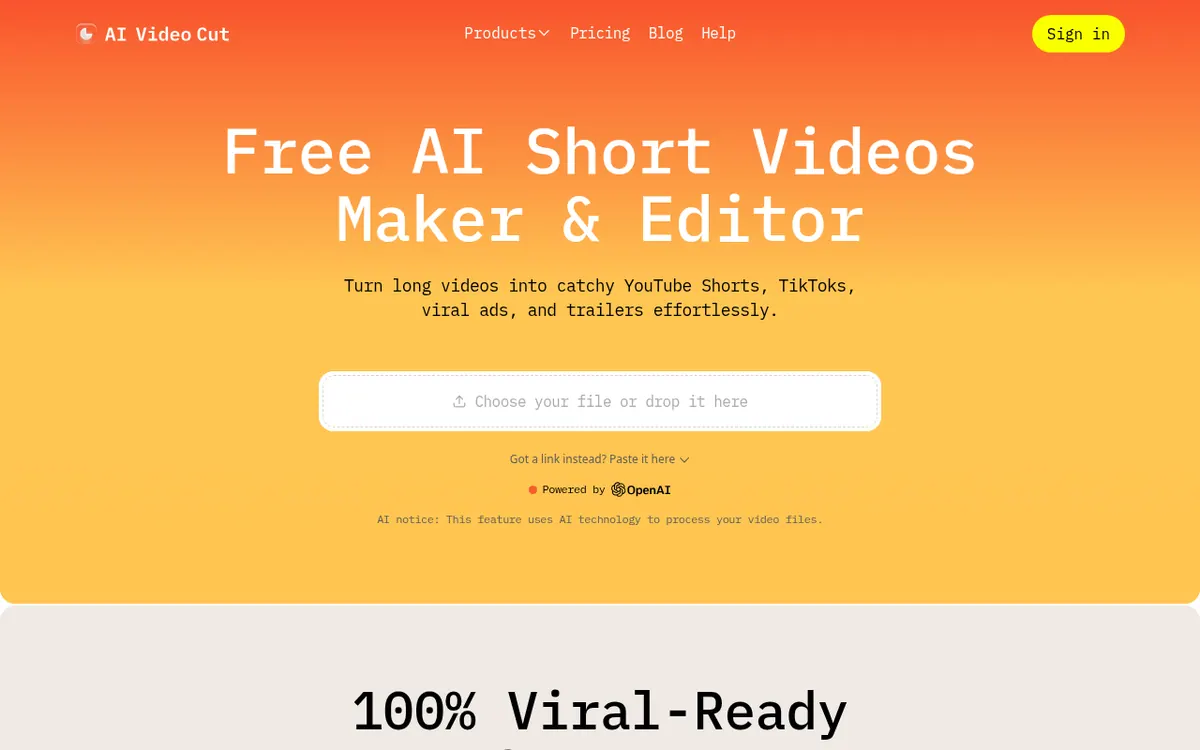
Cuts long videos into short social clips from a prompt, with editable transcripts, captions and face-aware cropping.
AI Video Cut takes a long video and produces shorter clips aimed at social platforms such as YouTube Shorts, TikTok and Instagram. You bring a local file or a link, then pick a ready-made prompt (viral clips, funny moments, product review, trailer and others) or write your own instruction for how the video should be cut.
After the clips are generated you can adjust the transcript to tidy captions and drop unwanted moments, choose a caption style, and let the tool detect speaker faces to keep them in frame. Output can be cropped to 9:16, 16:9, 1:1 or the original ratio, and transcription covers 100 languages. A title and description generator is included, and files can be downloaded as MP4.
Pricing is freemium. The Free plan costs €0 and gives a one-time allowance of 50 minutes, with a watermark, files up to 30 minutes and 2GB, and storage for 14 days. Starter is shown at €12 per month billed monthly or €10 per month billed yearly, with 1800 minutes per year. Pro is €18 per month billed monthly or €12.50 per month billed yearly, with 3600 minutes per year, files up to 3h and 4GB. Both paid plans remove the watermark, keep files for 6 months and allow unlimited editing. The site says paid minutes refresh each billing cycle, and the company behind it is Omnisale GMBH.
- Prompt-based video clipping
- Transcript editing
- Speaker face detection and framing
- Caption styles
- Aspect ratio cropping
- Transcription in 100 languages
- Title and description generator
- Import from files and video links
Good for / Not for
Good for
- Creators repurposing long videos into short clips for social platforms
- Marketers who need short video ads from existing footage
- Podcasters and event teams turning recordings into promo highlights
Not for
- Users who need an unwatermarked result without paying, since Free adds a watermark
- Heavy users who need more than 3600 minutes per year
How to start
Either pick a file stored on your device or drop in a YouTube link. source
Pick a prompt, such as a trailer or product review, or write your own. source
Pick the clip duration, select an aspect ratio of 9:16, 1:1 or 16:9, and choose a caption style. source
Preview, download and share the clip; the Free plan starts with a one-time 50 minutes. source
Limits and gotchas
From the official site and docs of AI Video Cut, checked on October 29, 2026.
Pros and cons
Pros
- Free plan at €0 lets you try the tool before paying
- Custom text prompts or ready-made prompts decide how clips are cut
- Transcript editing, caption styles and face detection are included
- Crops to 9:16, 16:9, 1:1 or original, with transcription in 100 languages
- Paid plans remove the watermark and allow unlimited editing
Cons
- Free plan allowance is a one-time 50 minutes that does not refresh
- Free plan output carries a watermark and files are limited to 30 minutes
- Paid plans cap usage at 1800 (Starter) or 3600 (Pro) minutes per year
- Regeneration is limited to 3 on Free and 10 on paid plans
- No API, platform list or free trial is stated on the official pages
Our take
AI Video Cut fits creators, marketers and podcasters who want to repurpose existing long recordings into short clips and are happy to steer the result with prompts and a transcript editor. The free plan lets you try it, but the one-time 50 minutes and the watermark make it a sampling tool, not a working setup. Heavy users should check the yearly minute caps: Starter has 1800 and Pro has 3600. The pages do not state platforms, an API or a trial, so teams needing integrations should confirm those with the vendor first.
Comparisons and lists with AI Video Cut
Coming soon
Coming soon — we are writing comparisons that include AI Video Cut.
AI Video Cut pricing
| Plan | Monthly billing | Annual billing (per month) | Limits / what’s included |
|---|---|---|---|
| Free | Free | — | 50 Minutes One-Time; Includes Watermark; Up to 30 Minutes File Length; Up to 2GB File Size Upload; Storage Limit: 14 Days; Limited Editing |
| Starter per month | €12 | €10 | 1800 Minutes/Year; Without Watermark; Up to 2h File Length; Up to 4GB File Size Upload; Storage Limit: 6 Months; Unlimited Editing |
| Pro per month | €18 | €12.50 | 3600 Minutes/Year; Without Watermark; Up to 3h File Length; Up to 4GB File Size Upload; Storage Limit: 6 Months; Unlimited Editing |
Free trial: none listed. Free plan: yes.
Prices checked on on the official AI Video Cut pricing page. “—” = not published.
All AI Video Cut plans, limits and annual prices →
Frequently asked questions
Is there a free plan?
Yes. The Free plan costs €0 and includes a one-time 50 minutes, a watermark, files up to 30 minutes and storage for 14 days.
Do upload minutes refresh?
For paid plans, minutes refresh at the start of each billing cycle. On the Free plan the 50 minutes are one-time and do not refresh.
Which video sources can I use?
You can use your own files, or sources such as YouTube, Reddit, Instagram, Zoom, Twitch, Dailymotion, Facebook and Google Drive.
How do I cancel or upgrade?
Cancel with the Cancel Plan button in your account profile. To go from Starter to Pro, use the Upgrade Plan button there and select Pro.
Recently verified in Social Media
 Later
 Post Bridge
 Blabla
 Hootsuite
 Metricool
 Modash
Add an AGIPicks badge to your site
The badge shows AI Video Cut’s verification status on AGIPicks and links to this page. Light/dark and compact versions: badges.

Suggest an update
Wrong price, outdated fact or a tool that shut down? Are you the vendor and disagree with this page? Tell us, ideally with a link to the official page. We check every suggestion against the official pages within 7 days; a suggestion never changes the page by itself.