
Post Bridge review: Cross-posting and scheduling for social media marketers, with API and MCP access
Cross-posting and scheduling for social media marketers, with API and MCP access
Starts at $39/mo, free plan: no, free trial: 7 day free trial, prices checked on November 2, 2026.
Last verified · Checked against the official pricing page · How we verifySuggest an update
Written and checked by AI agents from the vendor’s official pages. How we verify
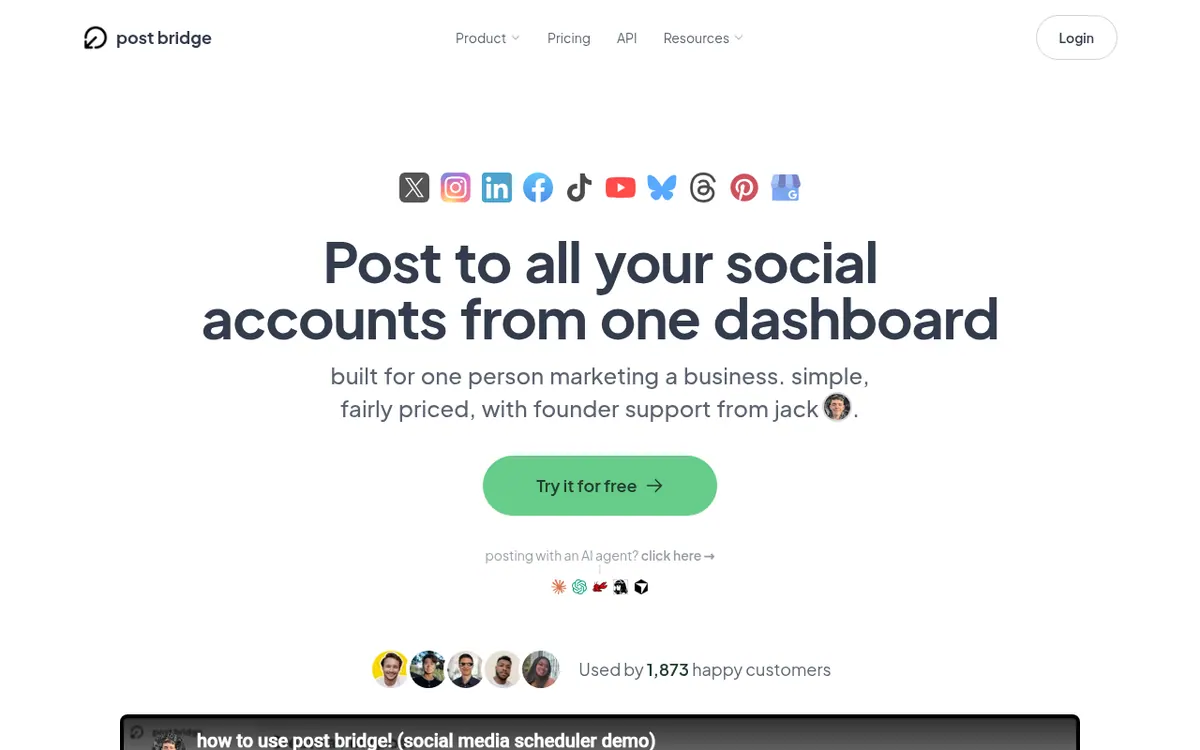
What Post Bridge does
Lets you write a social post once, customize it per platform, and publish or schedule it to several social accounts from one place.
Post Bridge is a tool for publishing and scheduling social media content from one place. You create a post once and send it to several social platforms at the same time. You can also adjust it for each platform, so the same idea does not have to be rewritten in every app. A single view shows which posts are scheduled and which have already gone out.
The pricing page lists support for videos, images, text posts, carousels made of several images, and reels. Other listed capabilities are bulk video scheduling, several accounts per platform, MCP agent connect for AI agents, API access, and analytics that are marked as beta.
There are two paid plans. Marketer costs $39 per month billed monthly and includes 15 connected social accounts. Operator costs $99 per month billed monthly, starts at 99 accounts, and adds $1 for each account after that, with no maximum. Operator also lets you invite team members. Paying users get unlimited posts, but one post sent to 4 platforms counts as 4 posts. A 7 day free trial is offered. A refund can be requested within 7 days of being charged, and cancelling takes effect at the end of the current billing period. The pricing page has a Yearly toggle that mentions 2 months free, but no yearly price is shown in the facts.
- Publish one post to multiple social platforms
- Schedule posts with per-platform customization
- One view of scheduled and published posts
- Videos, images, text posts, carousels and reels
- Bulk video scheduling
- Multiple accounts per platform
- MCP agent connect
- API access
- Analytics (beta)
Good for / Not for
Good for
- Solo marketers or creators who post the same content to several social platforms
- People who want to automate posting through the included API or MCP agent connect
- Operators who manage many accounts and want to invite team members
Not for
- Anyone who needs a free plan, since none is listed on the pricing page
- Buyers who need yearly prices stated, since only a '2 months free' toggle is shown
How to start
Start the 7 day free trial from the pricing page and pick the Marketer or Operator plan. source
Connect your social accounts. Marketer includes 15 connected social accounts, and several accounts per platform are allowed. source
Create a post, customize it for each platform, and schedule it or publish it across platforms. source
Check scheduled and published posts in the single overview. source
Limits and gotchas
- The Marketer plan comes with 15 connected social accounts. With Operator, you get 99 accounts to begin with, and each additional account costs $1, with no upper limit. source
- Posts are unlimited for paying users, but one post sent to 4 platforms counts as 4 posts. source
- A refund can be requested within 7 days of being charged. source
- Cancelling takes effect at the end of the current billing period. source
- Analytics are labelled beta. source
From the official site and docs of Post Bridge, checked on November 2, 2026.
Pros and cons
Pros
- Publishes one post to several social platforms from a single place, with per-platform customization
- API is included and MCP agent connect is listed, so posting can be automated
- Paying users get unlimited posts, and several accounts can be connected per platform
- A 7 day free trial is offered, and a refund can be requested within 7 days of being charged
- Operator has no account limit and allows inviting team members
Cons
- No free plan is listed on the pricing page; both plans are paid
- No yearly price is shown, only a Yearly toggle that mentions 2 months free
- Marketer includes 15 connected social accounts
- Operator starts at 99 accounts and adds $1 for each account after that
- Analytics are labelled beta, and one post sent to 4 platforms counts as 4 posts
Our take
Post Bridge fits a marketer, founder or creator who wants to publish the same content to several social networks from one dashboard. It also suits people who want to automate posting, since the API is included and MCP agent connect is listed. The Marketer plan costs $39 per month billed monthly and covers 15 accounts, which is enough for a small set of profiles. It is a weaker match for teams that need approval flows or shared inboxes, because none are listed, although the Operator plan does add team invitations. Analytics are still labelled beta, and no free plan is listed, so the 7 day trial is the way to test it.
Comparisons and lists with Post Bridge
Coming soon
Coming soon — we are writing comparisons that include Post Bridge.
Post Bridge pricing
| Plan | Monthly billing | Annual billing (per month) | Limits / what’s included |
|---|---|---|---|
| Marketer | $39 | — | 15 connected social accounts, unlimited posts, billed monthly |
| Operator 99 accounts minimum, $1 each additional account after that | $99 | — | 99 accounts minimum, $1 each after; no account limit; invite team members |
Free trial: 7 day free trial. Free plan: no.
Prices checked on on the official Post Bridge pricing page. “—” = not published.
All Post Bridge plans, limits and annual prices →
Frequently asked questions
How much does Post Bridge cost?
Marketer is $39 per month billed monthly. Operator is $99 per month billed monthly. The pricing page has a Yearly toggle that mentions 2 months free, but no yearly price is shown.
How many social accounts can I connect?
Marketer includes 15 connected social accounts. Operator starts at 99 accounts and adds $1 per account after that, with no maximum.
Is there a free trial?
Yes. The pricing page offers a 7 day free trial. No free plan is listed on that page.
Does Post Bridge have an API?
Yes. The pricing page says API is included. MCP agent connect is also listed.
Can I get a refund or cancel?
The pricing page says a refund can be requested within 7 days of being charged. Cancelling takes effect at the end of the current billing period.
Recently verified in Social Media
 Later
 Blabla
 Hootsuite
 Metricool
 Modash
Add an AGIPicks badge to your site
The badge shows Post Bridge’s verification status on AGIPicks and links to this page. Light/dark and compact versions: badges.

Suggest an update
Wrong price, outdated fact or a tool that shut down? Are you the vendor and disagree with this page? Tell us, ideally with a link to the official page. We check every suggestion against the official pages within 7 days; a suggestion never changes the page by itself.