
Captions review: AI video editor and generator for creators, with captions, avatars and clips
AI video editor and generator for creators, with captions, avatars and clips
Starts at $24.99/mo, free plan: yes, prices checked on October 30, 2026.
Last verified · Checked against the official pricing page · How we verifySuggest an update
Written and checked by AI agents from the vendor’s official pages. How we verify
What Captions does
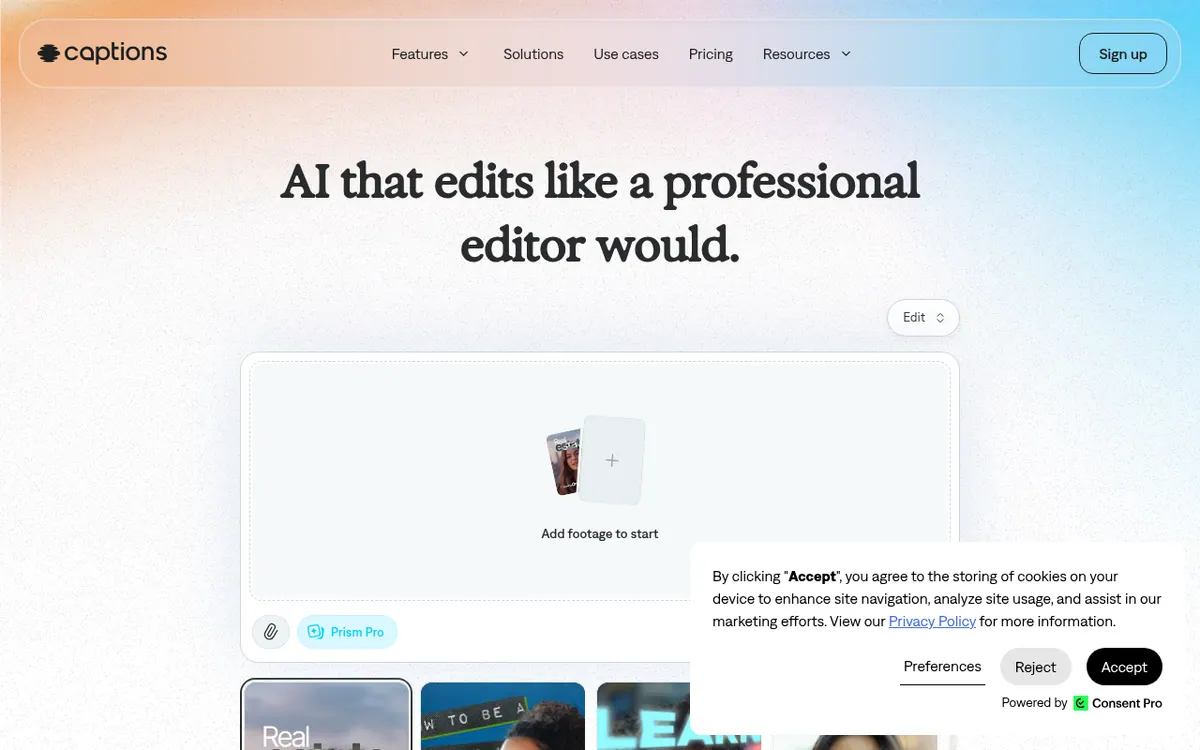
Captions is an AI video editor and generator from NOCAP, Inc. It is meant for people who want finished videos without doing manual post-production. You upload footage or start from scratch, pick an editing style, and the AI applies cuts, B-roll, music and transitions across the whole video. A chat-based editor lets you request changes with plain prompts.
Other tools include automatic captions with stylized fonts, translation and subtitles in 100+ languages, AI avatars and digital twins, eye contact correction, background noise removal, and trimming of pauses and filler words. Longer videos can be turned into batches of clips. It is available in a browser, and as an app from the App Store and Google Play.
Pricing is freemium. A free version exists with a limited feature set, including one caption template. The Max plan costs $24.99/mo and includes 500 credits per month. Frontier costs $69.99/mo with 1,400 credits per month, and larger usage tiers, Frontier 2x at $139.99/mo and Frontier 4x at $279.99/mo, add more credits. Enterprise pricing is custom. Prices are in USD and, according to the page, reflect iOS plans only. Unused credits roll over to the next month.
- AI Edit styles that edit a whole video
- Chat-based prompt editor
- AI avatars and digital twins
- Automatic captions with stylized fonts
- Translation and subtitles in 100+ languages
- Eye contact correction
- Background noise removal
- Pause and filler word trimming
- Long video to post-ready clips
- Generated B-roll, music and sound effects
Official video
Introducing Tesseract · by Mirage ·
The player loads only when you press play.
Pros and cons
Pros
- Edits an entire video in a chosen style, including cuts, B-roll and music
- Chat-based editor accepts plain prompts for changes
- Captions and translation cover 100+ languages
- Free version available, so basic tools can be tried without paying
- Unused credits roll over to the next month
Cons
- Free plan is limited, with only 1 caption template and no generative AI credits
- Generative features need a paid plan starting at $24.99/mo
- Listed prices reflect iOS plans only, so other platforms are unclear
- No free trial or yearly per-month prices are published
- No API or desktop app is mentioned on the official pages
Our take
Captions suits creators, marketers and small businesses who want an AI to handle most of the editing and who are willing to pay for generative features. The free version covers only basic tools, so anyone wanting avatars, clips or AI-generated media needs a paid plan, starting at $24.99/mo for Max. The credit system means heavy users may need the Frontier tiers. The pricing page shows prices for iOS only, so check what you would pay on other platforms. No free trial or API is mentioned in the official pages. Professional editors who want full manual control may find a prompt-driven tool less fitting.
Comparisons and lists with Captions
Coming soon
Coming soon — we are writing comparisons that include Captions.
Captions pricing
| Plan | Monthly billing | Annual billing (per month) | Limits / what’s included |
|---|---|---|---|
| Max | $24.99 | — | 500 credits per month |
| Frontier 1x usage | $69.99 | — | 1,400 credits per month |
| Frontier 2x 2x usage | $139.99 | — | 2,800 credits per month |
| Frontier 4x 4x usage | $279.99 | — | 5,600 credits per month |
| Enterprise | — | — | Custom pricing; bulk credit discounts, custom seat options |
Free trial: none listed. Free plan: yes.
Prices checked on on the official Captions pricing page. “—” = not published.
All Captions plans, limits and annual prices →
Frequently asked questions
Is Captions free?
There is a free version with a limited feature set, including basic tools like trimming and transitions. Generative AI features and more advanced editing need a paid plan.
How much does Captions cost?
Max is $24.99/mo with 500 credits per month. Frontier is $69.99/mo with 1,400 credits per month, Frontier 2x is $139.99/mo and Frontier 4x is $279.99/mo. Enterprise pricing is custom. Prices are in USD and reflect iOS plans only.
Do unused credits expire?
No. Unused credits roll over to the next month, and a balance can hold 3× the monthly allowance.
Where can I use Captions?
You can sign up in your browser or download the app from the App Store or Google Play.
Can I switch plans?
Yes. You can upgrade or downgrade at any time. Upgrades apply immediately with prorated pricing, and downgrades take effect at the end of the billing cycle.
Recently verified in AI Video
 Astorie (MartiniArt AI)
 CapCut
 Kling AI
 Lumen5
 NoteGo
 ReelsCut
Add an AGIPicks badge to your site
The badge shows Captions’s verification status on AGIPicks and links to this page. Light/dark and compact versions: badges.
Suggest an update
Wrong price, outdated fact or a tool that shut down? Are you the vendor and disagree with this page? Tell us, ideally with a link to the official page. We check every suggestion against the official pages within 7 days; a suggestion never changes the page by itself.