
Clipto review: Local-first AI memory that makes videos, audio and documents searchable
Local-first AI memory that makes videos, audio and documents searchable
Starts at $24.99/mo, free plan: no, free trial: 7-day free trial, prices checked on October 25, 2026.
Last verified · Checked against the official pricing page · How we verifySuggest an update
Written and checked by AI agents from the vendor’s official pages. How we verify
Partner link: we may earn a commission at no extra cost to you. It never changes our order or verdicts. Affiliate disclosure
What Clipto does
Turns videos, audio, meetings, documents and images into one searchable memory, with answers linked to the source moment and timestamp.
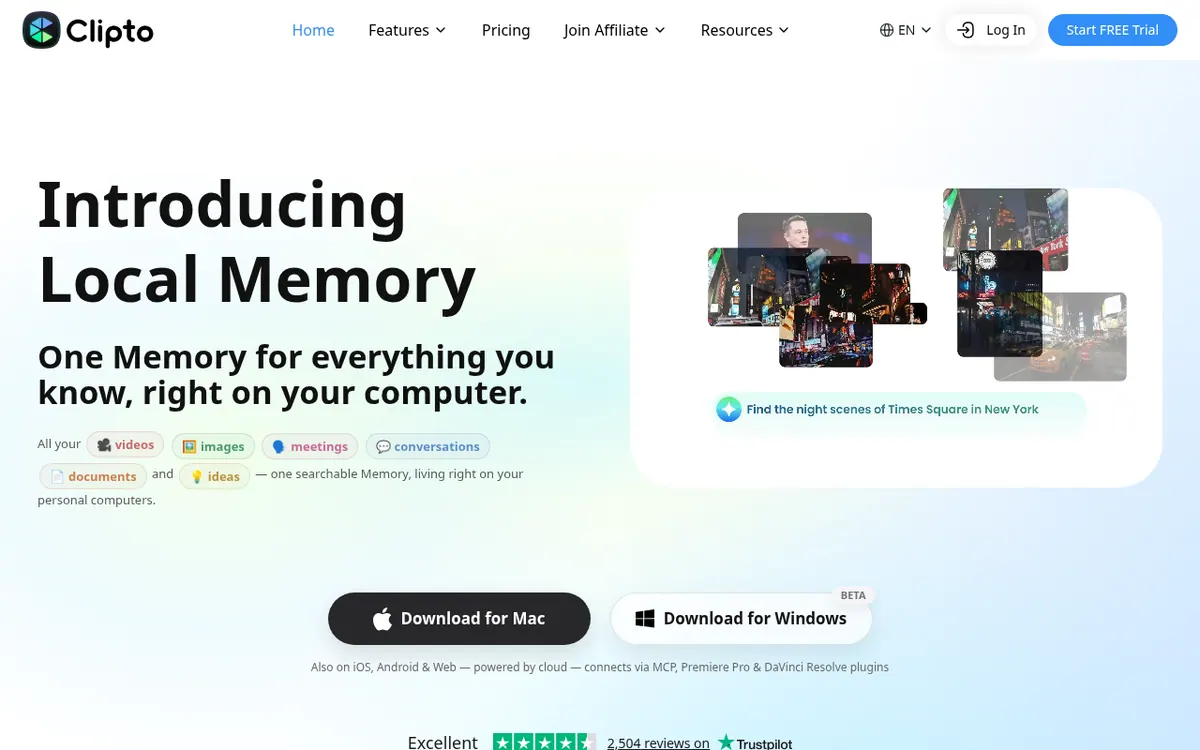
Clipto is a memory platform for media. It takes videos, meetings, voice memos, screenshots, documents and bookmarks and organizes them into one searchable collection that the vendor calls Memory. On Mac and Windows the apps run local-first, so files do not have to be uploaded before they become searchable, while the iPhone, Android and web versions rely on the cloud. The Windows app is marked beta.
The site describes uses for creators, analysts, students, product teams, researchers and journalists, such as finding a shot by what is on screen, tracing a decision to a meeting, or checking a quote against its timestamp. Memory can also be reached from Claude, ChatGPT and Cursor through MCP, and plugins exist for Premiere Pro and DaVinci Resolve.
There is one plan, Clipto Pro, with a 7-day free trial and cancel-anytime terms. On the yearly option the price is $12.49 per month billed yearly. On the monthly option the page shows $9.99 for the first month for new customers, with $24.99 displayed alongside it, but it does not label $24.99 as the regular price. Pro lists unlimited video and audio search, automatic speech transcription, automatic people tagging, support for 99+ languages, access to advanced models, and analysis of videos up to 6 hours long. No free plan is described.
- Search video and audio
- Automatic speech transcription
- Automatic people tagging
- Support for 99+ languages
- Analyze videos up to 6 hours long
- MCP connection to Claude, ChatGPT and Cursor
- Premiere Pro and DaVinci Resolve plugins
- Local-first Mac and Windows apps
Good for / Not for
Good for
- Video creators and editors who need to locate a shot by what appears on screen
- Researchers, analysts and journalists who need to trace a quote back to its source
- Product teams who want to trace decisions back to the meeting where they were made
Not for
- Anyone who needs a permanent free plan, since only a 7-day trial is described
- Computers below the stated Mac or Windows hardware requirements
How to start
Limits and gotchas
From the official site and docs of Clipto, checked on October 25, 2026.
Pros and cons
Pros
- Mac and Windows apps run local-first, so files need not be uploaded first
- Answers link back to the person, moment and timestamp in the source
- Memory connects to Claude, ChatGPT and Cursor through MCP
- Pro lists unlimited video and audio search plus automatic transcription
- 7-day free trial with full access and cancel-anytime terms
Cons
- No free plan is described, only a 7-day trial
- The monthly option shows $9.99 first month and $24.99 side by side, without labelling the regular price
- Windows app is in beta
- Desktop apps have stated hardware requirements, including Apple silicon on Mac
- iPhone, Android and web versions are powered by cloud, not local
Our take
Clipto fits people who accumulate large piles of recordings and footage and want to find specific moments later, especially those who prefer files to stay on their own computer. Editors, researchers and journalists are the groups the vendor speaks to directly. It is a weaker match if you want a permanent free tier, since only a trial is described. The monthly option shows $9.99 for the first month with $24.99 next to it, and the page does not say what the regular monthly rate is, so confirm it before subscribing. Local use also depends on hardware requirements, and the Windows version is still beta. Phone and web use run through the cloud, so local-first applies only to the desktop apps.
Comparisons and lists with Clipto
Coming soon
Coming soon — we are writing comparisons that include Clipto.
Clipto pricing
| Plan | Monthly billing | Annual billing (per month) | Limits / what’s included |
|---|---|---|---|
| Clipto Pro per month | $24.99 | $12.49 | Monthly billing: new customers see $9.99 for the first month, with $24.99 shown next to it (not labelled as the regular price). Yearly billing: $12.49 per month, billed yearly. Analyze videos up to 6 hours long. |
Free trial: 7-day free trial. Free plan: no.
Prices checked on on the official Clipto pricing page. “—” = not published.
Frequently asked questions
Does Clipto have a free plan?
The pricing page describes a 7-day free trial with full access and cancel-anytime terms. It does not describe a free plan.
How much does Clipto Pro cost?
The yearly option is $12.49 per month billed yearly. The monthly option shows $9.99 for the first month for new customers, with $24.99 displayed alongside it; the page does not label $24.99 as the regular monthly price.
Which platforms does Clipto run on?
Mac, Windows (beta), iOS, Android and the web. Mac and Windows run local-first; iPhone, Android and web are powered by cloud.
Can I use my Clipto memory in other AI tools?
Yes. The vendor says Memory can be accessed from Claude, ChatGPT, Cursor or its own Agent through MCP.
Is there a limit on video length?
The Pro plan lists analysis of videos up to 6 hours long.
Recently verified in AI Video
 Astorie (MartiniArt AI)
 CapCut
 Kling AI
 Lumen5
 NoteGo
 ReelsCut
Add an AGIPicks badge to your site
The badge shows Clipto’s verification status on AGIPicks and links to this page. Light/dark and compact versions: badges.

Suggest an update
Wrong price, outdated fact or a tool that shut down? Are you the vendor and disagree with this page? Tell us, ideally with a link to the official page. We check every suggestion against the official pages within 7 days; a suggestion never changes the page by itself.