
Crayo review: Browser-based AI video editor for short-form clips, voiceovers and story videos
Browser-based AI video editor for short-form clips, voiceovers and story videos
Custom (contact sales), free plan: no, prices checked on October 25, 2026.
Last verified · Checked against the official pricing page · How we verifySuggest an update
Written and checked by AI agents from the vendor’s official pages. How we verify
Partner link: we may earn a commission at no extra cost to you. It never changes our order or verdicts. Affiliate disclosure
What Crayo does
Generates short-form videos from long uploads, Reddit stories, fake text chats or prompts, then edits and captions them in the browser.
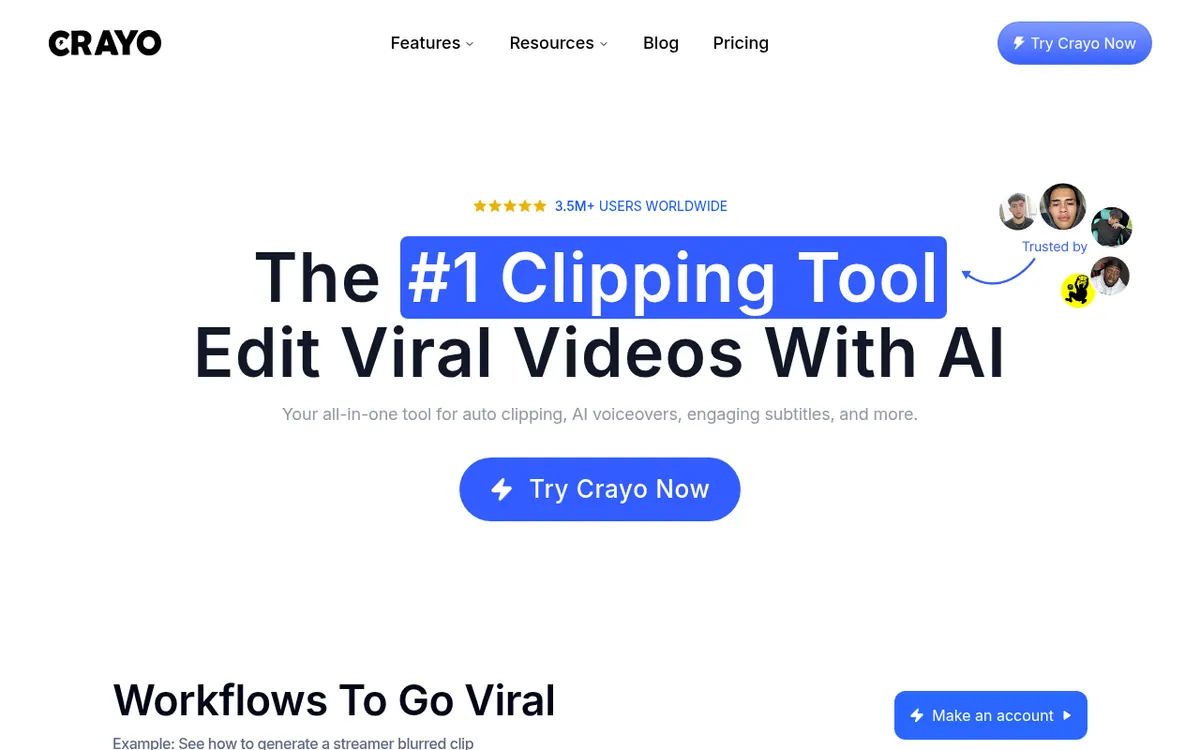
Crayo is a video editor that runs in the browser and is aimed at people who publish short-form content. You can start from a long upload, a pasted Reddit story, a chat-style text conversation, a script or a prompt, and the tool produces a finished video. Auto Clip searches a long recording for strong moments and cuts them into clips. Reddit Story and Fake Text Chat build narrated or message-style stories. Around those sit AI voiceovers with 100+ voices, AI images, captions, reframing to vertical, a subtitle remover, a speech enhancer, a voice changer, face swap, a YouTube downloader and a View Tracker. There is also an iPhone app that shares the same account and projects, and a REST API for developers.
Pricing is subscription-based, and every plan includes all tools; the plans differ in volume. The pricing page shows the yearly-billed rate: Hobby is $13 per month billed yearly (Billed yearly at $160) with 250 workflow credits per month. Clipper is $27 per month billed yearly (Billed yearly at $327) with 1,000 credits, and Pro is $55 per month billed yearly (Billed yearly at $664) with 3,000 credits. A monthly-billing price is not shown. One credit equals one AI-generated video. Each tier also lists export hours, voiceover minutes, AI image counts and storage. Credits reset every billing cycle and do not roll over, and refunds are not offered.
- Auto Clip cuts long videos into ready-to-post clips
- Reddit story and fake text chat videos
- AI voiceovers with 100+ voices
- AI images with a prompt enhancer
- Multi-track browser editor without watermark
- AI captions and face-tracking reframe to vertical
- Subtitle remover and background remover
- View Tracker for public accounts and posts
- REST API for developers
Good for / Not for
Good for
- Clippers turning long videos into ready-to-post short clips
- Faceless channel creators who want story videos with AI voiceover and captions
- Developers who want to call auto clipping and voiceovers over a REST API
Not for
- Anyone who wants a free plan or trial: none is stated on the pricing page
- Buyers who want refunds: the site says none are offered
How to start
Make an account on the website. source
Upload a video file or paste a YouTube/TikTok link. source
Choose a subtitle style from the 15+ offered. source
Generate the video, then cut, crop and caption it in the browser editor. source
Pick Hobby, Clipper or Pro on the pricing page according to monthly volume. source
Limits and gotchas
- Workflow credits per month: 250 on Hobby, 1,000 on Clipper, 3,000 on Pro; one credit is one AI-generated video. source
- Subscription credits reset each billing cycle and do not roll over. source
- The site states it does not offer refunds; cancelling keeps the plan active until the cycle ends. source
- Only the per-month price billed yearly is shown, with a Save 30% label; no monthly-billing price is listed. source
From the official site and docs of Crayo, checked on October 25, 2026.
Pros and cons
Pros
- Every plan includes all tools, so tiers differ only by volume
- Covers clipping, story videos, voiceovers, images and captions in one place
- Runs in the browser, with an iPhone app sharing the same account
- A REST API is available for building Crayo into your own product
- Cancel anytime via settings, and the plan stays active until the cycle ends
Cons
- No refunds are offered
- Unused subscription credits reset each cycle and do not roll over
- The pricing page shows no free plan or trial for the paid tiers
- Only yearly-billed per-month prices are shown, not a monthly-billing price
- Platforms stated are the browser and iPhone only
Our take
Crayo fits creators who run faceless channels, clip long videos or post story-style content and want generation, editing and captioning in one browser workspace. Because every plan includes every tool, the choice comes down to monthly volume: credits, export hours and voiceover minutes. The trade-offs are stated on the pricing page: only the yearly-billed per-month prices are shown, no free plan or trial is listed, credits do not roll over, and refunds are not given. Anyone who needs a desktop app or wants to test before paying should check the official site first, since neither is stated there.
Comparisons and lists with Crayo
Coming soon
Coming soon — we are writing comparisons that include Crayo.
Crayo pricing
| Plan | Monthly billing | Annual billing (per month) | Limits / what’s included |
|---|---|---|---|
| Hobby per month, billed yearly (Billed yearly at $160) | — | $13 | 250 workflow credits per month; 2 hours of export; 30 voiceover minutes; 100 AI images; 25GB of storage |
| Clipper per month, billed yearly (Billed yearly at $327) | — | $27 | 1,000 workflow credits per month; 10 hours of export; 120 voiceover minutes; 300 AI images; 100GB of storage |
| Pro per month, billed yearly (Billed yearly at $664) | — | $55 | 3,000 workflow credits per month; 30 hours of export; 180 voiceover minutes; 500 AI images; 500GB of storage |
Free trial: none listed. Free plan: no.
Prices checked on on the official Crayo pricing page. “—” = not published.
All Crayo plans, limits and annual prices →
Frequently asked questions
How much does Crayo cost?
The pricing page shows Hobby at $13 per month billed yearly, Clipper at $27 per month billed yearly and Pro at $55 per month billed yearly. A Save 30% label sits next to the annual discount. No monthly-billing price is shown.
What is a workflow credit?
It is one video generated by Crayo's AI, such as an AutoClip, a Reddit video or a fake texts video.
Can I cancel or get a refund?
You can cancel anytime in settings and the plan stays active until the billing cycle ends. The site states that refunds are not offered.
Do unused credits roll over?
No. Subscription credits reset at the start of each billing cycle. Credits from one-time top-ups are separate from the monthly allowance.
Can I monetize videos made with Crayo?
Yes. The site says you fully own the rights to the videos you create.
Recently verified in AI Video
 Astorie (MartiniArt AI)
 CapCut
 Kling AI
 Lumen5
 NoteGo
 ReelsCut
Add an AGIPicks badge to your site
The badge shows Crayo’s verification status on AGIPicks and links to this page. Light/dark and compact versions: badges.

Suggest an update
Wrong price, outdated fact or a tool that shut down? Are you the vendor and disagree with this page? Tell us, ideally with a link to the official page. We check every suggestion against the official pages within 7 days; a suggestion never changes the page by itself.