
OpenClip review: Turns long videos into captioned short clips and schedules them for social platforms
Turns long videos into captioned short clips and schedules them for social platforms
Starts at $14.99/mo, free plan: no, free trial: 3-day free trial on any plan, $0 today, 60 credits, card on file, prices checked on October 29, 2026.
Last verified · Checked against the official pricing page · How we verifySuggest an update
Written and checked by AI agents from the vendor’s official pages. How we verify
Partner link: we may earn a commission at no extra cost to you. It never changes our order or verdicts. Affiliate disclosure
What OpenClip does
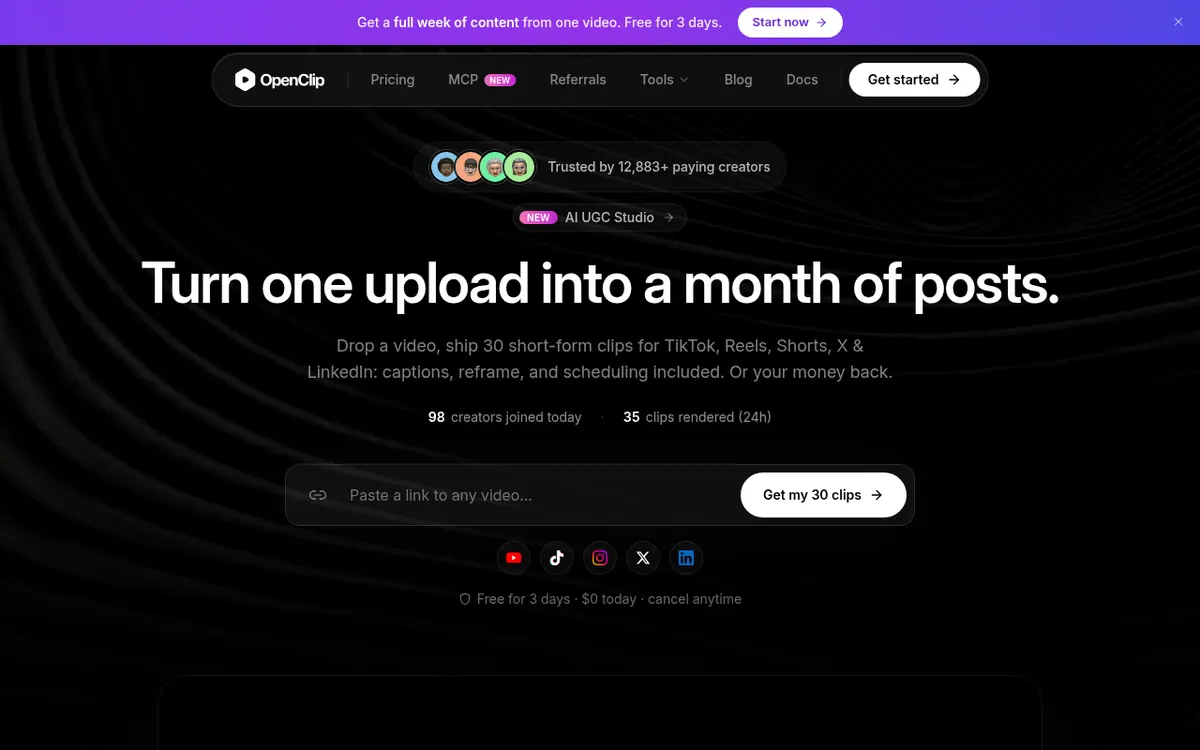
OpenClip is a video repurposing service aimed at creators, marketers and teams. You upload a long recording, and the AI looks for strong moments, gives them a virality score, cuts clips, adds animated captions and reframes the footage vertically at 9:16. It can also strip out filler words and silence. A separate AI UGC Studio produces talking-head ads from a written script.
The same recording can be turned into social posts, blogs, newsletters and SEO drafts. OpenClip can be connected to Claude, ChatGPT and other AI agents over MCP, and the Pro and Business plans add a social calendar for scheduling through connected accounts.
There are three paid plans, each priced per month on the pricing page. Starter is $14.99 per month billed monthly with 150 credits, Pro is $24.99 per month billed monthly with 350 credits, and Business is $89.99 per month billed monthly with 1,500 credits. The page says annual billing carries a lower effective monthly rate, but it does not list those yearly-billed prices. A credit equals one minute of processed video. Every first subscription starts with a 3-day trial: $0 today, 60 credits and a card on file. Trial exports are watermarked until the first plan charge. A 30-in-30 guarantee refunds the first month if 30 clips are not shipped in the first 30 days.
- Finds viral moments with a virality score
- Animated captions in 30+ languages
- Auto vertical 9:16 reframe
- Filler and silence removal
- AI UGC Studio talking-head ads from a script
- MCP connection to Claude, ChatGPT and agents
- Social calendar publishing (Pro and Business)
- Export to Premiere Pro and DaVinci Resolve
Pros and cons
Pros
- Combines clip detection, captions, vertical reframing and scheduling in one workflow
- Captions are offered in 30+ languages
- Trial gives 60 credits with $0 due today
- 30-in-30 guarantee refunds the first month in full
- Connects to Claude, ChatGPT and AI agents over MCP
Cons
- No permanent free plan is listed, and the trial requires a card on file
- Trial exports are watermarked until the first plan charge
- Social calendar publishing is not included on Starter
- API and custom integrations are limited to Business
- Annual per-month prices are not shown on the pricing page
Our take
OpenClip suits creators and small teams who record long videos and want a steady flow of captioned vertical clips, with scheduling and AI-assistant access in one product. Starter covers solo use, but publishing through the social calendar needs Pro, and API access plus a dedicated Slack channel need Business. It is a weaker match for anyone who wants a permanent free plan, since every listed plan is paid and the trial asks for a card. Buyers who prefer yearly billing should check the toggle themselves, because the annual per-month prices are not shown in the pages we read.
Comparisons and lists with OpenClip
Coming soon
Coming soon — we are writing comparisons that include OpenClip.
OpenClip pricing
| Plan | Monthly billing | Annual billing (per month) | Limits / what’s included |
|---|---|---|---|
| Starter per month | $14.99 | — | 150 credits / month; 1 brand profile; no team seats; no social calendar publishing |
| Pro per month | $24.99 | — | 350 credits / month; 3 brand profiles; social calendar publishing; team workspace & seats; no API & custom integrations |
| Business per month | $89.99 | — | 1,500 credits / month; unlimited brand profiles; API, MCP & custom integrations; priority support with a dedicated Slack channel |
Free trial: 3-day free trial on any plan, $0 today, 60 credits, card on file. Free plan: no.
Prices checked on on the official OpenClip pricing page. “—” = not published.
All OpenClip plans, limits and annual prices →
Frequently asked questions
What is a credit?
A credit equals one minute of processed video. Starter includes 150 per month, Pro 350 and Business 1,500.
Is there a free trial?
Yes. A first subscription begins with a 3-day trial on any plan: $0 today, 60 credits and a card on file. Cancelling before day 3 means no charge.
Do exported clips have a watermark?
Trial exports do. The first plan charge removes the watermark from every clip afterwards.
Can I schedule posts from OpenClip?
Pro and Business include the social calendar for scheduling through connected accounts. Starter does not.
Is there a refund?
The 30-in-30 guarantee refunds the first month in full if you do not ship 30 clips in your first 30 days.
Recently verified in AI Video
 Astorie (MartiniArt AI)
 CapCut
 Kling AI
 Lumen5
 NoteGo
 ReelsCut
Add an AGIPicks badge to your site
The badge shows OpenClip’s verification status on AGIPicks and links to this page. Light/dark and compact versions: badges.

Suggest an update
Wrong price, outdated fact or a tool that shut down? Are you the vendor and disagree with this page? Tell us, ideally with a link to the official page. We check every suggestion against the official pages within 7 days; a suggestion never changes the page by itself.