
Pika review: AI video, image and audio creation in one place, with credit-based plans
AI video, image and audio creation in one place, with credit-based plans
Starts at $10/mo, free plan: yes, prices checked on October 30, 2026.
Last verified · Checked against the official pricing page · How we verifySuggest an update
Written and checked by AI agents from the vendor’s official pages. How we verify
What Pika does
Generates and edits video, images, music, speech and sound effects with a choice of AI models, paid for through monthly credits.
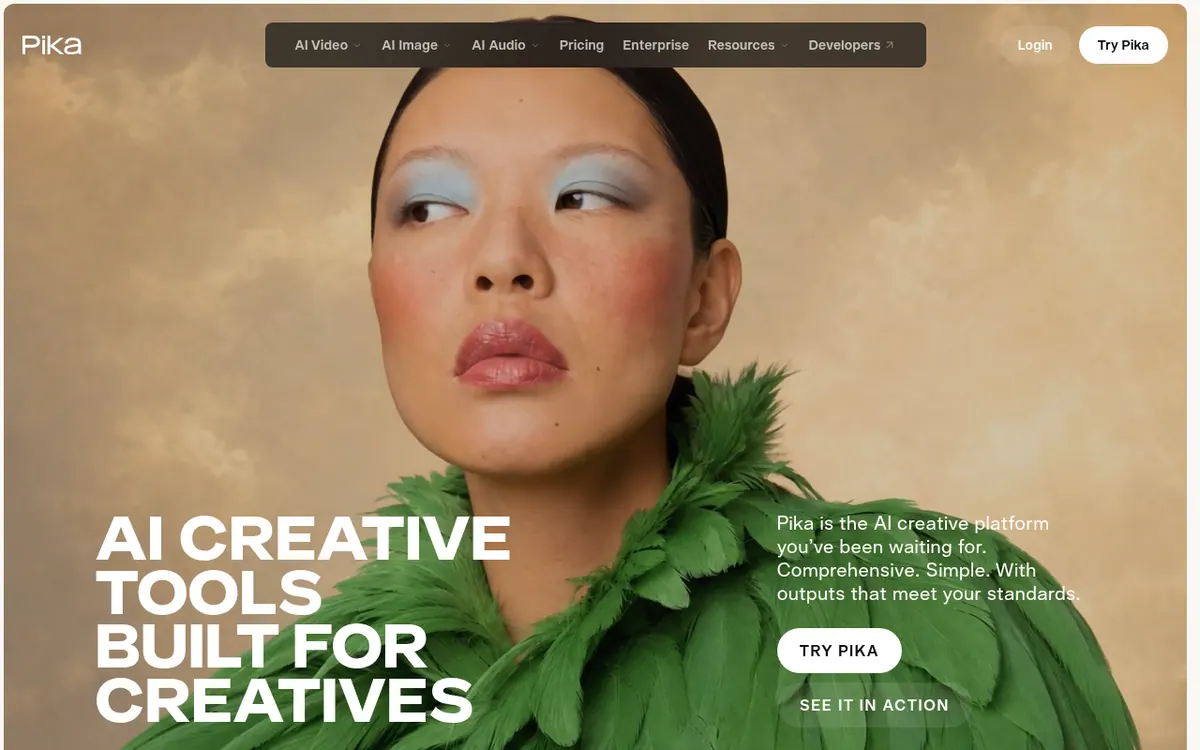
Pika is an AI creative platform that brings video, image and audio generation together in one place. It is organised as a set of self-contained apps: Video Studio for clips up to a 30-second multi-shot video, Extend Video for lengthening existing footage, Color Grade for adjusting color and mood, Edit Image for swapping or removing elements, Character Studio for reusable characters, Product Shot for styled product images, and Pika Soundtrack for scoring clips with music, ambience and foley. Speech Studio covers voiceovers. An API is available for developers, and an enterprise route exists for teams.
Pricing is credit-based. A Free plan has no monthly credits (credit packs only) and no commercial license. Starter costs $10 per month billed monthly, or $8 per month billed yearly, with 900 credits per month and a commercial license. Creator costs $35 per month billed monthly, or $28 per month billed yearly, with 3,150 credits. Fancy starts from $95 per month billed monthly, or $76 per month billed yearly, with 8,550 credits and up, unlimited parallel generations and a priority queue. Enterprise uses custom credits and contact sales. Extra credits can be bought as packs at 60 credits per $1. Plan credits do not roll over, and payments are non-refundable.
- Video generation up to a 30-second multi-shot clip
- Extend existing clips with extra frames
- Color grading for photos and clips
- Soundtrack scoring with music, ambience and foley
- Image editing: swap, remove or restyle
- Reusable custom characters
- Styled product images without a photoshoot
- Voiceovers via Speech Studio
Official video
Introducing Pika H3 Flex | Built for Professional Iteration · by Pika Labs ·
The player loads only when you press play.
Good for / Not for
Good for
- Marketers and ad creators making product images and short video clips
- Editors who want color grading, clip extension and soundtrack scoring in one place
- Teams or developers who want one API for generative media
Not for
- Anyone who needs commercial use on a free plan (Free has no commercial license)
- Users who want unused monthly credits to carry over (they do not)
How to start
Start on the Free plan, which has no monthly credits (credit packs only) and no watermark. source
Choose an app such as Video Studio or Image Studio and generate from your references. source
Subscribe to Starter, Creator or Fancy for monthly credits and a commercial license, or buy a credit pack. source
Limits and gotchas
From the official site and docs of Pika, checked on October 30, 2026.
Pros and cons
Pros
- One platform covers video, image, audio, speech and music tools
- Free plan available, with no watermark
- Paid plans include a commercial license, starting with Starter at $10 per month billed monthly
- Yearly billing lowers prices, e.g. Starter $8 per month billed yearly
- Credit packs can be bought on any plan, including Free, without subscribing
Cons
- Free plan has no monthly credits and no commercial license
- Plan credits do not roll over between billing periods
- Payments are non-refundable, including the rest of a billing period
- Priority queue is only on the Fancy plan
- Top-up credits cannot be used with the API, iOS app or old.pika.art
Our take
Pika suits people who want several generation tools, from video to images to voice and music, under one subscription instead of juggling separate products. The credit system and the published plan table make costs easy to compare, and a Free plan lets you look around before paying. The trade-offs are clear, though: commercial use requires a paid plan, plan credits expire each period, and top-up credits cannot be used with the API or iOS app. Heavy users who need a priority queue must move to Fancy. Teams that need custom volume have to talk to sales, since no public enterprise price is given. The pages do not state a trial period, so the Free plan is the entry point.
Comparisons and lists with Pika
Coming soon
Coming soon — we are writing comparisons that include Pika.
Pika pricing
| Plan | Monthly billing | Annual billing (per month) | Limits / what’s included |
|---|---|---|---|
| Free per month | Free | $0 | 0 credits / month, packs only; 2 parallel video generations; 2 parallel image + audio generations; no commercial license |
| Starter per month | $10 | $8 | 900 credits / month; 2 parallel video, 8 parallel image + audio generations; commercial license |
| Creator per month | $35 | $28 | 3,150 credits / month; 8 parallel video, 32 parallel image + audio generations; commercial license |
| Fancy per month, from (price range $95–$880) | $95 | $76 | 8,550 credits / month and up; unlimited parallel generations; priority queue; commercial license |
Free trial: none listed. Free plan: yes.
Prices checked on on the official Pika pricing page. “—” = not published.
All Pika plans, limits and annual prices →
Frequently asked questions
Does Pika have a free plan?
Yes. The Free plan has 0 monthly credits (credit packs only), no watermark and no commercial license.
How much do the paid plans cost?
Starter is $10 per month billed monthly or $8 per month billed yearly. Creator is $35 or $28 per month. Fancy starts from $95 billed monthly or $76 billed yearly.
Do unused credits roll over?
Plan credits refresh each billing period and do not roll over. Top-up credits carry over and expire 365 days after purchase.
Can I buy extra credits without changing plans?
Yes. Top-ups are available on any plan, including Free, and do not start a subscription. The rate is 60 credits per $1.
Is there an API?
Yes. The enterprise page says generative media can be integrated into a product through the Pika API.
Recently verified in AI Video
 Astorie (MartiniArt AI)
 CapCut
 Kling AI
 Lumen5
 NoteGo
 ReelsCut
Add an AGIPicks badge to your site
The badge shows Pika’s verification status on AGIPicks and links to this page. Light/dark and compact versions: badges.

Suggest an update
Wrong price, outdated fact or a tool that shut down? Are you the vendor and disagree with this page? Tell us, ideally with a link to the official page. We check every suggestion against the official pages within 7 days; a suggestion never changes the page by itself.