
Planoly review: Social media planner for scheduling, automating, and monetizing content.
Social media planner for scheduling, automating, and monetizing content.
Starts at $14/mo, free plan: yes, free trial: 14-day free trial, prices checked on October 23, 2026.
Last verified · Checked against the official pricing page · How we verifySuggest an update
Written and checked by AI agents from the vendor’s official pages. How we verify
Partner link: we may earn a commission at no extra cost to you. It never changes our order or verdicts. Affiliate disclosure
What Planoly does
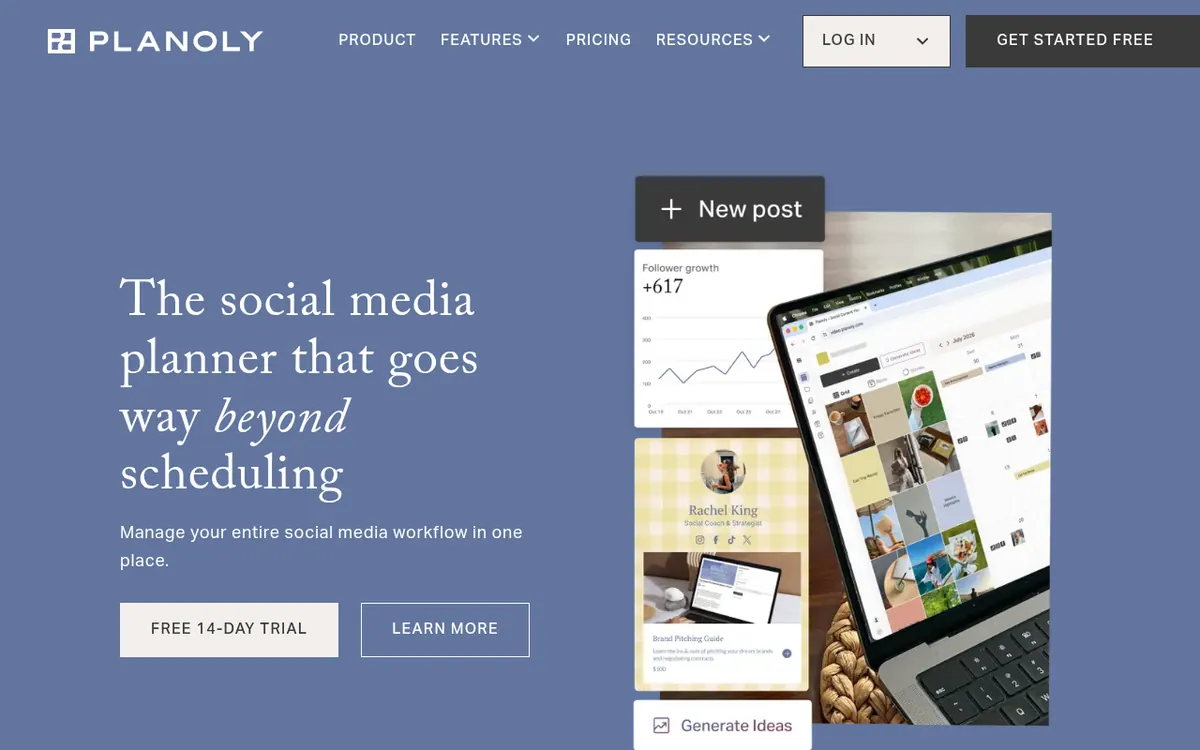
Schedules social media posts across multiple platforms, automates Instagram messages, and provides a link-in-bio storefront for selling products.
Planoly is a social media management platform that allows creators, small businesses, and agencies to plan, schedule, and automate their content across multiple networks. It supports auto-publishing to Instagram, TikTok, LinkedIn, Facebook, Pinterest, YouTube, and Threads, while offering manual reminders for X. Users can visually plan their Instagram grid, generate content ideas and captions using AI, and automate replies to Instagram comments and direct messages.
Beyond scheduling, the platform includes a link-in-bio tool called Creator Store, which lets users sell digital products, physical merchandise, and book consultations with zero transaction fees. It also integrates with Canva, Google Drive, and Dropbox to streamline media management.
Planoly operates on a freemium model. A free plan is available exclusively on the mobile app (iOS and Android) and allows up to 10 uploads per month. Paid subscriptions start with the Starter plan at $14 per month (billed monthly), which includes one user and one social set. The Growth plan costs $24 per month for two users and two social sets, while the Pro plan is $47 per month for six users and six social sets. All paid plans offer unlimited uploads and come with a 14-day free trial. Additional users and social sets can be purchased as add-ons on the Growth and Pro tiers.
- Auto-publish to multiple social networks
- Visual Instagram grid planning
- AI-powered content and caption generation
- Automated Instagram DM and comment replies
- Link-in-bio digital storefront
Official video
How to Tag People and Locations on Instagram Auto Posts on Mobile · by Planoly: Social Planner & Creator Store ·
The player loads only when you press play.
Good for / Not for
Good for
- Solo creators needing to visually plan their Instagram grid
- Small businesses looking to automate Instagram DMs and comments
- Agencies managing content across multiple social networks
Not for
- Users looking for a free desktop scheduling tool
- High-volume posters needing unlimited uploads on a free tier
How to start
Limits and gotchas
From the official site and docs of Planoly, checked on October 23, 2026.
Pros and cons
Pros
- Supports auto-publishing to major platforms including Instagram, TikTok, and LinkedIn
- Includes a free link-in-bio storefront with zero transaction fees
- Offers visual grid planning and drag-and-drop organization for Instagram
- Features built-in AI tools for generating post ideas and captions
Cons
- The free plan is only available on the mobile app
- Free tier is strictly limited to 10 uploads per month
- Starter plan is restricted to a single user and one social set
- Adding extra users or social sets incurs additional monthly fees
Our take
Planoly is a strong fit for visual creators and small businesses who rely heavily on Instagram and TikTok, thanks to its grid planning and auto-publishing capabilities. The built-in link-in-bio storefront and DM automation add significant value for those looking to monetize their audience without needing separate tools. However, it may not be ideal for users who need a robust free plan on desktop, as the free tier is restricted to the mobile app and limited to 10 uploads per month.
Comparisons and lists with Planoly
Coming soon
Coming soon — we are writing comparisons that include Planoly.
Planoly pricing
| Plan | Monthly billing | Annual billing (per month) | Limits / what’s included |
|---|---|---|---|
| Starter | $14 | — | 1 Social Set, Unlimited uploads, 1 User |
| Growth | $24 | — | 2 Social Sets, Unlimited uploads, 2 Users |
| Pro | $47 | — | 6 Social Sets, Unlimited uploads, 6 Users |
Free trial: 14-day free trial. Free plan: yes.
Prices checked on on the official Planoly pricing page. “—” = not published.
All Planoly plans, limits and annual prices →
Frequently asked questions
Does Planoly have a free plan?
Yes, there is a free plan, but it is only available on the Planoly mobile app and is limited to 10 uploads per month.
Can I auto-post to TikTok and Instagram Reels?
Yes, if your video has original audio, Planoly can auto-post it directly to Instagram Reels and TikTok, including the caption and cover image.
What is included in a social set?
A social set allows you to link up to one of each supported channel, which includes Instagram, Facebook, X, Pinterest, LinkedIn, YouTube, Threads, and TikTok.
Can I add more users to my plan?
Yes, you can add additional users on the Growth and Pro plans. It costs $5 per month per extra user on the Growth plan, and $3 per month on the Pro plan. The Starter plan does not support extra users.
Recently verified in Social Media
 Later
 Post Bridge
 Blabla
 Hootsuite
 Metricool
 Modash
Add an AGIPicks badge to your site
The badge shows Planoly’s verification status on AGIPicks and links to this page. Light/dark and compact versions: badges.

Suggest an update
Wrong price, outdated fact or a tool that shut down? Are you the vendor and disagree with this page? Tell us, ideally with a link to the official page. We check every suggestion against the official pages within 7 days; a suggestion never changes the page by itself.