
Revid review: Turns prompts, links and scripts into editable short videos and publishes them
Turns prompts, links and scripts into editable short videos and publishes them
Starts at $99/mo, free plan: no, free trial: Try for free, no credit card required (length not stated), prices checked on October 25, 2026.
Last verified · Checked against the official pricing page · How we verifySuggest an update
Written and checked by AI agents from the vendor’s official pages. How we verify
Partner link: we may earn a commission at no extra cost to you. It never changes our order or verdicts. Affiliate disclosure
What Revid does
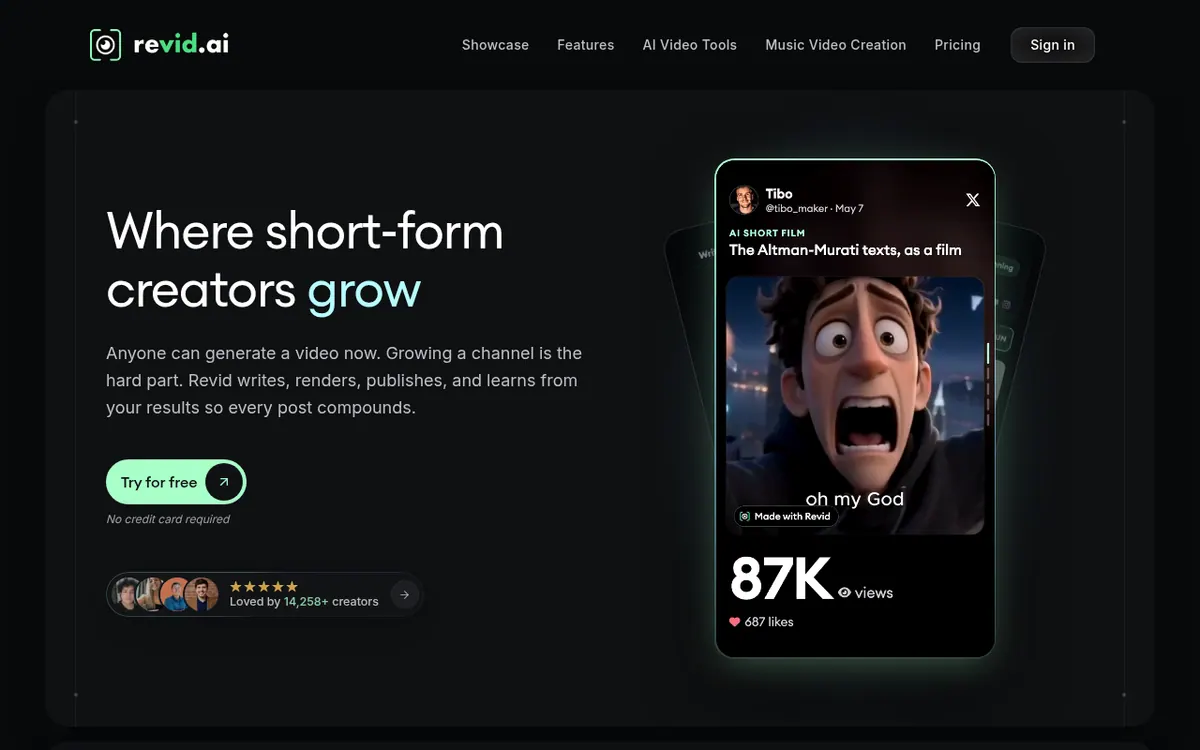
Builds editable short videos from prompts, scripts, URLs, audio or PDFs, then schedules and publishes them to TikTok, Instagram and YouTube.
Revid is a service for making short-form video. You give it a prompt, a script, a URL, a product page, an audio file or a PDF, and it builds a video that you can still edit afterwards. The official pages describe publishing to TikTok, Instagram and YouTube, with scheduling and auto-publishing from one dashboard.
Beyond generation, Revid offers a library of viral videos to remix, a series maker that keeps the same characters across episodes, and editing a video by editing its text. Auto-Mode workers can automate posting, and API, MCP and CLI access is listed for custom workflows. Voiceovers are offered in 70+ languages.
On the pricing page, Hobby is listed at $39 /month. Ultra is listed at $199 /month and includes 12,000 AI credits per month, 10 Auto-Mode workers, 50 watched channels and voice creation and cloning. The homepage says no credit card is required to try it, but no free plan and no trial length are stated. The features page also notes that no tool can guarantee views.
- Prompts, URLs, PDFs and audio to editable video
- Publish to TikTok, Instagram and YouTube
- Library of viral videos to remix
- Auto-Mode posting workers
- API, MCP and CLI access
- Voiceovers in 70+ languages
- Edit videos by editing text
- AI series maker with consistent characters
Good for / Not for
Good for
- Creators who want to publish short videos regularly to TikTok, Instagram and YouTube
- Teams that want to turn product pages or URLs into short videos
- Users who want to automate posting or connect through API, MCP and CLI
Not for
- Anyone who needs a clearly stated free plan, since the pricing page lists only paid plans
- Anyone who needs guaranteed views, since the vendor says no tool can guarantee them
How to start
Start from the homepage and try it for free; the page says no credit card is required (trial length is not stated). source
Provide a prompt, script, URL, product page, audio file or PDF to generate an editable video. source
Edit the video, including by editing its text, then schedule or publish to YouTube, TikTok and Instagram from the dashboard. source
Limits and gotchas
From the official site and docs of Revid, checked on October 25, 2026.
Pros and cons
Pros
- Takes prompts, scripts, URLs, product pages, audio and PDFs as input and produces editable videos
- Publishes and schedules to TikTok, Instagram and YouTube from one dashboard
- Auto-Mode workers can automate posting
- API, MCP and CLI access is listed on Growth
- Voiceovers in 70+ languages
Cons
- The pricing page describes only paid plans; no free plan is stated
- Monthly AI credits are capped: 2,000 on Growth and 12,000 on Ultra
- Voice creation and cloning is listed under Ultra
- Trial length is not stated, only that no credit card is required
- Supported platforms and apps are not listed on the official pages
Our take
Revid fits creators and small teams who want to go from an idea to a published short video inside one tool and plan to post regularly to TikTok, Instagram and YouTube. Growth is listed with the automation and API access, while Ultra adds more credits, more workers and voice cloning. It is a weaker fit if you need a permanent free tier, since the pricing page lists only paid plans and the homepage does not state a trial length. Credits are capped per plan, so heavy producers should compare their expected usage with the 2,000 or 12,000 monthly credits before choosing. The pages do not list supported platforms or apps, so check how you can access it before committing. Also remember that the vendor itself states that no tool can guarantee views.
Comparisons and lists with Revid
Coming soon
Coming soon — we are writing comparisons that include Revid.
Revid pricing
| Plan | Monthly billing | Annual billing (per month) | Limits / what’s included |
|---|---|---|---|
| Hobby | — | — | Listed at $39 /month; the page does not say whether this is monthly or yearly billing. For occasional, hands-on creation. |
| Growth per month | $99 | $39 | 2,000 AI credits / month; 3 Auto-Mode workers; watch 5 channels for viral ideas; full access to API, MCP and CLI |
| Ultra | — | — | 12,000 AI credits / month; 10 Auto-Mode workers; watch 50 channels for viral ideas; create and clone your own voices. Listed at $199 /month; billing period not stated. |
Free trial: Try for free, no credit card required (length not stated). Free plan: no.
Prices checked on on the official Revid pricing page. “—” = not published.
Frequently asked questions
Does Revid have a free plan?
The pricing page lists only paid plans. The homepage says no credit card is required to try it, but it does not state a trial length.
How much do the plans cost?
Per the pricing page, Hobby is listed at $39 /month, Growth is shown with $99 and $39 /month, and Ultra is listed at $199 /month.
How many credits do I get?
Growth includes 2,000 AI credits per month and Ultra includes 12,000 AI credits per month, according to the pricing page.
Can I use Revid through an API?
Yes. The pricing page lists full access to API, MCP and CLI under Growth.
Recently verified in AI Video
 Astorie (MartiniArt AI)
 CapCut
 Kling AI
 Lumen5
 NoteGo
 ReelsCut
Add an AGIPicks badge to your site
The badge shows Revid’s verification status on AGIPicks and links to this page. Light/dark and compact versions: badges.

Suggest an update
Wrong price, outdated fact or a tool that shut down? Are you the vendor and disagree with this page? Tell us, ideally with a link to the official page. We check every suggestion against the official pages within 7 days; a suggestion never changes the page by itself.