
Riverside review: Browser-based studio for recording, editing and publishing podcasts, video and webinars
Browser-based studio for recording, editing and publishing podcasts, video and webinars
Starts at $29/mo, free plan: yes, free trial: 14-day free trial (Pro, Grow, Webinar), prices checked on October 25, 2026.
Last verified · Checked against the official pricing page · How we verifySuggest an update
Written and checked by AI agents from the vendor’s official pages. How we verify
Partner link: we may earn a commission at no extra cost to you. It never changes our order or verdicts. Affiliate disclosure
What Riverside does
Records podcasts and video in up to 4K with separate tracks, lets you edit via the transcript, makes AI clips, and publishes to YouTube, Spotify and Apple.
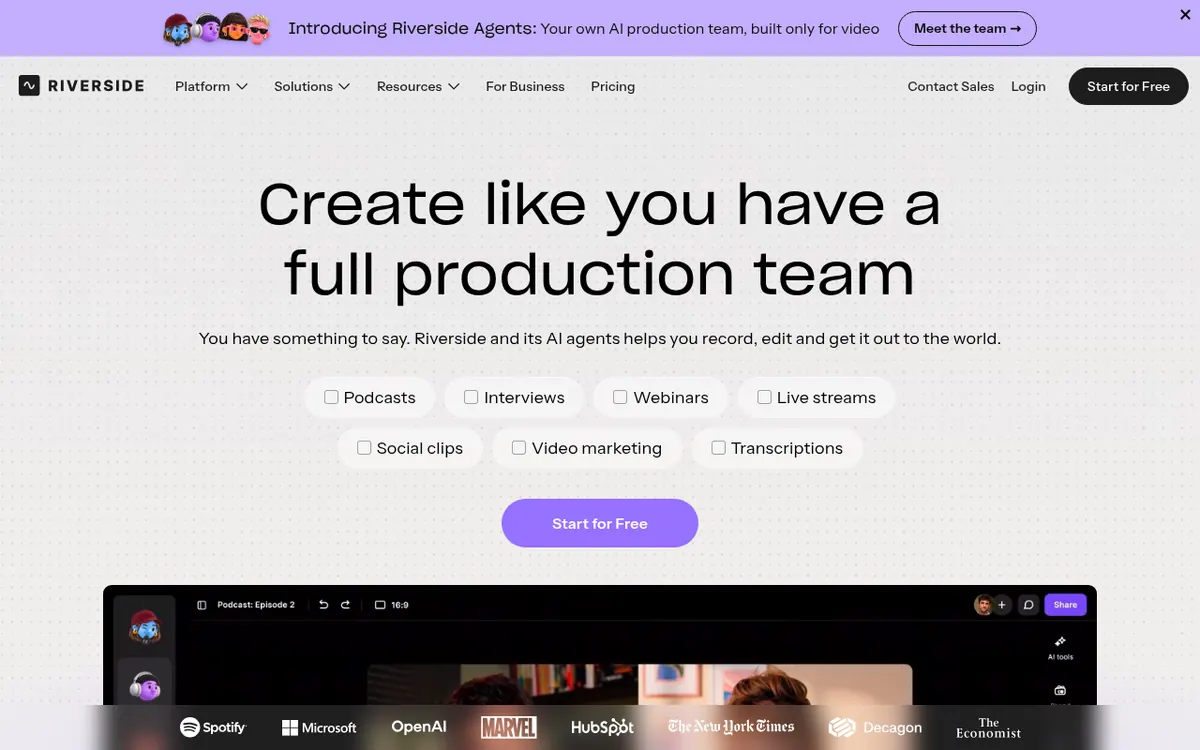
Riverside is a studio for recording podcasts and video. Its homepage says it captures up to 4K video and uncompressed audio in separate tracks. Editing is done in a text-based editor, where you search, cut, copy and paste inside the transcript. The vendor also lists AI that turns one recording into clips and more, and translation and dubbing into over 30 languages. Finished content can be published to YouTube, Spotify and Apple. For webinars, the site describes audience call-ins, Q&As and chat management in one place.
There is a Free plan at $0 per month, limited to up to 720p video, a Riverside watermark and a one-off 2 hours of separate audio and video tracks. The pricing page shows Pro at $29 per month billed monthly or $24 per month billed yearly (1 studio, 15 hours of separate-track downloads, up to 4K video). Grow is $39 per month billed monthly or $34 per month billed yearly (2 studios, 20 hours of downloads, Full HD 1080p live streaming). Business has no published price; you contact sales. Pro, Grow and Webinar offer a 14-day free trial.
Note that the pricing page carried a staging-environment notice when it was read, so verify all prices on the official site before buying. An extra editor seat is an add-on on Pro, Grow and Webinar.
- Local recording up to 4K with separate tracks
- Text-based transcript editor
- AI clips from one recording
- Translation and dubbing into over 30 languages
- Publishing to YouTube, Spotify and Apple
- Webinar call-ins, Q&A and chat
- Full HD 1080p live streaming (listed under Grow)
- MCP connection to AI assistants
Good for / Not for
Good for
- Podcasters who want separate audio and video tracks from each recording
- Creators who prefer editing video by cutting text in a transcript
- Teams running webinars with call-ins, Q&A and chat, on the Webinar plan with up to 100 registrants
Not for
- Anyone who needs watermark-free or above-720p output without paying, as the Free plan has a watermark and a 720p cap
- Teams needing API access or SSO without contacting sales, since those are listed under Business with no published price
Compare
How to start
Start on the Free plan; the homepage says no credit card is needed. source
Use the web app in Chrome or Edge, or the dedicated apps listed for iOS, Android and tablet. source
To try paid features, start the 14-day free trial offered on Pro, Grow and Webinar. source
For Business, contact sales for pricing and more information. source
Limits and gotchas
- Free plan: up to 720p video, a Riverside watermark and a one-off 2 hours of separate tracks. source
- Separate-track download hours are 15 on Pro, 20 on Grow and 25 on Webinar. source
- An additional editor seat is an add-on on Pro, Grow and Webinar. source
- Pro starts with 2000 AI credits and Business with 12000. source
- The Webinar plan allows up to 100 registered viewers. source
From the official site and docs of Riverside, checked on October 25, 2026.
Pros and cons
Pros
- Records up to 4K video and uncompressed audio in separate tracks
- Free plan with no credit card needed, plus a 14-day free trial on Pro, Grow and Webinar
- Text-based transcript editor and AI that turns one recording into clips
- Publishing to YouTube, Spotify and Apple
- Translation and dubbing into over 30 languages
Cons
- Free plan has a watermark, up to 720p video and only a one-off 2 hours of separate tracks
- Separate-track download hours are capped: 15 on Pro, 20 on Grow, 25 on Webinar
- Extra editor seats are an add-on on Pro, Grow and Webinar
- Business pricing is not published on the official site; you contact sales
- Pricing page showed a staging-environment notice when read, so prices need checking before purchase
Our take
Riverside suits podcasters, video creators and teams who want recording, transcript-based editing, AI clips and publishing handled in one tool, with a web app and dedicated apps listed for iOS, Android and tablet. The Free plan, which needs no credit card according to the homepage, is a way to try it, but it carries a watermark, caps video at 720p and gives only a one-off 2 hours of separate tracks. The main trade-offs are tiering and caps: studios and separate-track download hours rise with each plan, Full HD 1080p live streaming is listed under Grow, webinars with up to 100 registrants belong to the Webinar plan, and extra editor seats cost extra. Teams that need API access or SSO have to go through sales, since Business has no listed price. The pricing page showed a staging-environment notice when read, so confirm current prices and plan contents on the official site first.
Comparisons and lists with Riverside
Coming soon
Coming soon — we are writing comparisons that include Riverside.
Riverside pricing
| Plan | Monthly billing | Annual billing (per month) | Limits / what’s included |
|---|---|---|---|
| Free | Free | — | Up to 720p video quality; Riverside watermark; 2 hours (one-off) of separate audio & video tracks |
| Pro per month | $29 | $24 | 1 studio; 15 hrs of separate track downloads; up to 4K video; 14-day free trial |
| Grow per month | $39 | $34 | 2 studios; 20 hrs of separate track downloads; Full HD 1080p live streaming |
| Webinar per month | $99 | $79 | 3 studios; 25 hrs of separate track downloads; webinars with up to 100 registrants |
| Business | — | — | Custom pricing via sales; unlimited studios; API access; SSO |
Free trial: 14-day free trial (Pro, Grow, Webinar). Free plan: yes.
Prices checked on on the official Riverside pricing page. “—” = not published.
All Riverside plans, limits and annual prices →
Frequently asked questions
Does Riverside have a free plan?
Yes. The Free plan costs $0 per month and is limited to up to 720p video, a Riverside watermark and a one-off 2 hours of separate audio and video tracks. The homepage says no credit card is needed.
Is there a trial for paid plans?
Yes. The pricing page shows a 14-day free trial for Pro, Grow and Webinar.
Are the listed prices final?
The pricing page showed a staging-environment notice when it was read, so verify prices on the official site before purchase. The figures read were Pro $29 per month billed monthly or $24 per month billed yearly, Grow $39 or $34, and Webinar $99 or $79.
Does Riverside work with AI assistants?
The pricing page describes Riverside MCP (Model Context Protocol), a connection between Riverside and AI assistants such as Claude, ChatGPT and Cursor.
Recently verified in AI Video
 Astorie (MartiniArt AI)
 CapCut
 Kling AI
 Lumen5
 NoteGo
 ReelsCut
Add an AGIPicks badge to your site
The badge shows Riverside’s verification status on AGIPicks and links to this page. Light/dark and compact versions: badges.

Suggest an update
Wrong price, outdated fact or a tool that shut down? Are you the vendor and disagree with this page? Tell us, ideally with a link to the official page. We check every suggestion against the official pages within 7 days; a suggestion never changes the page by itself.