
Salesflare review: Sales CRM for small businesses that fills in contact data from email automatically
Sales CRM for small businesses that fills in contact data from email automatically
Starts at $39/mo, free plan: no, free trial: 30-day free trial, prices checked on October 20, 2026.
Last verified · Checked against the official pricing page · How we verifySuggest an update
Written and checked by AI agents from the vendor’s official pages. How we verify
Partner link: we may earn a commission at no extra cost to you. It never changes our order or verdicts. Affiliate disclosure
What Salesflare does
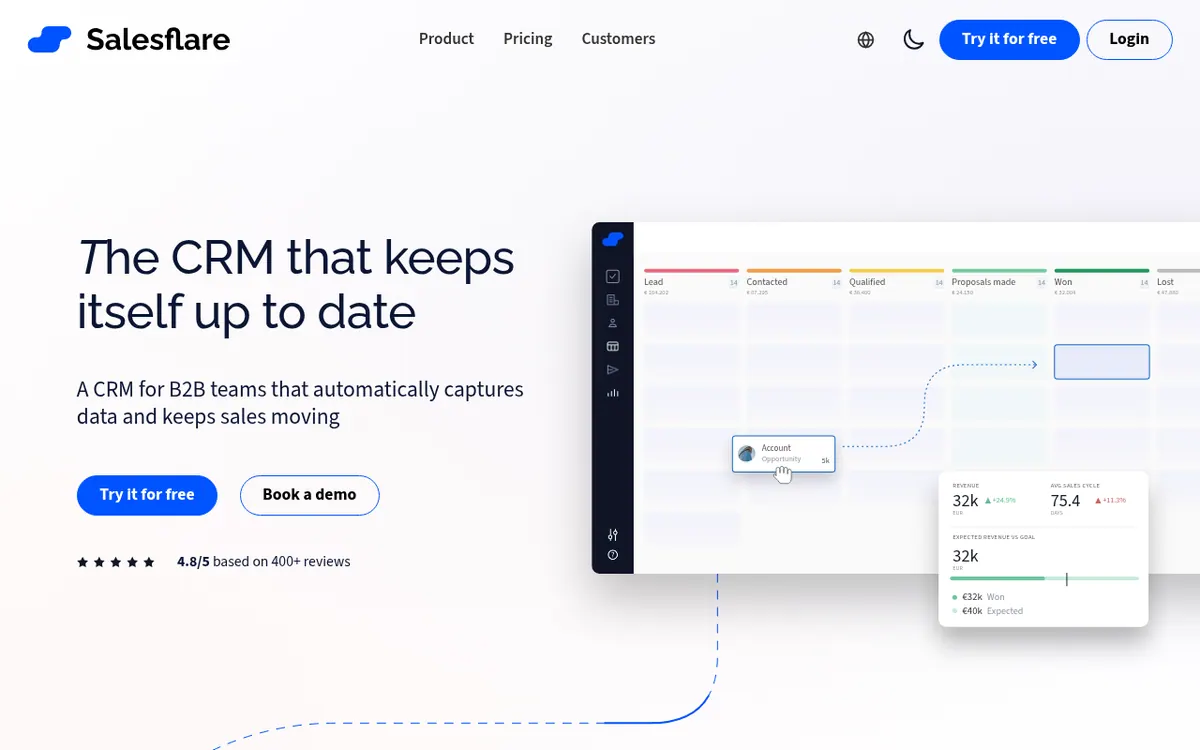
Salesflare is a sales CRM that the vendor describes as intelligent and built for small businesses. Its central idea is that the system gathers contact and company information itself, pulling it from emails, email signatures, social profiles and more, so users type less by hand.
Beyond data capture, the product offers visual drag-and-drop sales pipelines, tracking of email opens, link clicks and website visits, and personalized email campaigns sent from any mailbox connected to Salesflare. The Pro plan adds multi-email workflows, user permissions that restrict what team members can see, edit or delete, and customizable Insights dashboards. A mobile app is available for iOS and Android.
Pricing is per user across three plans: Growth, Pro and Enterprise. Billed monthly, they cost $39, $64 and $124 per user per month. Billed yearly, the same plans cost $29, $49 and $99 per user per month. Enterprise requires a minimum of 5 users.
Each plan includes lead credits: 5 on Growth, 100 on Pro and 250 on Enterprise. Additional monthly lead credits can be bought, at 250 for $39, 500 for $69 or 1000 for $129. No free plan is listed, but the pricing page offers a free 30-day trial. The page also states there are no hidden limits on the number of contacts, users, email templates, tracked emails, sent emails, custom fields, workflows, dashboards or sales pipelines. The official pages do not state whether an API is available.
- Automatic capture of contact and company data
- Email open, link click and website visit tracking
- Visual drag-and-drop sales pipelines
- Personalized email campaigns
- Multi-email workflows (Pro)
- User permissions (Pro)
- Customizable Insights dashboards (Pro)
- iOS and Android mobile app
Official video
How to get started using Salesflare - The basics · by Salesflare
The player loads only when you press play.
Pros and cons
Pros
- Gathers contact and company details automatically from emails, signatures and social profiles
- Tracks email opens, link clicks and website visits
- Pricing page states no hidden limits on contacts, users, workflows, dashboards or pipelines
- Free 30-day trial available
- Mobile app for iOS and Android
Cons
- No free plan listed; free access is limited to a trial
- Priced per user, so cost grows with team size
- Lead credits are capped per plan (5, 100 or 250), and extra credits cost extra
- Enterprise requires a minimum of 5 users
- Paying monthly costs more per user than paying yearly
Our take
Salesflare looks like a fit for small sales teams that want a CRM to collect contact and activity data from email without much manual entry, and that are comfortable paying per user. It is a weaker fit for anyone who needs a permanent free tier, since only a free 30-day trial is listed. Teams that depend on lead search should check the lead credit allowance closely: it is 5 on Growth, and extra credits cost more. Workflows, user permissions and customizable dashboards are tied to the Pro plan, so the cheapest plan may not cover team-control needs. Enterprise has a minimum of 5 users, which may rule out very small teams. This summary is based only on the vendor's official pages, and API availability is not stated there.
Comparisons and lists with Salesflare
Coming soon
Coming soon — we are writing comparisons that include Salesflare.
Salesflare pricing
| Plan | Monthly billing | Annual billing (per month) | Limits / what’s included |
|---|---|---|---|
| Growth per user | $39 | $29 | 5 lead credits; additional monthly lead credits can be bought: 250 for $39, 500 for $69, 1000 for $129 |
| Pro per user | $64 | $49 | 100 lead credits; additional monthly lead credits can be bought |
| Enterprise per user (with a minimum of 5 users) | $124 | $99 | 250 lead credits; minimum of 5 users |
Free trial: 30-day free trial. Free plan: no.
Prices checked on on the official Salesflare pricing page. “—” = not published.
All Salesflare plans, limits and annual prices →
Frequently asked questions
How much does Salesflare cost?
Pricing is per user. Billed monthly: Growth $39, Pro $64, Enterprise $124 per user per month. Billed yearly: Growth $29, Pro $49, Enterprise $99 per user per month.
Is there a free trial?
Yes. The pricing page offers a free 30-day trial. No free plan is listed.
Are there limits on contacts or users?
The pricing page says there are no hidden limits on contacts, users, email templates, tracked emails, sent emails, custom fields, workflows, dashboards or sales pipelines. Lead credits do vary by plan.
Does Salesflare have a mobile app?
Yes, the pricing page says it has a mobile app for iOS and Android.
Is there a minimum number of users?
Enterprise requires a minimum of 5 users. No minimum is stated for Growth or Pro.
Recently verified in Sales & Lead Generation
 SalesTarget.ai
 Snov.io
 11x
 Clay
 Foxreach
 Gong
Add an AGIPicks badge to your site
The badge shows Salesflare’s verification status on AGIPicks and links to this page. Light/dark and compact versions: badges.

Suggest an update
Wrong price, outdated fact or a tool that shut down? Are you the vendor and disagree with this page? Tell us, ideally with a link to the official page. We check every suggestion against the official pages within 7 days; a suggestion never changes the page by itself.