
Timetopost review: Social post scheduler for 14 networks, with AI writing and an SEO blog engine
Social post scheduler for 14 networks, with AI writing and an SEO blog engine
Starts at $12/mo, free plan: no, free trial: 14-day free trial, card required, prices checked on October 29, 2026.
Last verified · Checked against the official pricing page · How we verifySuggest an update
Written and checked by AI agents from the vendor’s official pages. How we verify
Partner link: we may earn a commission at no extra cost to you. It never changes our order or verdicts. Affiliate disclosure
What Timetopost does
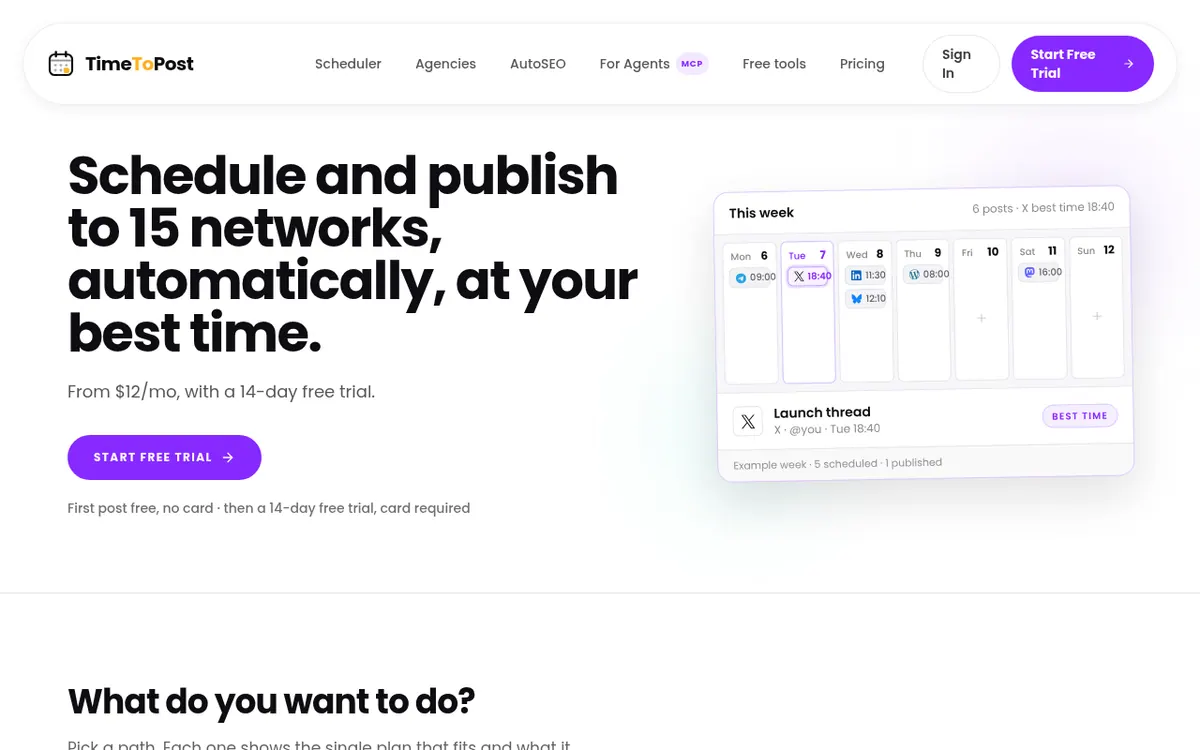
TimeToPost is a scheduler for social and publishing accounts. You connect each account once, and posts go out from your own account under your name. It covers 14 networks, including X, Bluesky, Mastodon, TikTok, LinkedIn and Threads, plus publishing destinations such as WordPress, Ghost, DEV and Buttondown. Instagram is listed as coming soon.
The Starter plan covers the basics: a calendar, best-time suggestions drawn from your own audience data, analytics for each post and a link shortener with UTM tracking. It allows up to 30 scheduled posts each month. Pro removes that cap with unlimited posts and adds an AI writer for posts and threads, an in-app AI assistant, backlink outreach and priority customer support. Growth includes everything in Pro and adds an AutoSEO blog engine that publishes articles to your own site, either after your approval or on full autopilot, along with client workspaces with in-app approvals.
An MCP server is included with every plan, so an MCP-compatible assistant can draft and schedule posts for you.
On pricing, Starter is $12 per month billed monthly, Pro is $49.99 per month billed monthly and Growth is $99 per month billed monthly. Annual billing is 20% off, which brings Starter to $9.60 per month billed yearly. There is no free plan. Each plan starts with a 14-day free trial that needs a card, and a 30-day money-back guarantee applies.
- Schedule posts to 14 networks
- Best-time suggestions from your own data
- Per-post analytics
- Link shortener with UTM tracking
- AI writer for posts and threads
- MCP server for AI assistants
- Approval queue with optional autopilot
- AutoSEO blog engine for your own site
- Client workspaces with approvals
- Backlink outreach
Pros and cons
Pros
- Covers 14 networks from your own connected accounts
- Best-time suggestions use your own engagement data
- Approval queue lets you review drafts before anything is scheduled
- MCP server included with every plan for AI assistants
- 30-day money-back guarantee on top of the 14-day trial
Cons
- No free plan; a card is required to start the 14-day trial
- Starter is capped at 30 scheduled posts per month
- Instagram is only listed as coming soon
- AI content generation and backlink outreach are web-UI features, not available through MCP
- Client workspaces and the blog engine require the $99 per month Growth plan
Our take
TimeToPost suits individuals and small teams who want one calendar across many networks and who publish from their own accounts. Starter is the entry point, but its cap of 30 scheduled posts per month will matter for frequent posters, and the jump to Pro at $49.99 per month billed monthly is sizeable. Growth is aimed at people who also want a blog that writes and publishes itself, or who manage client accounts. If you need a free plan, Instagram publishing today, or AI writing available through the MCP server, the official pages say these are not available.
Comparisons and lists with Timetopost
Coming soon
Coming soon — we are writing comparisons that include Timetopost.
Timetopost pricing
| Plan | Monthly billing | Annual billing (per month) | Limits / what’s included |
|---|---|---|---|
| Starter | $12 | $9.60 | Up to 30 scheduled posts per month; posts to all 14 networks |
| Pro | $49.99 | $39.99 | Unlimited posts |
| Growth | $99 | $79.20 | Everything in Pro plus Blog Autopilot (AutoSEO) |
Free trial: 14-day free trial, card required. Free plan: no.
Prices checked on on the official Timetopost pricing page. “—” = not published.
All Timetopost plans, limits and annual prices →
Frequently asked questions
How much does TimeToPost cost?
Starter is $12 per month billed monthly, Pro is $49.99 per month billed monthly and Growth is $99 per month billed monthly. Annual billing is 20% off, for example $9.60 per month billed yearly for Starter.
Is there a free trial?
Every paid plan starts with a 14-day free trial. A card is required to start it, you are not charged until day 15, and a 30-day money-back guarantee applies.
Which networks does it publish to?
X, Bluesky, Mastodon, Pixelfed, Telegram, Tumblr, WordPress, Ghost, DEV, Whop, Buttondown, TikTok, LinkedIn and Threads. Instagram is coming soon.
Can an AI assistant use TimeToPost?
Yes. An MCP server is included with every plan, so an MCP-compatible assistant can draft and schedule posts. AI content generation and backlink outreach are web-UI features, not MCP tools.
Is there a limit on posts?
Starter allows up to 30 scheduled posts per month. Pro offers unlimited posts.
Recently verified in Social Media
 Later
 Post Bridge
 Blabla
 Hootsuite
 Metricool
 Modash
Add an AGIPicks badge to your site
The badge shows Timetopost’s verification status on AGIPicks and links to this page. Light/dark and compact versions: badges.

Suggest an update
Wrong price, outdated fact or a tool that shut down? Are you the vendor and disagree with this page? Tell us, ideally with a link to the official page. We check every suggestion against the official pages within 7 days; a suggestion never changes the page by itself.