TubeSpanner review: Browser extension and dashboard with script, thumbnail and title tools for YouTubers
Browser extension and dashboard with script, thumbnail and title tools for YouTubers
Starts at $14.99/mo, free plan: yes, free trial: 14-day free trial, no credit card required, prices checked on October 29, 2026.
Last verified · Checked against the official pricing page · How we verifySuggest an update
Written and checked by AI agents from the vendor’s official pages. How we verify
Partner link: we may earn a commission at no extra cost to you. It never changes our order or verdicts. Affiliate disclosure
What TubeSpanner does
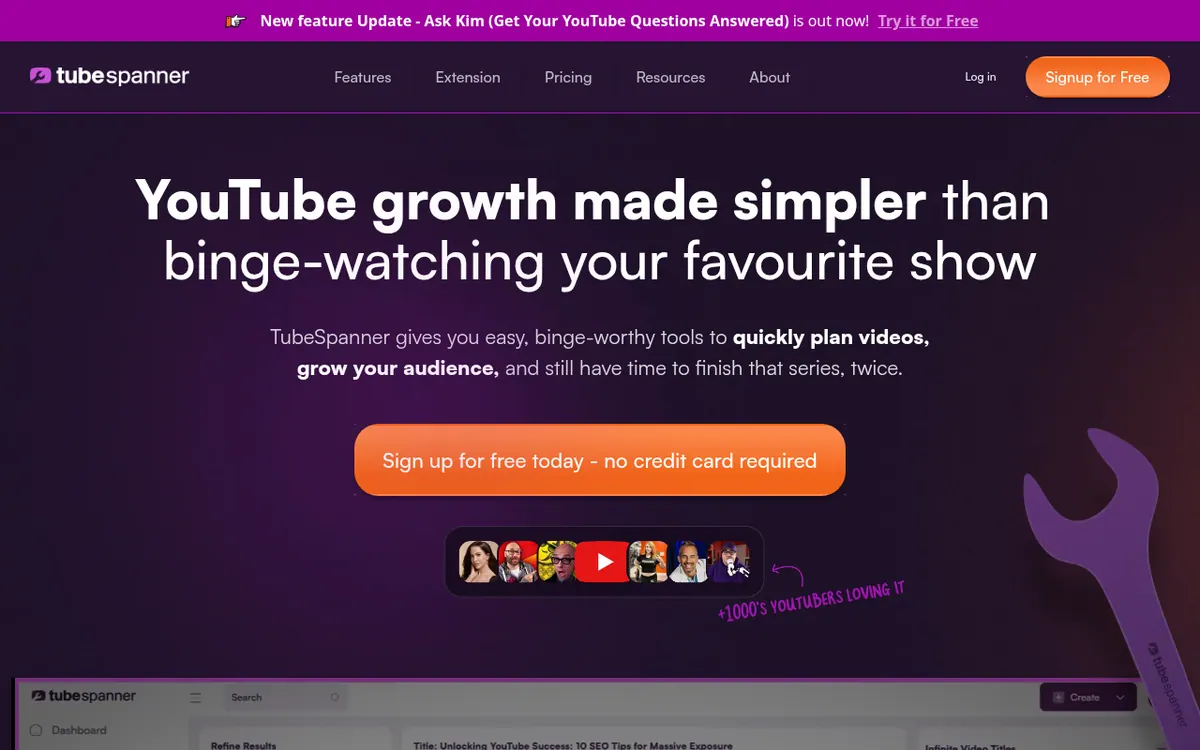
TubeSpanner is a toolkit for YouTube creators that bundles planning, writing and design helpers in one account. It is offered as a free browser extension that runs inside YouTube, and the vendor's pages also mention a TubeSpanner dashboard. The tools cover video idea and title suggestions, a script generator, a description generator, a thumbnail editor, a social media planner, automated comment replies and a channel audit. Ask Kim is an AI assistant that answers questions using your own channel data, scores titles you paste in and proposes what to make next. Audience Avatars let you describe the viewers you have now or the ones you want to reach, and a selected avatar can influence wording, tone, ideas and script structure in other tools.
Pricing is tiered. A Forever Free plan exists, with monthly quotas on most tools. Core is listed at $14.99 /mo and Pro at $39.99 /mo, and the pricing page also shows yearly billing amounts of $149.88/year for Core and $399.96/year for Pro. Pro is described as removing the monthly limits on scripts, thumbnails and ideas. The pricing page mentions a 14-day free trial with no credit card required, a 30-day money-back guarantee, no contracts and cancellation at any time.
- Script generator
- Thumbnail editor
- Ask Kim AI assistant
- Audience Avatars
- Automated comment replies
- Social media planner
- Outlier video analysis
- Channel audit
- Browser extension inside YouTube
Official video
LIVE: YouTube Monetization Update Announced · by TubeSpanner ·
The player loads only when you press play.
Pros and cons
Pros
- Forever Free plan plus a 14-day trial with no credit card required
- Covers scripts, titles, descriptions, thumbnails, social planning and comment replies in one toolkit
- Ask Kim answers from your own channel data and scores titles
- Audience Avatars can guide tone and ideas across other tools
- 30-day money-back guarantee, no contracts, cancel anytime
Cons
- Free plan has monthly quotas on most tools
- Pricing page does not state a per-month price for yearly billing, only yearly totals
- No API or native mobile and desktop apps mentioned on the official pages
- Some quota figures differ between the home page and the pricing page
- Ask Kim only gives suggestions and does not take actions for you
Our take
TubeSpanner suits solo creators who want scripting, titles, thumbnails, comment replies and social scheduling in one place, working from inside YouTube. The Forever Free plan lets you try the extension before paying, and Core and Pro raise the monthly quotas. Some quota figures also differ between the home page and the pricing page, so check the pricing page before subscribing.
Comparisons and lists with TubeSpanner
Coming soon
Coming soon — we are writing comparisons that include TubeSpanner.
TubeSpanner pricing
| Plan | Monthly billing | Annual billing (per month) | Limits / what’s included |
|---|---|---|---|
| Forever Free | — | — | 2 Video Scripts per month; browser extension included |
| Core | $14.99 | — | 10 Video Scripts per month; billed at $149.88/year |
| Pro | $39.99 | — | Work without monthly limits on scripts, thumbnails and ideas; billed at $399.96/year |
Free trial: 14-day free trial, no credit card required. Free plan: yes.
Prices checked on on the official TubeSpanner pricing page. “—” = not published.
All TubeSpanner plans, limits and annual prices →
Frequently asked questions
Is there a free plan?
Yes. The pricing page lists a Forever Free plan that includes the free browser extension.
How much do the paid plans cost?
Core is listed at $14.99 /mo and Pro at $39.99 /mo. The page also shows yearly billing amounts of $149.88/year for Core and $399.96/year for Pro.
Is there a trial or refund option?
The pricing page offers a 14-day free trial with no credit card required, and a 30-day money-back guarantee.
Where does Ask Kim work?
The Ask Kim page says it is available in the TubeSpanner dashboard and in the browser extension.
Can Ask Kim publish for me?
No. The Ask Kim page says it does not publish, apply or change anything on its own; it answers questions and makes suggestions.
Recently verified in Social Media
 Later
 Post Bridge
 Blabla
 Hootsuite
 Metricool
 Modash
Add an AGIPicks badge to your site
The badge shows TubeSpanner’s verification status on AGIPicks and links to this page. Light/dark and compact versions: badges.

Suggest an update
Wrong price, outdated fact or a tool that shut down? Are you the vendor and disagree with this page? Tell us, ideally with a link to the official page. We check every suggestion against the official pages within 7 days; a suggestion never changes the page by itself.