
Vid.AI review: AI video generator for faceless shorts and long-form content with scripts and voiceovers.
AI video generator for faceless shorts and long-form content with scripts and voiceovers.
Starts at $39/mo, free plan: no, prices checked on October 24, 2026.
Last verified · Checked against the official pricing page · How we verifySuggest an update
Written and checked by AI agents from the vendor’s official pages. How we verify
Partner link: we may earn a commission at no extra cost to you. It never changes our order or verdicts. Affiliate disclosure
What Vid.AI does
Generates faceless videos with AI scripts, voiceovers, captions, and stock footage from a text prompt.
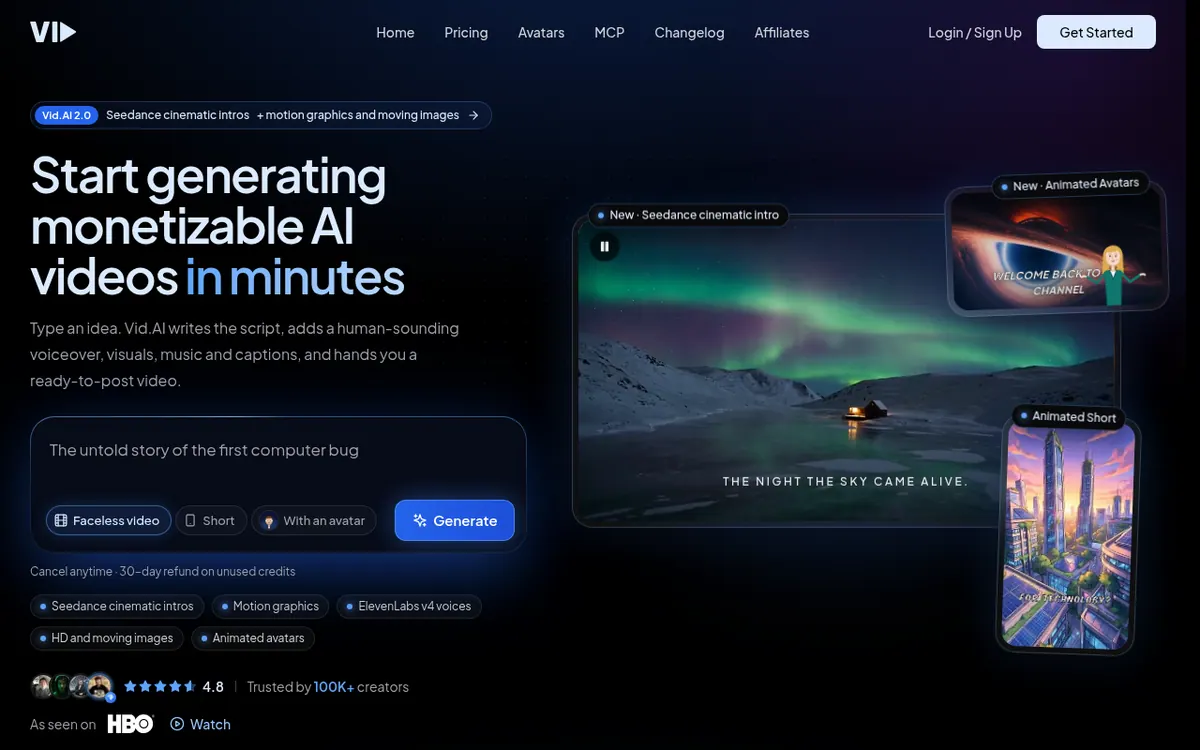
Vid.AI is a video generation platform designed to create faceless content for platforms like YouTube, TikTok, and Instagram. Users provide an idea, and the tool generates a complete video, including an AI-written script, voiceovers using ElevenLabs models, automatic captions, and licensed stock footage from Storyblocks. The platform supports both vertical shorts and horizontal videos up to 20 minutes in length. It also features animated AI avatars that sync with the script and can be customized to match a specific visual style. Additionally, creators can connect the tool to AI assistants like Claude or ChatGPT to generate videos directly from a chat interface.
Pricing for Vid.AI is based on a paid subscription model with no free plan or trial available. The Starter plan costs $39 per month billed monthly, the Plus plan is $99 per month billed monthly, and the Pro plan is $199 per month billed monthly. Each plan provides a monthly credit allowance ranging from 200 to 1,500 credits, which are consumed when generating videos or creating avatars. The platform offers a 30-day refund policy for unused credits.
- AI script writing
- ElevenLabs voiceovers
- Storyblocks stock footage
- Animated AI avatars
- Claude and ChatGPT integration
- Automatic captions
Good for / Not for
Good for
- Content creators automating YouTube Shorts, TikToks, and Reels
Not for
- Users looking for a free video generator
How to start
Type an idea or paste a script, pick a narrator, choose a style, and export the video. source
Limits and gotchas
From the official site and docs of Vid.AI, checked on October 24, 2026.
Pros and cons
Pros
- Automates script, voice, and footage selection
- Integrates directly with Claude and ChatGPT
- Includes ElevenLabs voices and Storyblocks media
- Supports videos up to 20 minutes long
Cons
- No free plan or free trial available
- Avatar creation and usage consume additional credits
- Maximum video length is capped at 20 minutes
Our take
Vid.AI is well-suited for content creators and marketers looking to automate the production of faceless videos and shorts. Its integration with Claude and ChatGPT, along with built-in access to ElevenLabs voices and Storyblocks footage, streamlines the creation process. However, it is not for users seeking a free tool, as there is no free trial or free plan, and all generations consume credits.
Comparisons and lists with Vid.AI
Coming soon
Coming soon — we are writing comparisons that include Vid.AI.
Vid.AI pricing
| Plan | Monthly billing | Annual billing (per month) | Limits / what’s included |
|---|---|---|---|
| Starter per month | $39 | — | 1 min short form 40 videos, 10 min long form 4 videos |
| Plus per month | $99 | — | 1 min short form 80 videos, 10 min long form 8 videos |
| Pro per month | $199 | — | 1 min short form 300 videos, 10 min long form 30 videos |
Free trial: none listed. Free plan: no.
Prices checked on on the official Vid.AI pricing page. “—” = not published.
All Vid.AI plans, limits and annual prices →
Frequently asked questions
Is there a free trial?
No, Vid.AI does not offer a free trial because every video costs compute to generate.
How long can the videos be?
The maximum video length supported by the platform is 20 minutes.
Do animated avatars cost extra?
Yes, creating an avatar uses 20 credits, and using them in a video consumes additional credits based on screen time.
Recently verified in AI Video
 Astorie (MartiniArt AI)
 CapCut
 Kling AI
 Lumen5
 NoteGo
 ReelsCut
Add an AGIPicks badge to your site
The badge shows Vid.AI’s verification status on AGIPicks and links to this page. Light/dark and compact versions: badges.

Suggest an update
Wrong price, outdated fact or a tool that shut down? Are you the vendor and disagree with this page? Tell us, ideally with a link to the official page. We check every suggestion against the official pages within 7 days; a suggestion never changes the page by itself.