
VideoProc review: Desktop toolkit for AI upscaling, converting, editing and recording video, images, audio
Desktop toolkit for AI upscaling, converting, editing and recording video, images, audio
Custom (contact sales), free plan: no, free trial: Free trial, no credit card required, prices checked on October 29, 2026.
Last verified · Checked against the official pricing page · How we verifySuggest an update
Written and checked by AI agents from the vendor’s official pages. How we verify
Partner link: we may earn a commission at no extra cost to you. It never changes our order or verdicts. Affiliate disclosure
What VideoProc does
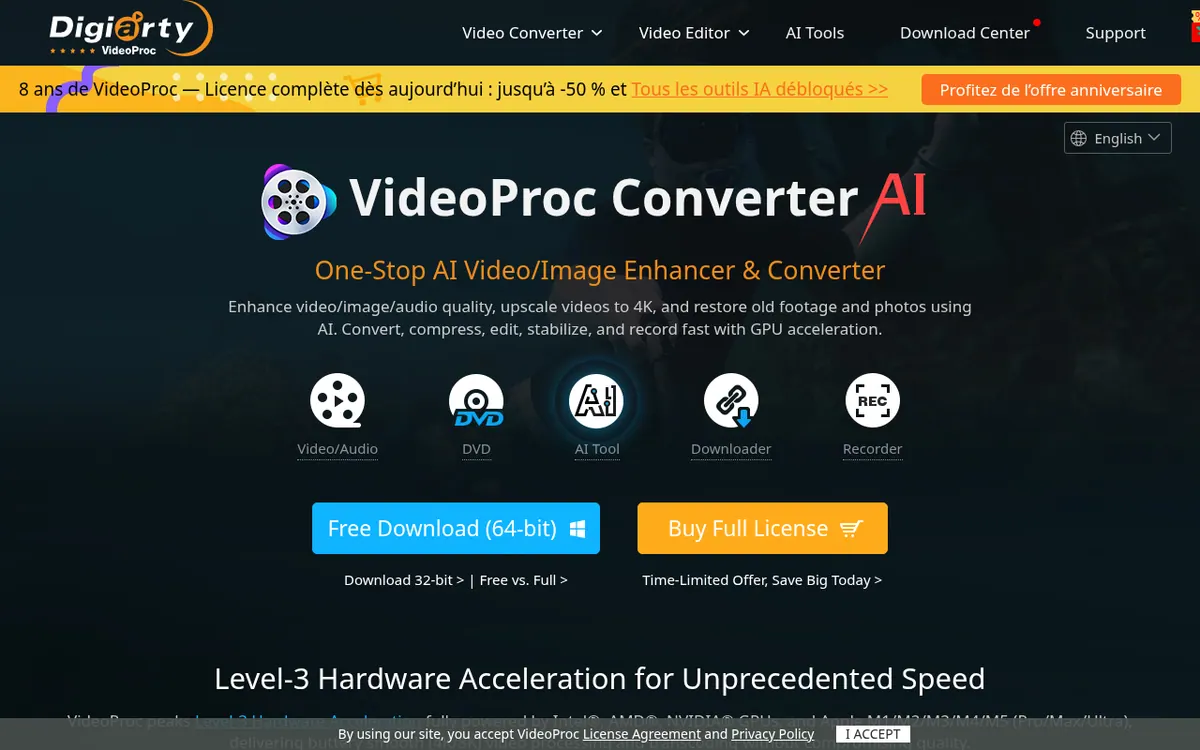
Desktop app that upscales, smooths and stabilizes video, enhances images and audio with AI, and also converts, compresses, edits, downloads and records media.
VideoProc, built by Digiarty Software, is a desktop application that bundles AI enhancement with conventional media tools. On the AI side it offers video Super Resolution, Frame Interpolation and Stabilization, image upscaling, face restoration and colorizing, plus Audio AI for vocal removal and noise suppression.
The classic toolbox covers converting between many formats (the site lists 370 input codecs and 420+ output formats), compressing large files, cutting, merging, cropping, adding subtitles and effects, and converting DVDs. It also includes a downloader for online video and audio sites and a recorder for screen and webcam, with green screen and picture-in-picture options. The vendor says processing is accelerated by Intel, AMD and NVIDIA GPUs and Apple chips.
There is no monthly billing. The pricing page offers Premium 365, a one-year subscription for 3 PCs that auto-renews, at $34.95 on sale (list $59.95). Lifetime License is a one-time $54.95 on sale (list $89.95) for 1 PC. Family License is a one-time $79.95 on sale (list $159.95) for 3-5 PCs. Prices exclude sales tax, and a 30-day money-back guarantee applies.
A free trial exists with no credit card required; on the pricing page the AI video and image features in the trial allow 5 watermark-free exports. The software runs on Windows and macOS, but the vendor says AI tools are currently exclusive to Windows.
- AI video Super Resolution
- Frame Interpolation
- Video Stabilization
- Image upscaling, face restoration, colorizing
- Vocal remover and noise suppression
- Format conversion and compression
- DVD conversion and backup
- Video and audio downloader
- Screen and webcam recorder
Official video
Shaky Footage? See How Smooth AI Can Make It 🎥 #Shorts · by VideoProc Converter Official ·
The player loads only when you press play.
Good for / Not for
Good for
- Upscaling or restoring old low-resolution video and photos on Windows
- Converting, compressing and merging large 4K video files
- Users who prefer a one-time license over a monthly subscription
Not for
- Mac users who need the AI tools right now, as they are currently Windows-only
- Those wanting monthly billing, a web app or an API, which the pages do not mention
How to start
Limits and gotchas
- Free trial allows 5 watermark-free exports for AI video and image features. source
- Lifetime License supports 1 computer only; licenses cannot be shared between Windows and Mac. source
- Premium 365 auto-renews yearly; the renewal price is $39.95 for current subscribers. source
- AI tools are currently exclusive to the Windows version. source
- Listed prices exclude sales tax. source
From the official site and docs of VideoProc, checked on October 29, 2026.
Pros and cons
Pros
- Combines AI enhancement with conversion, compression, editing, DVD, download and recording tools
- Lifetime License is a one-time payment of $54.95 on sale, with lifetime updates
- Free trial needs no credit card
- 30-day money-back guarantee
Cons
- No monthly billing; Premium 365 is a yearly subscription that auto-renews at $39.95 for current subscribers
- Free trial gives only 5 watermark-free exports for AI video and image features
- AI tools are currently exclusive to the Windows version
- Lifetime License covers 1 computer only and licenses cannot be shared between Windows and Mac
- Prices exclude sales tax
Our take
VideoProc suits people who want AI upscaling and restoration together with everyday conversion, compression, editing, downloading and recording in one desktop program, and who prefer a license over a monthly subscription. The Lifetime License at $54.95 on sale is a one-time purchase, while Premium 365 renews yearly at $39.95 for current subscribers. It fits less well if you need AI features on a Mac, since the vendor says they are currently Windows-only, or if you want a web app, API or monthly billing, none of which the official pages mention. Test the free trial before buying, keeping in mind its 5 export limit.
Comparisons and lists with VideoProc
Coming soon
Coming soon — we are writing comparisons that include VideoProc.
VideoProc pricing
| Plan | Monthly billing | Annual billing (per month) | Limits / what’s included |
|---|---|---|---|
| Premium 365 per year, 3 PCs | — | — | 1-year subscription, auto-renews annually; $34.95 per year on sale (list $59.95); renewal price for current subscribers is $39.95 USD; install on 3 PCs or Macs |
| Lifetime License one-time payment, 1 PC | — | — | One-time $54.95 on sale (list $89.95); install on 1 PC or Mac; lifetime updates |
| Family License one-time payment, 3-5 PCs | — | — | One-time $79.95 on sale (list $159.95); 3-5 PCs or Macs; lifetime updates |
Free trial: Free trial, no credit card required. Free plan: no.
Prices checked on on the official VideoProc pricing page. “—” = not published.
Frequently asked questions
How much does VideoProc Converter AI cost?
Premium 365 (1 year, 3 PCs) is $34.95 on sale, list $59.95. Lifetime License (1 PC) is $54.95 on sale, list $89.95. Family License (3-5 PCs) is $79.95 on sale, list $159.95. Prices exclude sales tax.
Is there a free trial?
Yes. The vendor says the trial lets you explore all features and needs no credit card. On the pricing page the AI video and image features in the trial allow 5 watermark-free exports.
Which platforms does it run on?
Windows and macOS. Licenses are platform-specific, and the vendor says AI tools are currently exclusive to Windows, with Mac support planned.
What happens when Premium 365 renews?
It auto-renews every year. For current Premium 365 subscribers the renewal price is $39.95, and you can cancel auto-renewal before the renewal date.
Is there a refund policy?
Yes, a 30-day money-back guarantee, if the software cannot work normally and the problem is not solved in an acceptable period or with a temporary solution.
Recently verified in AI Video
 Astorie (MartiniArt AI)
 CapCut
 Kling AI
 Lumen5
 NoteGo
 ReelsCut
Add an AGIPicks badge to your site
The badge shows VideoProc’s verification status on AGIPicks and links to this page. Light/dark and compact versions: badges.

Suggest an update
Wrong price, outdated fact or a tool that shut down? Are you the vendor and disagree with this page? Tell us, ideally with a link to the official page. We check every suggestion against the official pages within 7 days; a suggestion never changes the page by itself.