FlexClip review: Online video maker with templates and AI tools for personal and business videos
Online video maker with templates and AI tools for personal and business videos
Starts at $19.99/mo, free plan: yes, prices checked on October 29, 2026.
Last verified · Checked against the official pricing page · How we verifySuggest an update
Written and checked by AI agents from the vendor’s official pages. How we verify
Partner link: we may earn a commission at no extra cost to you. It never changes our order or verdicts. Affiliate disclosure
What FlexClip does
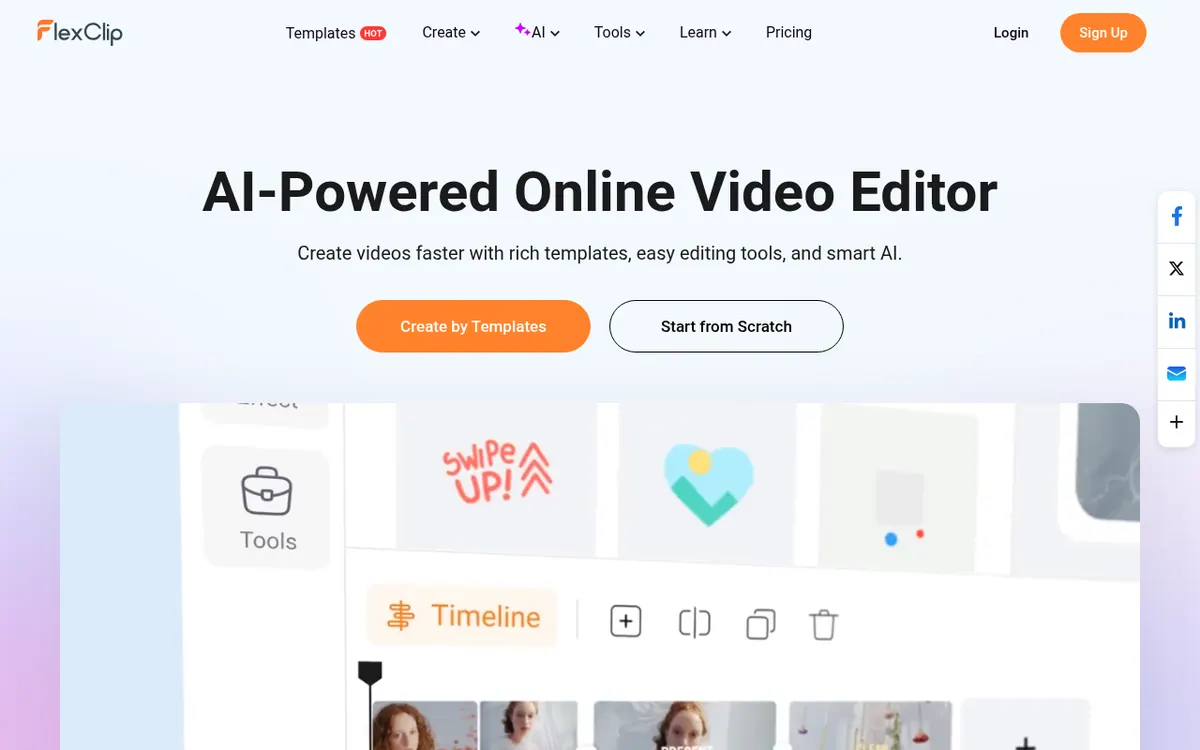
Online editor for building videos from templates or AI prompts, with stock media, subtitles, voiceover and export up to 4K.
FlexClip is a browser-based video maker and editor from PearlMountain. It is aimed at people who want to produce videos for business or personal use, and the vendor says no steep learning curve is involved. You can begin from a library of 6000+ templates or start from a blank project.
The AI side covers generating a video from a prompt, article or URL, turning text into spoken voices, writing scripts, removing backgrounds, producing subtitles automatically and translating into several languages. Standard editing includes trimming, merging, reversing, changing speed, adding text, music and voiceover, plus a screen recorder, chroma key and a GIF maker. A stock library of 4M+ videos and photos is built in, and finished videos can be exported up to 4K and shared to social platforms.
Pricing is freemium. The Free plan costs US$ 0.00 and offers 720p downloads, a maximum of 12 projects and videos up to 10 mins. Plus is $19.99 per month billed monthly, or $11.99 per month billed yearly, and adds 1080p, unlimited video length, a Brand Kit and 30GB cloud space. Business is $29.99 per month billed monthly, or $19.99 per month billed yearly, with 4K downloads, 9600 AI credits bonus per year and 100GB cloud space. A team option exists, but its price is not shown on the pricing page. A 7 days money-back guarantee applies to the first payment.
- AI video generation from prompt, article or URL
- Template library with 6000+ templates
- AI text to speech
- Automatic AI subtitles
- Trim, merge, reverse and speed change
- Voiceover recording
- Stock videos, photos and music library
- Export up to 4K
- Brand Kit and custom fonts
Official video
Recreate This Viral Weather App OOTD Trend (AI Background Remover) ☀️ | Easy Tutorial #Shorts · by FlexClip ·
The player loads only when you press play.
Good for / Not for
Good for
- Marketers and small businesses making promo or social videos from templates
- Beginners who want AI help for scripts, voices and subtitles
- Creators who want stock footage, photos and music inside the editor
Not for
- Anyone needing a published team price, as only a seat selector is shown
- Users who need 1080p or longer than 10 mins exports without paying, as Free is limited to 720p and 10 mins
How to start
Sign up for the Free plan with the Get Started button on the pricing page. source
Pick one of the 6000+ templates or start from scratch. source
Add text, music, subtitles or AI-generated content, then export and share. source
Upgrade to Plus or Business if you need higher resolution or no watermark. source
Limits and gotchas
From the official site and docs of FlexClip, checked on October 29, 2026.
Pros and cons
Pros
- Free plan exists, so you can try the editor before paying
- Wide AI toolset: video from prompt, text to speech, auto subtitles, background removal
- 6000+ templates and a stock library of 4M+ videos and photos
- Paid plans add 1080p or 4K downloads, a Brand Kit and custom fonts
- 7 days money-back guarantee on the first payment
Cons
- Free plan is limited to 720p, 12 projects and videos up to 10 mins
- Exceeding the stock limits of your plan adds a FlexClip watermark
- Team plan price is not published on the pricing page
- API availability and native app platforms are not stated on the pages
- Plus includes 3600 AI credits bonus per year, so heavy AI use may need Business
Our take
FlexClip suits individuals, small businesses and marketers who want template-driven videos with AI helpers in a browser and are happy to pay a modest monthly fee for higher resolution and a watermark-free export. The free plan is useful for trying it, but it caps projects at 12, video length at 10 mins and quality at 720p. Anyone needing a team price, an API or confirmed native apps will not find those details on the official pages. Paid plans also use AI credit allowances, so heavy AI users should check the amounts against their needs.
Comparisons and lists with FlexClip
Coming soon
Coming soon — we are writing comparisons that include FlexClip.
FlexClip pricing
| Plan | Monthly billing | Annual billing (per month) | Limits / what’s included |
|---|---|---|---|
| Free per month | Free | $0 | 720p HD downloads; maximum 12 projects; video length up to 10 mins; 1 stock video and 1 stock audio per project |
| Plus per month | $19.99 | $11.99 | 1080p Full-HD downloads; 3600 AI credits bonus/yr; 5 stock videos and 5 stock audio per project; 30GB cloud space; 100GB video hosting space |
| Business per month | $29.99 | $19.99 | 4K Ultra HD downloads; 9600 AI credits bonus/yr; unlimited stock videos and audio; 100GB cloud space; 1TB video hosting space |
Free trial: none listed. Free plan: yes.
Prices checked on on the official FlexClip pricing page. “—” = not published.
All FlexClip plans, limits and annual prices →
Frequently asked questions
Does FlexClip have a free plan?
Yes. The Free plan costs US$ 0.00 and offers 720p downloads, a maximum of 12 projects and video length up to 10 mins.
How much do the paid plans cost?
Plus is $19.99 per month billed monthly or $11.99 per month billed yearly. Business is $29.99 per month billed monthly or $19.99 per month billed yearly.
Is there a refund?
The pricing page lists a 7 days money-back guarantee for the first payment of the subscription period.
What happens if I exceed my plan's stock limits?
Your video gets a FlexClip watermark when the stock resources used go beyond the current plan. Free allows 1 stock video per project, Plus allows 5 and Business is unlimited.
Can I cancel anytime?
Yes. You keep the current plan's benefits until the billing cycle ends, then you are downgraded to the free plan.
Recently verified in AI Video
 Astorie (MartiniArt AI)
 CapCut
 Kling AI
 Lumen5
 NoteGo
 ReelsCut
Add an AGIPicks badge to your site
The badge shows FlexClip’s verification status on AGIPicks and links to this page. Light/dark and compact versions: badges.

Suggest an update
Wrong price, outdated fact or a tool that shut down? Are you the vendor and disagree with this page? Tell us, ideally with a link to the official page. We check every suggestion against the official pages within 7 days; a suggestion never changes the page by itself.