
Remove.bg review: Automatic image background removal for photos, product shots and logos
Automatic image background removal for photos, product shots and logos
Not published, free plan: yes, prices checked on November 3, 2026.
Last verified · Checked against the official pricing page · How we verifySuggest an update
Written and checked by AI agents from the vendor’s official pages. How we verify
What Remove.bg does
Removes the background from an uploaded photo automatically, giving a transparent PNG or a white background for products, listings and headshots.
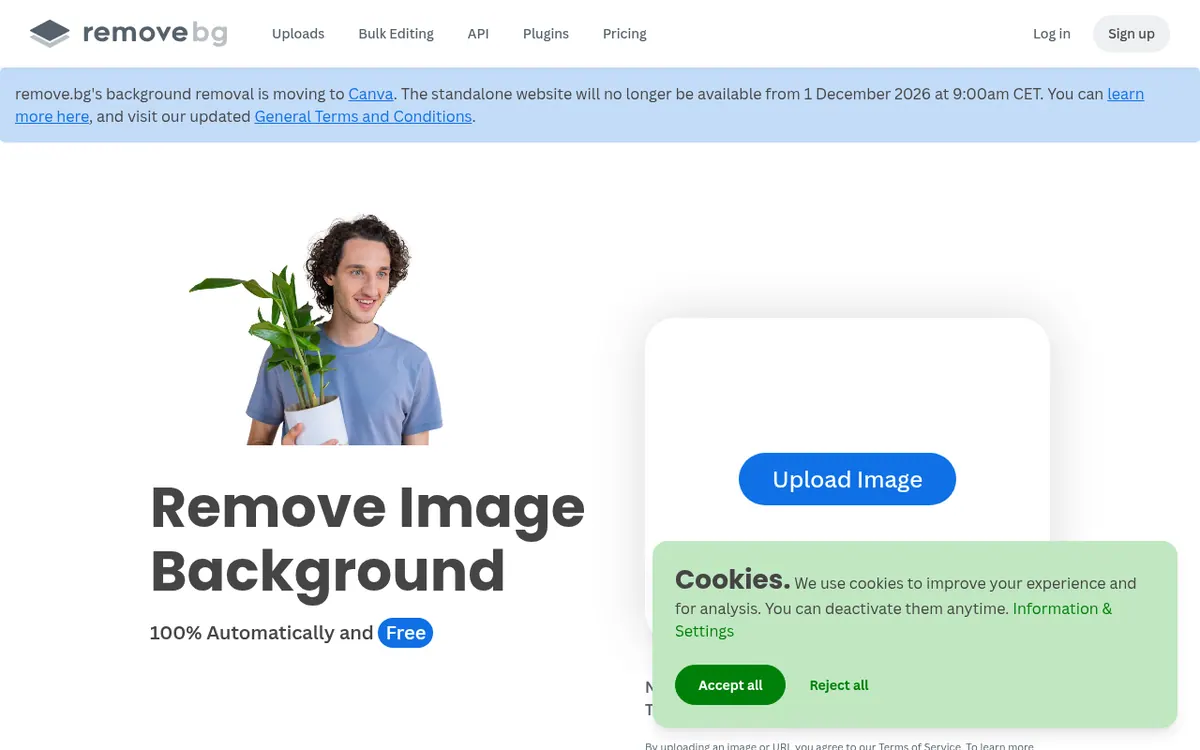
remove.bg is a web tool that cuts the background out of an image once you upload it. The vendor says the job takes 5 seconds and needs a single click, so nobody has to select pixels by hand. The output can be a plain white background, which suits online shop pictures, car listings and professional headshots, or a transparent PNG that can go into a logo, a graphic or a presentation.
Beyond the main uploader, the site lists a Magic Brush, video background removal, design templates and a Photoshop extension. It also points to an Android app, a Windows / Mac / Linux option and API documentation, and it has dedicated pages for individuals, photographers, marketing teams, developers, ecommerce, media, car dealerships and enterprise.
On pricing, the homepage presents background removal as free, while the pricing page describes plans for upgrading and scaling, and mentions HD photos and API calls. The text of the pricing page that we could read shows no plan names, prices, currency or limits, so exact costs are not published in the material we reviewed. The site also asks users whether an image may be used to improve the service, and the choice is theirs. remove.bg is a brand of Canva Austria GmbH.
- One-click automatic background removal
- White background for e-commerce and headshots
- Transparent PNG export
- Magic Brush
- Video background removal
- Photoshop extension
- Design templates
- API for developers
Good for / Not for
Good for
- Sellers preparing e-commerce or car listing photos with white backgrounds
- People who need a transparent PNG for a logo or presentation graphic
- Developers who want to look at the listed API documentation
Not for
- Buyers who need published prices before deciding: the pricing page shows none
- Users looking for a general-purpose photo editor
How to start
Limits and gotchas
From the official site and docs of Remove.bg, checked on November 2, 2026.
Pros and cons
Pros
- Remove.bg backgrounds automatically with one click, and the vendor states a 5-second turnaround
- Can produce white backgrounds or transparent PNG files
- Free background removal is offered, with paid plans for upgrading
- Offers an API, a Photoshop extension and apps for Android, Windows, Mac and Linux
- Lets users decide whether their images are used for quality improvements
Cons
- No plan names or prices appear on the pricing page text, so costs are unclear
- Free-plan limits such as image count or resolution are not stated
- No free trial is mentioned on the official pages
- HD output and API calls seem tied to paid upgrades, but the details are not published
- Focused on background removal rather than full image editing
Our take
remove.bg fits people who need one specific job done: taking the background off a picture and getting a white or transparent result without manual editing. Photographers, online sellers, car dealers and designers are all addressed on the site, and developers can look at the API documentation. It is less clear for buyers who must budget in advance, because the pricing page text shows no plan prices or limits, and the free offer's boundaries are not described. Anyone needing HD output or API volume should check the live pricing page before committing. The tool is narrow in scope, so it will not replace a full photo editor.
Comparisons and lists with Remove.bg
Coming soon
Coming soon — we are writing comparisons that include Remove.bg.
Remove.bg pricing
Pricing not published on the official site. Check Remove.bg’s website.
Free trial: none listed. Free plan: yes.
Prices checked on on the official Remove.bg pricing page. “—” = not published.
Frequently asked questions
Is remove.bg free?
The homepage presents background removal as free, and the pricing page describes plans for upgrading. The free plan's limits are not stated in the pages we reviewed.
What does remove.bg cost?
Pricing not published on the official site in the text we could read. The pricing page mentions HD photos and API calls but lists no prices.
What background options does it give?
It can set a white background, suited to shop photos, car listings and headshots, or create a transparent PNG for logos and graphics.
Does remove.bg have an API?
Yes. The site links to API documentation, and the pricing page refers to API calls.
Which platforms does it run on?
It works on the web by uploading a photo, and the site also lists an Android app and a Windows / Mac / Linux option.
Recently verified in AI Photo Editing
 Topaz Labs Verified Nov 3, 2026
 Fotor Verified Oct 30, 2026
- HeadshotPro Verified Oct 30, 2026
- Let's Enhance Verified Oct 30, 2026
 Luminar Neo Verified Oct 30, 2026
 Picsart Verified Oct 30, 2026
Add an AGIPicks badge to your site
The badge shows Remove.bg’s verification status on AGIPicks and links to this page. Light/dark and compact versions: badges.

Suggest an update
Wrong price, outdated fact or a tool that shut down? Are you the vendor and disagree with this page? Tell us, ideally with a link to the official page. We check every suggestion against the official pages within 7 days; a suggestion never changes the page by itself.