
Social Media Scheduling7 tools

Social Media Management Software for Small Business: 7 Tools (2026), Verified

Social media management software for small business: plan and schedule posts to your channels from one place. Seven verified tools compared on price, free plan, networks supported and caps.

Social media management software for small business should be a scheduler that posts to the networks it actually uses, at a price that does not grow with every extra profile. We compared seven tools from our verified catalogue: Buffer, Hootsuite, Later, Metricool, Nuelink, Social Champ and Planoly. Post Bridge is also in our catalogue but left out to keep the list to seven. Four have a free plan (Buffer, Metricool, Social Champ, Planoly), but free plans cap scheduled posts and sometimes exclude networks such as LinkedIn or X. Several publish prices only for yearly billing or per user. Check which networks you need, how many accounts you manage and whether you want analytics or just scheduling before choosing.

Last verified Suggest an update

The shortlist

7 tools
  1. Buffer screenshot

    Buffer

    Social Media
    Free planVerified

    Schedules to Facebook, Instagram, TikTok, LinkedIn, Threads, Bluesky, YouTube Shorts, Pinterest, Google Business, X and more; free plan; $5 and $10 yearly rates per the card.

    When to pick it: Pick it if you want a simple queue and many networks.

    Custom (contact sales)Free plan

Compared on this task

CriterionSocial ChampBufferMetricoolPlanolyLaterNuelinkHootsuiteChecked
From (price/mo)$5 sourcenot published source€20/mo source$14/mo sourcenot published sourcenot published sourcenot published source
Free plan / trialyes; trial: 14-day free trial, no credit card sourceyes; trial: 14-day free trial sourceyes sourceyes; trial: 14-day free trial sourceno; trial: 14-day free trial sourceno; trial: 7-day free trial sourceno; trial: 14-day free trial source
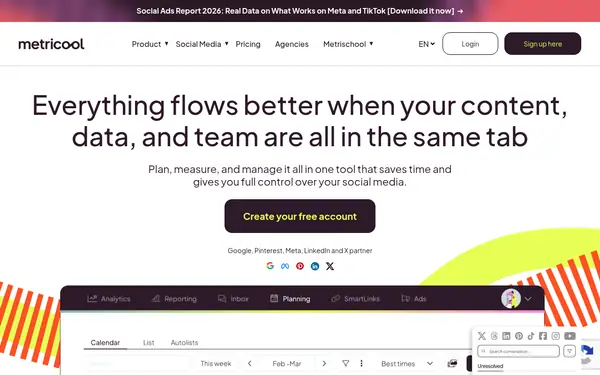
Key capability12+ platforms, bulk upload, queues sourceWide network support, queue, idea store sourcePlanning + analytics + competitors sourceInstagram automation, link-in-bio store sourceVisual planning, influencer tools sourceAutomations from blogs, products, podcasts sourcePublishing + listening + inbox source
Main limitFree: 15 scheduled posts, 1 user; X publishing is an add-on sourceFree: 10 scheduled posts per channel; approvals only on Team sourceFree: 20 posts/month, no LinkedIn or X; team features on Advanced+ sourceUpload limits on the free tier sourceNo free plan; price not on card sourceNo free plan; Standard has 1 member, 365-post queue sourcePer-user; Standard limited to 10 accounts; no free plan source

Facts from the vendors' official pages, checked on the date in the last column. Prices are what the vendor published on that date.

How to do it

  1. List your networks

    Write down which networks and how many accounts you manage.

  2. Check network support on free plans

    Metricool Free excludes LinkedIn and X; Social Champ makes X an add-on.

  3. Test a week of posts

    Use a free plan or trial to schedule one week.

  4. Compare cost by accounts

    Social Champ is priced per profile; Hootsuite per user.

  5. Check analytics need

    Choose Metricool or Hootsuite if reporting matters.

Limits and risks

  • Prices on several cards are yearly-billed rates only.
  • Free plans cap posts or exclude networks.
  • Platform API rules change which features work (for example X).
  • We have not tested reliability.

Frequently asked questions

What is the best social media management tool for a small business?

Buffer, Metricool and Social Champ combine a free plan with low entry prices. Best depends on your networks.

Which social media management tool is cheapest for a small business?

Social Champ lists $5; Buffer $5 and $10 yearly rates; Planoly $14.

Which tool suits freelancers?

Social Champ and Metricool offer workspaces for clients; details are on each vendor's site.

Are there free social media management tools?

Buffer, Metricool, Social Champ and Planoly have free plans with caps.

Suggest an update

Something wrong or missing on this page — a wrong fact, an outdated price, a tool that should be here? Tell us, ideally with a link to the official page. We check every suggestion within 7 days; a suggestion never changes the page by itself.

What is wrong?

For example the new price, the feature that changed, or the tool we should add.

The official page that shows the change.

Only we see it, to reply. It is never published.