
Sembly review: AI platform that builds client-branded decks and documents from meetings and files
AI platform that builds client-branded decks and documents from meetings and files
Starts at $17/mo, free plan: yes, free trial: Free Trial plan, covers 1 meeting hour per month, prices checked on October 20, 2026.
Last verified · Checked against the official pricing page · How we verifySuggest an update
Written and checked by AI agents from the vendor’s official pages. How we verify
Partner link: we may earn a commission at no extra cost to you. It never changes our order or verdicts. Affiliate disclosure
What Sembly does
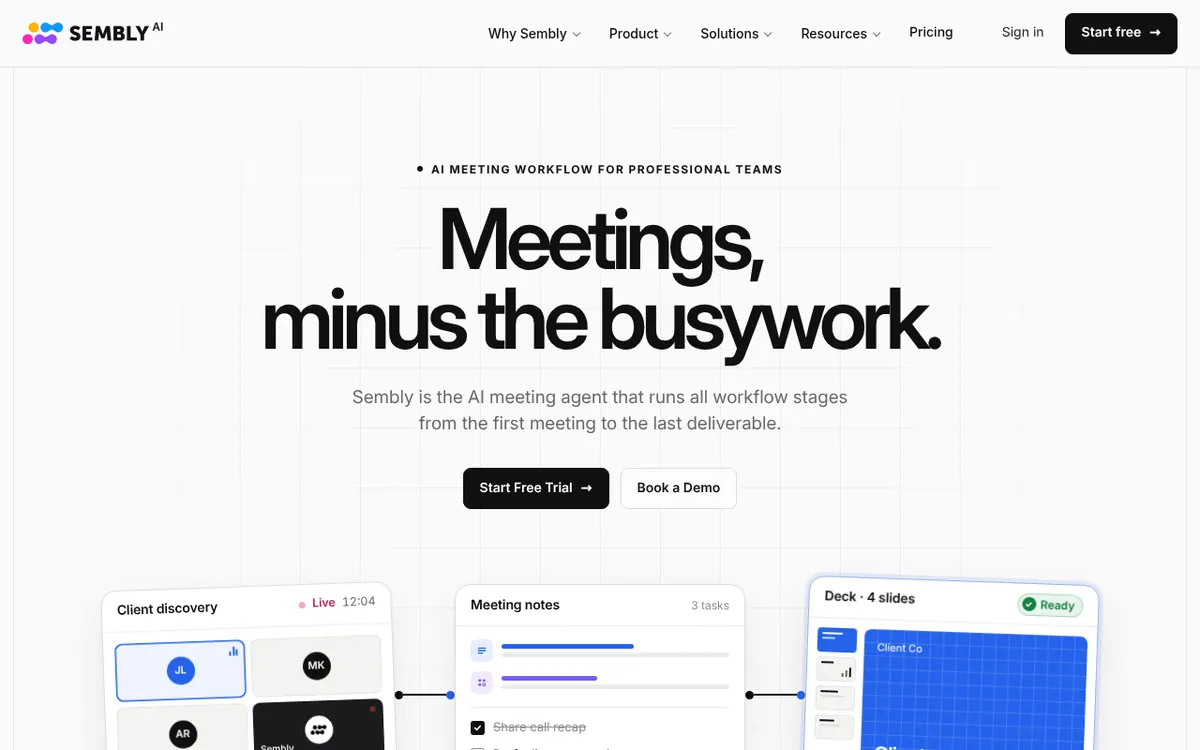
Sembly is an AI platform aimed at professional services firms such as consultancies, agencies and advisory teams. Instead of acting as a chatbot, it stores a dedicated environment for each client, including brand elements, reference files and meeting records, and uses that material to produce client-facing documents. You describe the deliverable you need, choose the sources, watch the draft take shape, and approve it before it goes out.
Document types include proposals, pitch decks, statements of work, project plans, status reports and creative briefs, exported as editable PowerPoint or Word files. Brand details such as logo, colors and fonts can be derived from a client's website address. The product also joins Zoom, Google Meet, Teams and Webex calls, transcribes them, and turns them into notes, action items and searchable transcripts that can feed later deliverables.
Pricing is per plan and depends on how many clients, brand packages and credits you need. There is a Free Trial plan at $0, then Basic, Pro and MAX, with a custom Enterprise tier. Basic is $17 per month billed monthly or $10 per month billed yearly. Pro is $29 per user per month billed monthly or $20 billed yearly. MAX is $39 per user per month billed monthly or $30 billed yearly. Credits are allocated per user each month, and the yearly rate is paid upfront.
- Branded proposals, pitch decks and statements of work
- Editable PowerPoint and Word export
- Brand kit derived from a client website
- Per-client dedicated environments
- Meeting transcription with notes and action items
- Zoom, Google Meet, Teams and Webex capture
- Workspace automations, webhooks and MCP access
- Human approval before delivery
Official video
Meet Sembly 3.0. Client deliverables, built from context · by Sembly AI
The player loads only when you press play.
Pros and cons
Pros
- Produces editable PowerPoint and Word files with client branding applied
- Each client has an isolated environment holding its brand kit and history
- Includes meeting capture on Zoom, Google Meet, Teams and Webex, with notes and action items
- Offers a Free Trial plan at $0 to test it before paying
- Larger plans add audit log, custom SSO and HIPAA compliance
Cons
- Output formats are limited to .pptx and .docx
- Free Trial covers only 1 meeting hour and 5 clients
- Monthly credits are capped per user, and unused credits expire at month end on Basic and Pro
- Annual billing is paid for the full year upfront
- Enterprise pricing is not published, and no public API is mentioned
Our take
Sembly fits professional services teams that repeatedly produce branded client documents and want meeting notes and client context kept in one place. A solo practitioner can start on Basic, while larger organizations can move to MAX for audit log, custom SSO and HIPAA compliance. It is less suited to anyone who only needs a plain meeting recorder, or who wants formats beyond PowerPoint and Word. Credit allowances and client limits shape cost, so check them against your volume before committing to a plan.
Comparisons and lists with Sembly
Coming soon
Coming soon — we are writing comparisons that include Sembly.
Sembly pricing
| Plan | Monthly billing | Annual billing (per month) | Limits / what’s included |
|---|---|---|---|
| Free Trial per month | Free | — | 1 user; 750 monthly credits per user; 1,750 one-time bonus credits; 5 clients; 5 brand packages; 1 meeting hour per user each month; 2 months of history |
| Basic per month (1 user) | $17 | $10 | 1 user, 25 clients, 50 brand packages; 2,500 credits per user each month; 1 year of history |
| Pro per user / month | $29 | $20 | Up to 40 users, 100 clients, 200 brand packages; 3,000 credits per user each month; 2 years of history |
| MAX per user / month | $39 | $30 | 3 to 500 users, 500 clients, 1,000 brand packages; 3,500 credits per user; unlimited history; HD video capture |
| Enterprise custom | — | — | Starts at 10 users with no upper limit; 3,500 monthly credits per user; custom clients and brand packages |
Free trial: Free Trial plan, covers 1 meeting hour per month. Free plan: yes.
Prices checked on on the official Sembly pricing page. “—” = not published.
All Sembly plans, limits and annual prices →
Frequently asked questions
How much does Sembly cost?
Basic is $17 per month billed monthly or $10 per month billed yearly. Pro is $29 per user per month billed monthly or $20 billed yearly. MAX is $39 per user per month billed monthly or $30 billed yearly. Enterprise pricing is custom.
Is there a free plan?
Yes, a Free Trial plan at $0 lets you try slide deck generation and meeting notes. It covers 1 meeting hour.
What file formats does Sembly produce?
Documents are generated as .pptx and .docx files with the client's branding applied.
Which meeting platforms does it support?
Sembly joins calls on Zoom, Google Meet, Microsoft Teams and Webex, and syncs with Google Calendar, Microsoft Outlook and ICS-based calendars.
Recently verified in Meeting Notes & Transcription
 Fathom Verified Nov 2, 2026
 Rev Verified Oct 30, 2026
 tl;dv Verified Oct 30, 2026
 Capacities Verified Oct 29, 2026
 Fireflies.ai Verified Oct 29, 2026
 Plansom Verified Oct 29, 2026
Add an AGIPicks badge to your site
The badge shows Sembly’s verification status on AGIPicks and links to this page. Light/dark and compact versions: badges.

Suggest an update
Wrong price, outdated fact or a tool that shut down? Are you the vendor and disagree with this page? Tell us, ideally with a link to the official page. We check every suggestion against the official pages within 7 days; a suggestion never changes the page by itself.