
Vyond review: AI video creation platform for business teams: avatars, templates and prompt-to-video
AI video creation platform for business teams: avatars, templates and prompt-to-video
Starts at $99/mo, free plan: no, prices checked on October 29, 2026.
Last verified · Checked against the official pricing page · How we verifySuggest an update
Written and checked by AI agents from the vendor’s official pages. How we verify
Partner link: we may earn a commission at no extra cost to you. It never changes our order or verdicts. Affiliate disclosure
What Vyond does
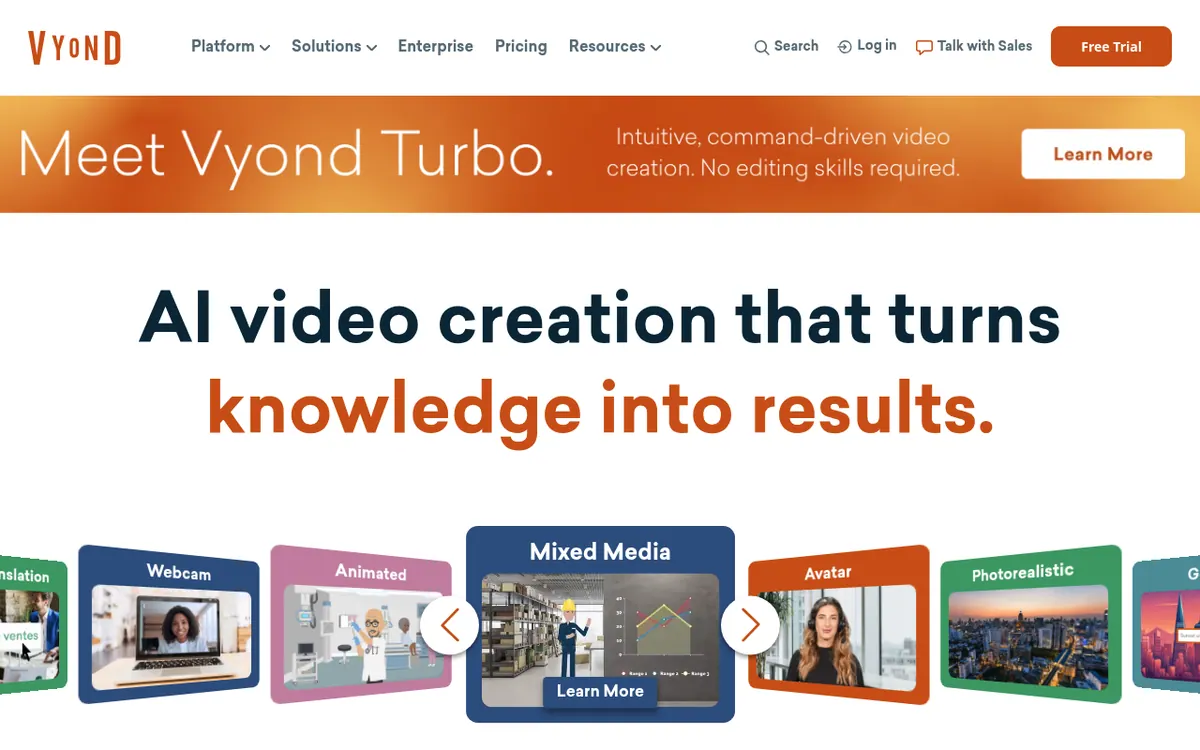
Vyond is a video creation platform aimed at businesses. It covers several ways of making a video: Vyond Turbo, which builds a finished video from a typed instruction and optional source material; Vyond Go, a template-based generator; Vyond Studio, a full editor; and Vyond Mobile for phones and tablets. Videos can be animated, avatar-led, photorealistic or mixed media, and the plans include a large avatar library, screen and webcam recording, text-to-speech voices, and translation into 95 languages.
There is no free plan on the pricing page. Four paid plans exist. Starter costs $99 per month billed monthly, or $58 per month billed yearly, for a single user. Professional costs $199 per user per month billed monthly, or $100 per user per month billed yearly. Enterprise ($137) and Agency ($167) are listed per user per month and are only available on yearly billing. All prices are in US dollars.
Usage is governed by credits for AI features: 10,000 per user monthly on Starter, 20,000 on Professional, virtually unlimited on Enterprise and 400,000 on Agency. Plans also differ in monthly downloads and maximum video length. Teams get collaboration, brand management, SCORM export and security features at higher tiers. Vyond Turbo pricing is by custom quote.
- AI avatars
- Text, document, script and URL to video
- Prompt-driven video creation with Vyond Turbo
- Screen and webcam recording
- Instant translation into 95 languages
- Brand Management Suite
- SCORM export for LMS
- Slack, Google Docs and Zapier integrations
Pros and cons
Pros
- Several creation routes (Turbo, Go, Studio, Mobile) for different levels of control
- Large avatar library plus text-to-video, document-to-video and URL-to-video generation
- Translation of videos into 95 languages
- Brand management tools, SCORM export and enterprise security features on the pricing page
- Integrations with Slack, Google Docs and Zapier
Cons
- No free plan is listed on the pricing page
- Pricing is per user, and Enterprise and Agency cannot be bought monthly
- Credits, monthly downloads and video length are capped on Starter and Professional
- Vyond Turbo pricing is not published; it needs a custom quote
- Stock library access requires Professional or higher
Our take
Vyond suits business teams in training, HR, sales and marketing that want to produce branded videos from prompts, documents or templates without a video production crew. The plans also include collaboration, SCORM export and, at higher tiers, security features. The trade-offs are cost and structure: there is no free plan on the pricing page, pricing is per user, and the two upper plans require yearly billing. Credit allowances and download caps on Starter and Professional could matter for heavy users. Vyond Turbo has no published price, so budgeting for it means talking to sales. Individuals who only need an occasional clip may find the entry price high.
Comparisons and lists with Vyond
Coming soon
Coming soon — we are writing comparisons that include Vyond.
Vyond pricing
| Plan | Monthly billing | Annual billing (per month) | Limits / what’s included |
|---|---|---|---|
| Starter per month, single user plan | $99 | $58 | 10,000 credits per user, per month; 100 video/GIF downloads per user per month; max video length 25 minutes |
| Professional per user | $199 | $100 | 20,000 credits per user, per month; 200 video/GIF downloads per user per month; max video length 40 minutes |
| Enterprise per user | — | $137 | Not available for monthly subscription; virtually unlimited credits; multi-seat pricing via contact |
| Agency per user | — | $167 | Not available for monthly subscription; 400,000 credits per user, per month; multi-seat pricing via contact |
Free trial: none listed. Free plan: no.
Prices checked on on the official Vyond pricing page. “—” = not published.
All Vyond plans, limits and annual prices →
Frequently asked questions
Does Vyond have a free plan?
The pricing page lists no free plan. Starter is the entry plan at $99 per month billed monthly, or $58 per month billed yearly.
How much does Vyond Professional cost?
Professional is $199 per user per month billed monthly, or $100 per user per month billed yearly.
Can Enterprise or Agency be paid monthly?
No. The pricing page says both are not available for monthly subscription. Enterprise is $137 and Agency is $167 per user per month billed yearly.
How many languages does translation support?
The pricing page lists instant translation of video into 95 languages.
How much does Vyond Turbo cost?
Pricing is not published. The Turbo page says to contact your Customer Success manager or the Sales Team for a custom quote.
Recently verified in AI Video
 CapCut
 Kling AI
 Lumen5
 NoteGo
 ReelsCut
 VEED
Add an AGIPicks badge to your site
The badge shows Vyond’s verification status on AGIPicks and links to this page. Light/dark and compact versions: badges.

Suggest an update
Wrong price, outdated fact or a tool that shut down? Are you the vendor and disagree with this page? Tell us, ideally with a link to the official page. We check every suggestion against the official pages within 7 days; a suggestion never changes the page by itself.