You end up with data from a website in a spreadsheet-ready file (CSV, Excel or JSON), collected by a tool you set up by clicking, describing or listing URLs instead of writing code. If you need it, the same setup can repeat on a schedule.
Scraping without code means pointing a tool at a web page and getting rows and columns back without writing selectors or scripts. The five tools here reach that result in different ways. Octoparse and Browse AI let auto-detection or AI propose the fields, and you correct them by clicking. Apify offers ready-made scrapers that you run by filling in a form. Bright Data's Scraper Studio generates a scraper from a plain-English description of the data, and WebScrapingAPI can run a managed data feed for you. Before choosing, check four things: whether runs happen in the cloud or on your own computer, how the tool deals with pagination and logins, which export formats you get, and how the free plan or credits are counted. The steps below walk through a first scrape in Octoparse. Every value on this page comes from the vendors' own pricing pages and help docs, checked on 2026-10-20.
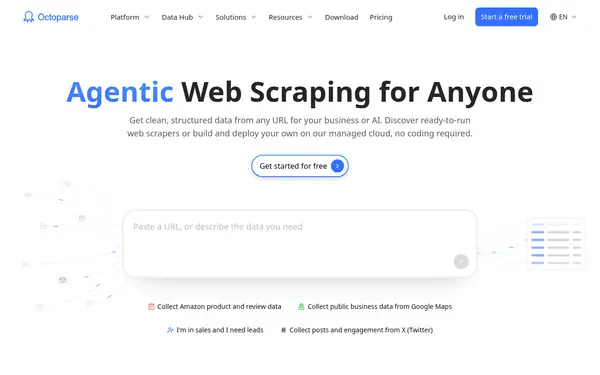
Octoparse has a free plan with 10 tasks and 50,000 exported rows per month plus auto-detect; Browse AI needs no install, and its Professional plan lists 10 users.
Its desktop app loads the page in a built-in browser, auto-detects lists, Next and Load more buttons, and turns them into a workflow you can edit by clicking. Templates cover common sites.
When to pick it: If you want a free plan and are fine installing a desktop app and running small jobs on your own computer.
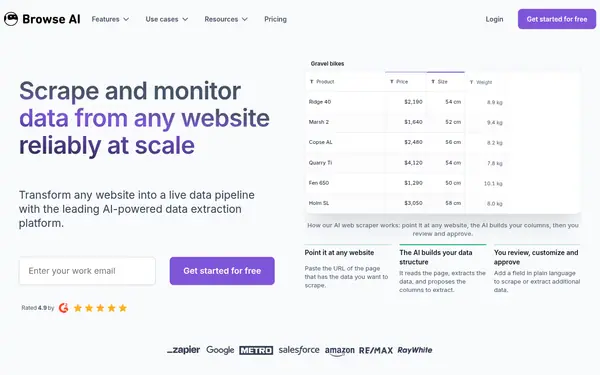
Table Studio reads a URL and proposes the table with sample rows; Robot Studio handles clicks, forms and password logins. Data exports as CSV or JSON, or syncs to Google Sheets and Airtable.
When to pick it: If you prefer a browser-based tool with scheduled runs and do not want to install software.
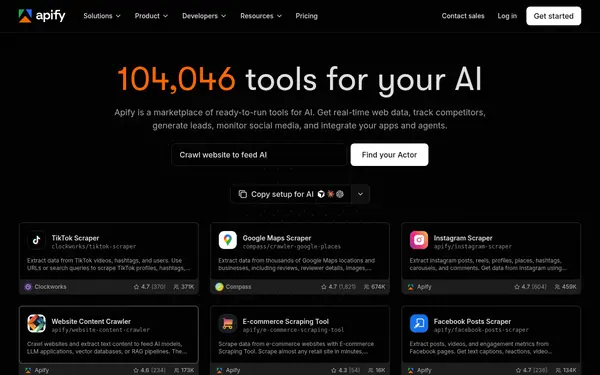
Apify Store holds ready-made scrapers (Actors) for sites such as Google Maps, Instagram or TikTok. You fill in the Actor's input form in Apify Console, click Start and export the results.
When to pick it: If a ready-made scraper already exists for the site you need and you want a free plan with no credit card.
Scraper Studio generates a ready-to-run scraper from a plain-English description of the data and runs it on Bright Data's servers with proxies included. The vendor says no coding is required to generate it.
When to pick it: If you need many domains or large volumes and understand basic scraping concepts, since the vendor says you still need them.
Its Managed Data service builds, validates, maintains and delivers a defined data feed; you supply sources, fields, schedule and destination instead of building anything.
When to pick it: If nobody on your team will build scrapers and a budget starting at $299 per month is acceptable.
Facts from the vendors' official pages, checked on the date in the last column. Prices are what the vendor published on that date.
How to do it
Install Octoparse and sign in
Octoparse runs as a desktop app. Download it from the official site and log in; the Free plan does not ask for a credit card. The home screen has a search bar for a target URL or a template name such as Amazon or eBay.
Enter the URL of the listing page (a directory, a category page, search results) in the search bar and click Start. Octoparse opens a new task and loads the page in its built-in browser.
On a first run auto-detect starts by itself. It looks for repeating list items, links, Next page and Load more buttons, and page scrolling. When it finishes, review the columns in Data Preview and delete the ones you do not need. If the data only appears after you interact with the page, do that first and then start detection.
In the Tips panel, keep the option to extract the list, tick pagination if a Next button was found (click Check to see which button it picked), and add page scrolls only if more items load as you scroll. Click Create workflow.
Click the workflow steps from top to bottom: the page should load, the Next button should be highlighted, the loop should cover every item, and the preview should show the right values. Then click Run and choose Standard Mode under Run on your device. The app must stay open during a local run.
Open the task's data and click Export Data. Pick a file format (Excel, CSV, HTML, JSON or XML), a database, or cloud storage. Files with more than 20K lines are split into several files, and cloud data is removed after 3 months, so export it in time.
In the Task List, click Not Set under Next Run, choose how often the task should run, and click Schedule ON. Cloud schedules and automatic export to a database are part of the paid cloud service.
Octoparse's Free plan runs tasks on your own device only. Cloud extraction, IP rotation, residential proxies and automatic CAPTCHA solving are listed from the Standard plan. source
Octoparse keeps cloud data for 3 months, and local data can only be opened on the device that ran the task. source
Browse AI credits reset at the end of each billing cycle and do not carry over. Sites marked Premium cost at least 2 to 10 credits per run. source
Bright Data does not allow Scraper Studio to collect data behind log-ins, and the vendor says you still need working knowledge of scraping concepts to configure the generated scraper. source
Apify Store Actors are built by Apify or by community developers, and each one uses its own pricing model (per event, per usage, or both). Unnamed result datasets expire after 7 days unless you keep them. source
WebScrapingAPI's Managed Data starts at $299 per month, and the final price is set by quote from your sources, volume and delivery needs. source
Frequently asked questions
Is there a free web scraping tool that needs no code?
Yes, several have free plans. Octoparse's Free plan includes 10 tasks, 1 device and up to 50,000 exported rows per month without a credit card. Browse AI's Free plan gives 50 credits per month, where one credit extracts 10 rows. Bright Data's Scraper Studio free tier covers 5K page loads per month.
Which no-code scraper is easier for a beginner?
Octoparse publishes a lesson series that it says takes around 30 to 60 minutes to read, and its auto-detect builds the first workflow for you. Browse AI's Table Studio starts from a URL and proposes the table itself, so you review columns instead of selecting elements.
Is there a no-code web scraper with a visual interface?
Octoparse shows the target page in a built-in browser where you click elements in Select mode, while the workflow and a data preview update next to it. Browse AI's Robot Studio uses visual point-and-click training for pages that need clicks, typing or a password login.
What is web scraping used for?
Browse AI's pricing FAQ lists typical jobs: collecting sales leads from online directories and marketplaces, extracting and monitoring product lists and prices on e-commerce sites, and watching competitors' sites.
What can I use instead of Octoparse?
Browse AI works from its web dashboard rather than a desktop app. You start a robot with a URL, then train it with AI in Table Studio or by pointing and clicking in Robot Studio; its Chrome extension is a fallback for sites the other two cannot train.
Something wrong or missing on this page — a wrong fact, an outdated price, a tool that should be here? Tell us, ideally with a link to the official page. We check every suggestion within 7 days; a suggestion never changes the page by itself.