
Slab review: Wiki and knowledge base software with unified search and a free plan for 10 users
Wiki and knowledge base software with unified search and a free plan for 10 users
Custom (contact sales), free plan: yes, prices checked on October 29, 2026.
Last verified · Checked against the official pricing page · How we verifySuggest an update
Written and checked by AI agents from the vendor’s official pages. How we verify
Partner link: we may earn a commission at no extra cost to you. It never changes our order or verdicts. Affiliate disclosure
What Slab does
Hosts a team wiki where staff write, organize with Topics and search internal documentation, including content from connected tools like Google Drive.
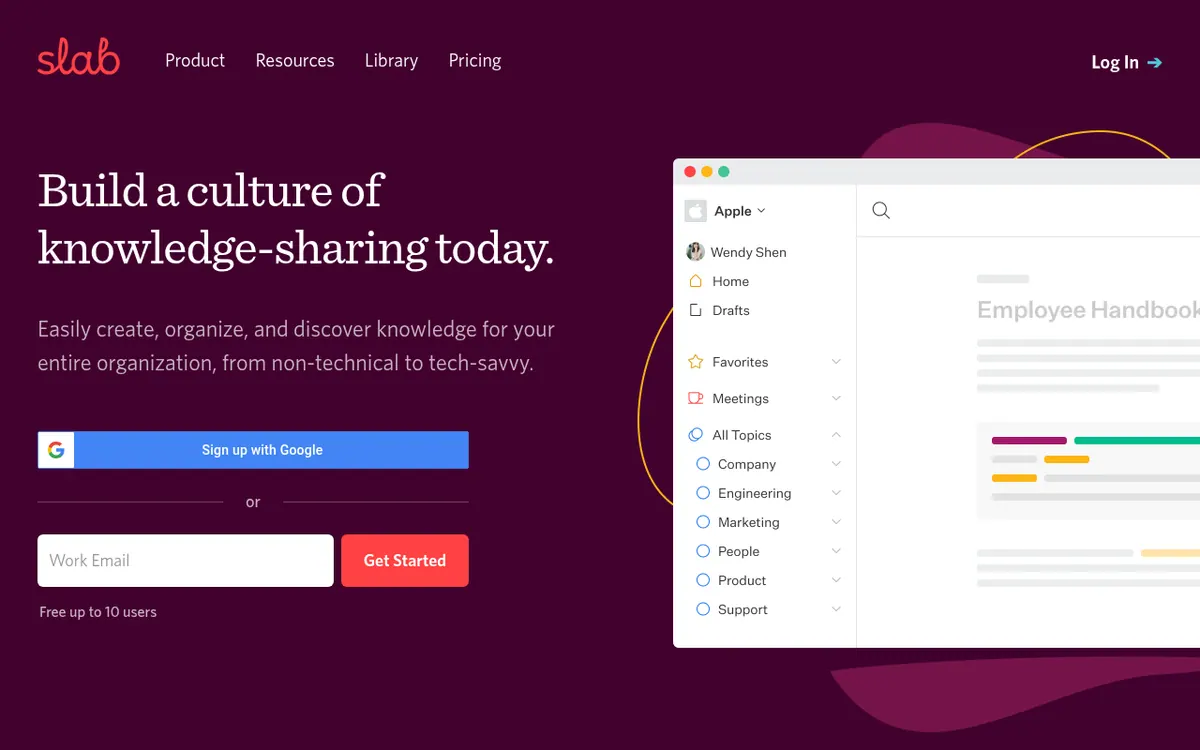
Slab is a knowledge base and wiki for teams that want one place to write, organize and find internal documentation. Content is grouped with Topics, which the vendor presents as a step beyond plain folders and tags, and Unified Search looks through Slab content and the tools connected to it. The Google Workspace integration, for example, lets people search Drive from inside Slab and embed Docs, Sheets and Slides in posts.
The product pages describe use cases such as engineering runbooks and postmortems, operating procedures, sales playbooks, onboarding and company values. Features across plans include unlimited posts and topics, realtime collaboration, templates and content verification. Higher plans add private topics, custom domains, usage analytics, AI Autofix, AI Predict and AI Ask, plus SAML-based SSO and SCIM provisioning.
Pricing is per user. The Free plan costs $0 and is limited to 10 users, 10MB attachments and 90 days of version history. Startup is $6.67 per user per month billed yearly, with unlimited users, 3 guests per user and 25MB attachments. Business is $12.50 per user per month billed yearly, with 5 guests per user, 100MB attachments, a GraphQL API and webhooks. The pricing page has a Monthly / Annually toggle, but the monthly-billed prices are not visible in the published text, so only the yearly-billed prices are given here. Enterprise pricing is custom through sales and starts at 100 users. Billing counts everyone who can log in, and Slab offers a 30-day money-back guarantee.
- Topics for organizing and giving context to content
- Unified Search across Slab and connected tools
- Realtime collaboration on posts
- Templates and content verification
- AI Autofix, AI Predict and AI Ask
- Google Drive search and live embeds
- SAML-based SSO and SCIM provisioning
- GraphQL API and webhooks on Business
Good for / Not for
Good for
- Teams that want a central place for runbooks, postmortems and operating procedures
- Sales and customer success groups building playbooks and FAQ-style knowledge bases
- Small teams of up to 10 people who want to start on the free plan
- Google Workspace users who want Drive files searchable and embeddable in posts
Not for
- Teams that need read-only user accounts, which Slab does not have
- Organizations that need audit logs or dedicated support without reaching the 100-user Enterprise minimum
How to start
Sign up with Google or use Get Started; the Free plan covers up to 10 users and needs no credit card. source
Optionally enable Google Single Sign-On during setup or through the admin dashboard. source
To search Drive from Slab, each user turns on Google unified search from the gear icon in the search bar. source
Non-profit or educational teams can register a free account and then request the free Startup plan discount. source
Limits and gotchas
- Free plan: up to 10 users, 10MB attachments and 90 days of version history. source
- Guests are capped at 3 per user on Startup and 5 per user on Business. source
- The charge depends on how many users are able to sign in, and admins can deactivate users whenever they want. source
- Enterprise requires at least 100 users; a 30-day money-back guarantee applies. source
From the official site and docs of Slab, checked on October 29, 2026.
Pros and cons
Pros
- Free plan at $0 for a team of up to 10 users, with no credit card required
- Unified Search covers Slab content and integrated tools
- Google Drive content can be searched and embedded inside posts
- Business plan includes a GraphQL API, webhooks and SAML-based SSO
- 30-day money-back guarantee, and Startup is free for non-profits and education on request
Cons
- Free plan is capped at 10 users, 10MB attachments and 90 days of version history
- Pricing is per user, and everyone who can log in is billed
- No read-only user accounts exist
- Guest numbers are capped per user on Startup (3) and Business (5)
- Audit logs and dedicated support require the custom Enterprise plan with at least 100 users
Our take
Slab fits teams that mainly need a structured internal wiki and want search that reaches into connected tools such as Google Drive. The Free plan for 10 users allows a small start, and the pricing page says no credit card is required. It is less suitable if you need read-only accounts, since the vendor says none exist, or if you need to compare monthly-billed prices, which are not visible in the published page text. Larger organizations should note that audit logs and dedicated support belong to the custom Enterprise plan, which starts at 100 users. Costs grow per user, so check how many people need login access before you commit.
Comparisons and lists with Slab
Coming soon
Coming soon — we are writing comparisons that include Slab.
Slab pricing
| Plan | Monthly billing | Annual billing (per month) | Limits / what’s included |
|---|---|---|---|
| Free per user | Free | — | Up to 10 users, 10MB attachments, 90 days version history, 30 days usage analytics, 10 standard integrations, basic support |
| Startup per user | — | $6.67 | Unlimited users, 3 guests per user, 25MB attachments, 365 days version history, 90 days usage analytics, AI Autofix, standard support. Free for non-profits and educational use on request. Quoted price is for yearly billing; the monthly-billed price is not shown in the page text. |
| Business per user | — | $12.50 | Unlimited users, 5 guests per user, 100MB attachments, unlimited version history, 365 days usage analytics, AI Autofix/Predict/Ask, SAML-based SSO, SCIM provisioning, 3 premium integrations, GraphQL API, webhooks, priority support, uptime SLA. Quoted price is for yearly billing; the monthly-billed p |
| Enterprise custom pricing, contact sales | — | — | At least 100 users, unlimited guests, custom attachments, audit logs, unlimited premium integrations, dedicated support |
Free trial: none listed. Free plan: yes.
Prices checked on on the official Slab pricing page. “—” = not published.
All Slab plans, limits and annual prices →
Frequently asked questions
Is there a free plan?
Yes. The Free plan costs $0 and covers up to 10 users plus guests, and the pricing page says no credit card is required.
How much do paid plans cost?
Startup is $6.67 per user per month billed yearly and Business is $12.50 per user per month billed yearly. Monthly-billed prices are not shown in the page text. Enterprise pricing is custom via sales.
How are users counted for billing?
You are billed for the number of users who can log into Slab. Admins can deactivate users at any time.
Does Slab have read-only users?
No. Edit access depends on how content is organized and shared, and there is no account type that cannot edit.
Is there a refund option?
Yes, the pricing page states a 30-day money-back guarantee.
Recently verified in Productivity
 Fyxer
 Craft
 ClickUp
 Eurekaa.io
 Jotform
 Logseq
Add an AGIPicks badge to your site
The badge shows Slab’s verification status on AGIPicks and links to this page. Light/dark and compact versions: badges.

Suggest an update
Wrong price, outdated fact or a tool that shut down? Are you the vendor and disagree with this page? Tell us, ideally with a link to the official page. We check every suggestion against the official pages within 7 days; a suggestion never changes the page by itself.