
Signeasy review: eSignature and contract management with templates, reminders and a contract repository
eSignature and contract management with templates, reminders and a contract repository
Custom (contact sales), free plan: no, free trial: 14-day free trial, prices checked on October 20, 2026.
Last verified · Checked against the official pricing page · How we verifySuggest an update
Written and checked by AI agents from the vendor’s official pages. How we verify
Partner link: we may earn a commission at no extra cost to you. It never changes our order or verdicts. Affiliate disclosure
What Signeasy does
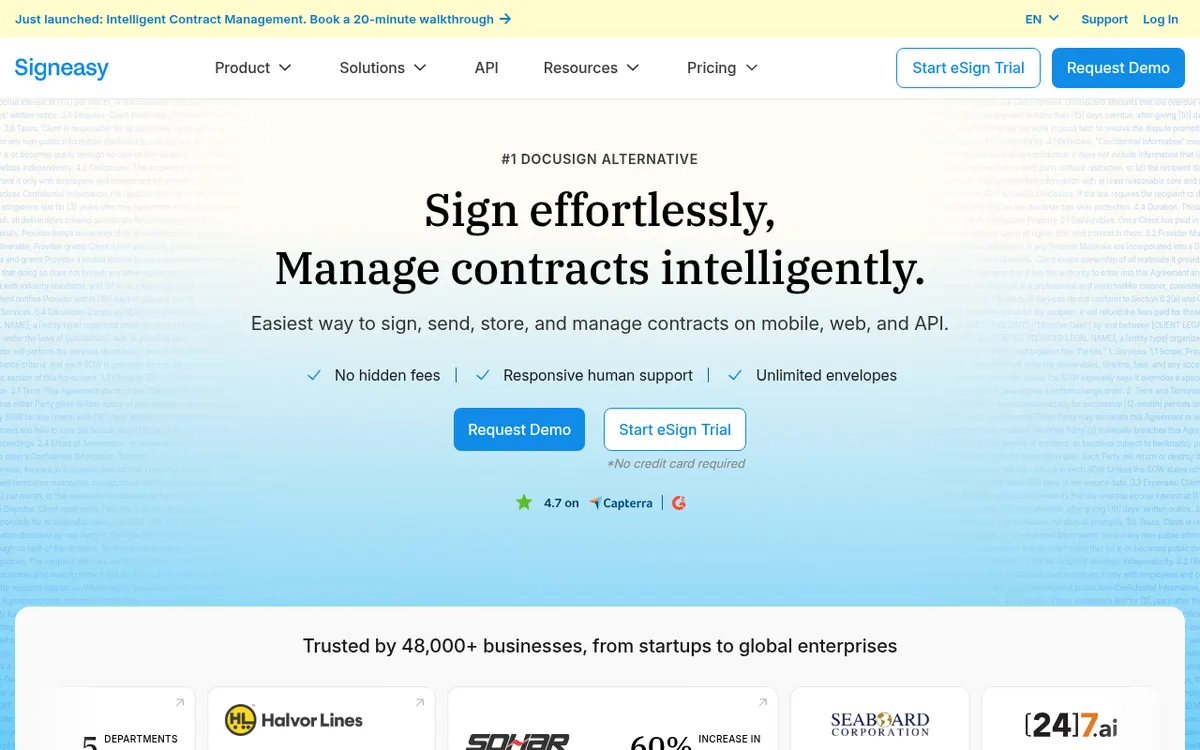
Signeasy is a platform for sending, signing, storing and managing contracts. At its core is eSignature: users can sign documents themselves, send them to others, and use reusable templates. Signeasy do not need to pay or even hold a Signeasy account. Beyond signing, the vendor now offers Intelligent Contract Management, which adds a searchable repository, shared workspaces, renewal reminders, key term extraction and AI search.
The product runs on the web and on iPhone, iPad and Android apps, and the vendor also offers an API for embedding signing into an app or website. Integrations are listed for Google Workspace (Gmail, Docs, Sheets, Drive), Microsoft (Outlook, Teams, SharePoint) and HubSpot, plus Teamtailor.
Pricing is per seat on three published plans. Personal is $10 per seat per month with a yearly total of $120 and allows 5 contracts sent for signature each month. Business is $20 per seat per month ($240 billed yearly) and removes that sending cap. Business Pro is $30 per seat per month ($360 billed yearly) and adds roles and permissions, SharePoint and HubSpot management, and approval workflows. The pricing page does not state a separate price for monthly billing. Teams with 5 or more seats or high volume can request a custom plan. There is no free plan, but a 14-day free trial is offered, and the vendor states a 100-day money-back guarantee. Fair usage restrictions apply, and add-ons such as SSO, bulk send and HIPAA compliance are quoted through a demo request.
- Legally binding eSignatures on any device
- Reusable contract templates
- Searchable contract repository
- Automated renewal alerts
- Key term extraction
- AI search over contracts
- Shared team workspaces
- Approval workflow automation
- Google, Microsoft and HubSpot integrations
- API for embedding eSignatures
Official video
Signeasy at Google Cloud Next 23 · by Signeasy
The player loads only when you press play.
Tasks it handles
Pros and cons
Pros
- Signeasy do not pay and do not need a Signeasy account
- Three published per-seat plans from $10 to $30 per month, plus a custom option
- 14-day free trial and a 100-day money-back guarantee
- Integrations with Google Workspace, Microsoft apps and HubSpot
- Contract repository, renewal alerts and AI search for managing contracts after signing
Cons
- No free plan, only a 14-day trial
- Per-seat pricing, so cost scales with team size
- Personal plan allows only 5 contracts sent for signature per month
- Separate monthly-billing prices are not shown on the pricing page
- SSO, bulk send and HIPAA compliance are add-ons handled through a demo request
Our take
Signeasy fits small teams and growing businesses that want eSignatures first and may add contract storage, renewal tracking and AI search later. The Personal plan suits one person with light sending needs, since it caps sending at 5 contracts a month. The per-seat model means cost grows with each user, and there is no free plan beyond the 14-day trial. The pricing page does not show a separate monthly-billing price, so confirm that before buying. SSO, bulk send and HIPAA compliance require contacting the vendor, which may not suit buyers who want fully public pricing.
Comparisons and lists with Signeasy
Coming soon
Coming soon — we are writing comparisons that include Signeasy.
Signeasy pricing
| Plan | Monthly billing | Annual billing (per month) | Limits / what’s included |
|---|---|---|---|
| Personal per seat | — | $10 | Send 5 contracts for signature monthly; $120 billed yearly; fair usage restrictions apply |
| Business per seat | — | $20 | Send unlimited documents for signature; $240 billed yearly |
| Business Pro per seat | — | $30 | All Business features plus roles and permissions, SharePoint and HubSpot; $360 billed yearly |
| Build Your Plan custom pricing | — | — | For 5+ seats / high document volume |
Free trial: 14-day free trial. Free plan: no.
Prices checked on on the official Signeasy pricing page. “—” = not published.
All Signeasy plans, limits and annual prices →
Frequently asked questions
How much does Signeasy cost?
Personal is $10 per seat per month ($120 billed yearly), Business is $20 ($240 billed yearly) and Business Pro is $30 ($360 billed yearly). Teams with 5 or more seats or high volume can request custom pricing. The pricing page does not show a separate monthly-billing price.
Is there a free plan or trial?
There is no free plan. The vendor offers a 14-day free trial so you can create, sign and send documents before picking a paid plan.
Do the people I send documents to have to pay?
No. According to the pricing page, recipients do not pay and do not need a registered Signeasy account to sign.
Is there a money-back guarantee?
Yes, the vendor states a 100-day money-back guarantee. Its FAQ says partial refunds are not given after 100 days, and that this applies to the yearly Personal, Business and Business Pro plans only.
Does Signeasy have an API?
Yes. The homepage describes an API for embedding eSignatures into an app or website. The pricing page notes that API access comes at an additional cost.
Recently verified in Productivity
 Fyxer
 Craft
 ClickUp
 Eurekaa.io
 Jotform
 Logseq
Add an AGIPicks badge to your site
The badge shows Signeasy’s verification status on AGIPicks and links to this page. Light/dark and compact versions: badges.

Suggest an update
Wrong price, outdated fact or a tool that shut down? Are you the vendor and disagree with this page? Tell us, ideally with a link to the official page. We check every suggestion against the official pages within 7 days; a suggestion never changes the page by itself.