
Uplisting review: Short-term rental management software: channel sync, guest messaging, three plans
Short-term rental management software: channel sync, guest messaging, three plans
Starts at £40/mo, free plan: no, free trial: 14 days free, no card required, prices checked on October 20, 2026.
Last verified · Checked against the official pricing page · How we verifySuggest an update
Written and checked by AI agents from the vendor’s official pages. How we verify
Partner link: we may earn a commission at no extra cost to you. It never changes our order or verdicts. Affiliate disclosure
What Uplisting does
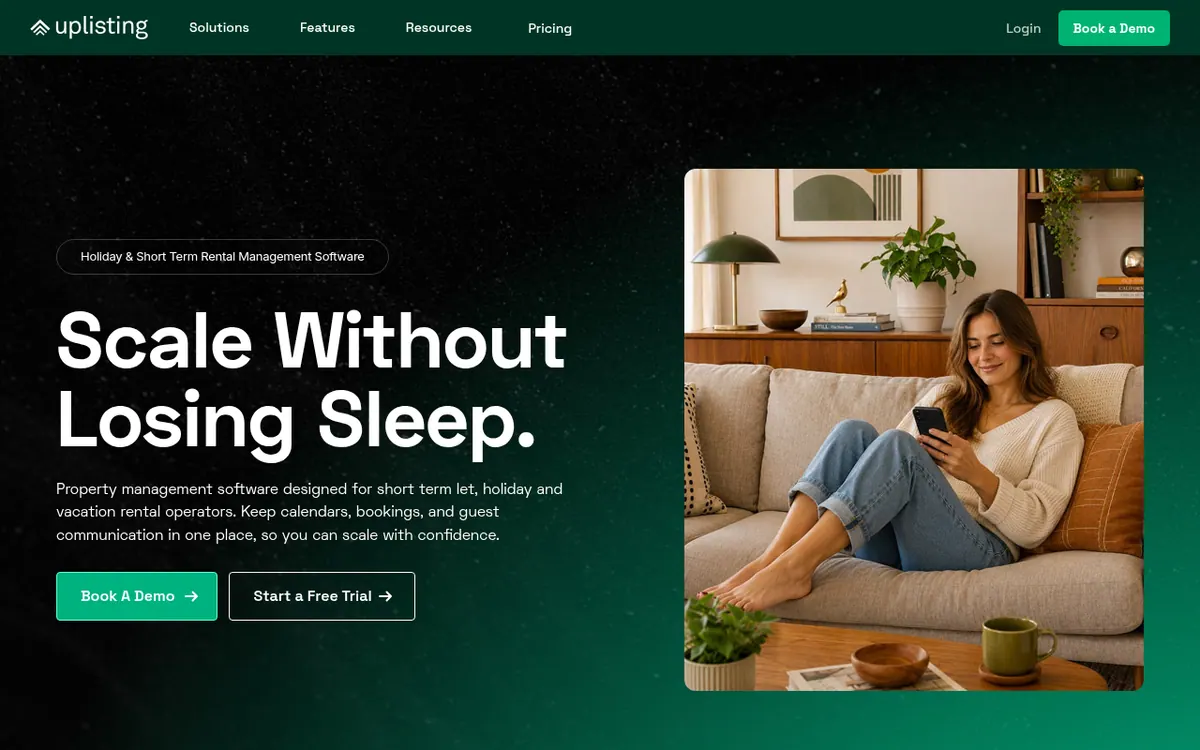
Uplisting is property management software for short-term, holiday and vacation rental operators. It aims to keep calendars, bookings and guest communication in one place, and it syncs prices, availability and bookings across Airbnb, Booking.com and Vrbo. Every plan includes a unified inbox with automated guest messaging, SMS messaging, a basic direct booking site and a free one-to-one onboarding session. Operators can also schedule cleaning and collect security deposits from the same dashboard.
There are three plans. Independent Host is for portfolios of up to 4 properties and is shown at £40 per month. Operator, shown at £90 per month, adds the Smart Locks integration, Uplisting Protect for security deposits and the Google Vacation Rentals channel. Manager, shown at £208 per month, bundles every feature, including an unlimited AI Suite, client management with automated owner statements, and the Plus direct booking site. Those figures come from the pricing calculator set to 5 properties, and each plan has a monthly floor, so the price is the higher of the per-property rate or that floor. Pay as you go replaces the monthly fee with a commission per booking: 3% for 1–4 properties and 1.5% for 5–10.
The lower plans include 100 AI actions a month. A 14-day free trial needs no card. Developers get REST API and MCP server access on every plan.
- Channel sync for Airbnb, Booking.com and Vrbo
- Unified inbox with automated guest messaging
- SMS messaging to guests
- Basic direct booking site
- Security deposit collection with Uplisting Protect
- Cleaning scheduling from a single dashboard
- Client management and owner statements (Manager)
- REST API and MCP server access
Pros and cons
Pros
- Syncs Airbnb, Booking.com and Vrbo from one place, with a unified inbox and automated guest messaging
- Pay as you go option: £0 a month plus 3% or 1.5% commission per booking, depending on portfolio size
- Manager plan bundles every feature, including unlimited AI Suite and automated owner statements
- Full REST API and MCP server access on every plan
- 14-day free trial with no card needed, plus free one-to-one onboarding
Cons
- No permanent free plan; only a 14-day trial is offered
- Independent Host is capped at 4 properties, and Pay as you go covers up to 10
- Annual billing (10% off) is only available on Operator and Manager, and the pages give no per-month annual price
- Plan price is the higher of a per-property rate or a monthly floor, so costs depend on portfolio size
Our take
Uplisting suits growing short-term rental operators who want one tool for channel syncing, guest messaging and basic direct bookings, and who like choosing between a flat fee and commission-based billing. Seasonal hosts with up to 10 properties may find Pay as you go useful. It fits less well if you want a permanently free plan, since only a 14-day trial is offered. Pricing also depends on portfolio size and a plan floor, so the figures shown for 5 properties will not match every portfolio. Several add-ons cost extra on the lower plans, so check what you need before picking one.
Comparisons and lists with Uplisting
Coming soon
Coming soon — we are writing comparisons that include Uplisting.
Uplisting pricing
| Plan | Monthly billing | Annual billing (per month) | Limits / what’s included |
|---|---|---|---|
| Independent Host flat monthly, as shown by the pricing calculator for 5 prope | £40 | — | For portfolios up to 4 properties; 100 AI actions a month; Pay as you go option is £0 /month + 3% commission per booking |
| Operator flat monthly, as shown by the pricing calculator for 5 prope | £90 | — | Pay as you go option is £0 /month + 1.5% commission per booking; annual billing at 10% off the monthly price (no per-month annual price shown) |
| Manager flat monthly, as shown by the pricing calculator for 5 prope | £208 | — | Unlimited AI Suite; annual billing at 10% off the monthly price (no per-month annual price shown) |
Free trial: 14 days free, no card required. Free plan: no.
Prices checked on on the official Uplisting pricing page. “—” = not published.
All Uplisting plans, limits and annual prices →
Frequently asked questions
Does Uplisting offer a free trial?
Yes. The pricing page lists a 14-day free trial that needs no card and can be cancelled anytime.
How much does Uplisting cost?
For 5 properties, the pricing calculator shows Independent Host at £40 per month, Operator at £90 per month and Manager at £208 per month. Each plan has a monthly floor, and the price is the higher of the per-property rate or that floor.
What is Pay as you go?
It replaces the monthly fee with a commission per booking: 3% for 1–4 properties and 1.5% for 5–10. It is available for portfolios of up to 10 properties.
Is annual billing available?
Yes, on Operator and Manager only, at 10% off the monthly price. The pricing page does not show a per-month annual price.
Does Uplisting have an API?
Yes. Full REST API and MCP server access are listed as included on all three plans.
Recently verified in Vertical SaaS
- GoHighLevel Verified Oct 27, 2026
 Barberly Verified Oct 26, 2026
 DashClicks Verified Oct 21, 2026
 BrandMentions Verified Oct 20, 2026
 Extendly Verified Oct 20, 2026
 Follow Up Boss Verified Oct 20, 2026
Add an AGIPicks badge to your site
The badge shows Uplisting’s verification status on AGIPicks and links to this page. Light/dark and compact versions: badges.
Suggest an update
Wrong price, outdated fact or a tool that shut down? Are you the vendor and disagree with this page? Tell us, ideally with a link to the official page. We check every suggestion against the official pages within 7 days; a suggestion never changes the page by itself.