Bonframe review: Local desktop app for video search, rough cuts, translation, voice cloning and lip sync
Local desktop app for video search, rough cuts, translation, voice cloning and lip sync
Starts at $29/mo, free plan: yes, prices checked on October 25, 2026.
Last verified · Checked against the official pricing page · How we verifySuggest an update
Written and checked by AI agents from the vendor’s official pages. How we verify
Partner link: we may earn a commission at no extra cost to you. It never changes our order or verdicts. Affiliate disclosure
What Bonframe does
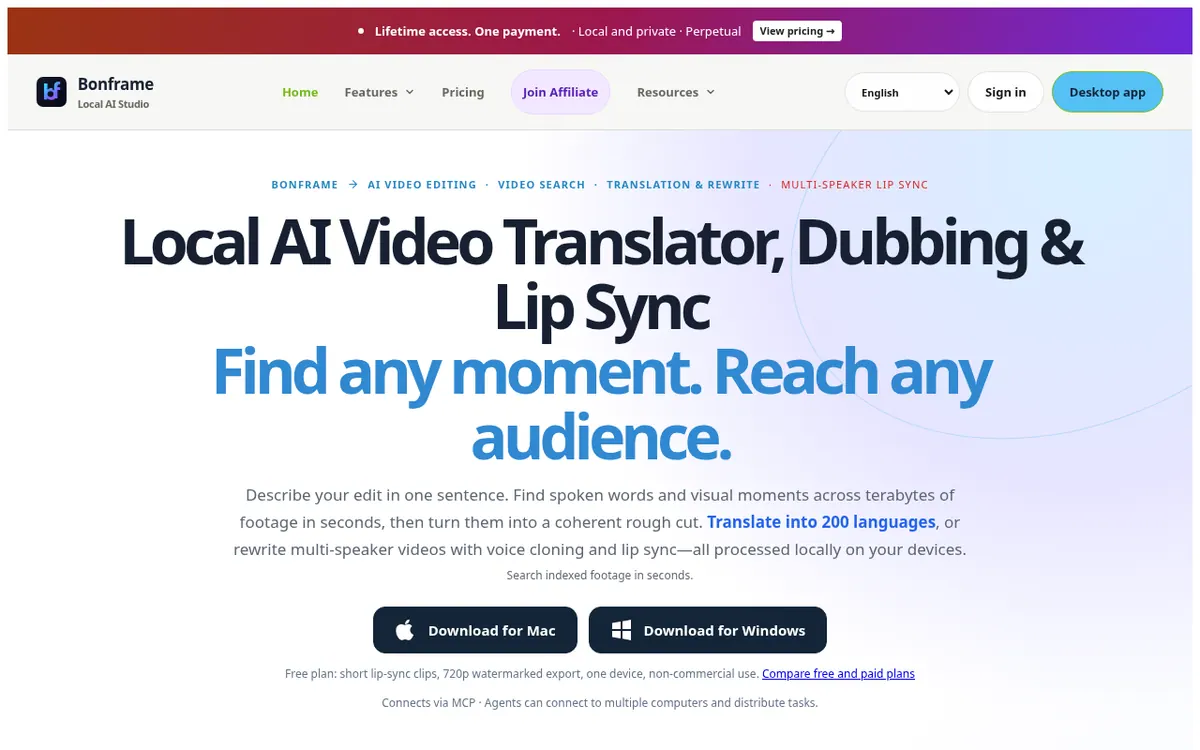
Desktop app that searches your indexed footage, builds rough cuts from a prompt, and translates and dubs videos with voice cloning and optional lip sync.
Bonframe is a desktop application that runs on your own computer and handles several video tasks in one place. You describe an edit in a sentence, search footage you have indexed, and turn the results into a rough cut. It can also translate or rewrite videos with several speakers, dub them in a clone of the original voice, and align lip movements to the new speech. The vendor states that processing happens locally on your devices, and downloads are offered for Mac and Windows.
Translation, voice cloning and lip sync are listed with 200+ languages. Lip sync is optional, so a project can use translation and dubbing alone, and you review the result before exporting.
Pricing is built around a free plan plus paid licenses. Free costs $0 and is limited to one device, non-commercial use, short lip-sync clips and 720p export with a watermark. Standard is $199 Lifetime for one device and exports 1080p without a watermark. Pro is $299 Lifetime and adds the high-definition lip-sync model plus 4K export. MCP is $499 Lifetime and covers three devices with MCP support for Cursor and Codex. A monthly Standard option costs $29/month. Lifetime licenses include 12 months of updates; optional maintenance afterward is $69/year.
- Search indexed footage with prompts
- Prompt-based rough cuts
- Multi-speaker video translation and rewriting
- Voice cloning for dubbing
- Optional AI lip sync
- 200+ language support
- MCP support for Cursor and Codex
- Review before export
Good for / Not for
Good for
- Creators localizing their own videos into other languages with cloned voices
- Editors who need to find spoken or visual moments in large footage libraries
- Users who want local processing and a one-time license instead of a subscription
Not for
- Commercial or client work on the Free plan (non-commercial, watermarked)
- Anyone needing a web or mobile app; only Mac and Windows downloads are listed
How to start
Limits and gotchas
From the official site and docs of Bonframe, checked on October 25, 2026.
Pros and cons
Pros
- Free plan lets you try translation, voice cloning and lip sync before paying
- One-time Lifetime licenses ($199 Standard, $299 Pro) instead of only subscriptions
- Translation, voice cloning and lip sync are listed in 200+ languages
- Footage is processed locally on your own devices, per the vendor
- Lip sync is optional and you approve results before export
Cons
- Free plan is non-commercial, one device, with watermarked 720p export
- Updates after the first 12 months need optional $69/year maintenance
- Only Mac and Windows downloads are listed; no web or mobile app is mentioned
- HD lip sync and 4K export require Pro at $299 Lifetime or higher
- No public API or free trial period is described
Our take
Bonframe suits people who want video translation and dubbing to stay on their own machines and who prefer paying once rather than subscribing. The free plan lets you check the workflow before buying, though its limits (watermark, 720p, non-commercial use) rule it out for client work. Freelancers and small teams localizing their own footage fit the Standard or Pro licenses. Those wanting agent-driven workflows can look at the MCP plan. The trade-offs: only Mac and Windows downloads are listed, no cloud processing plan or API is described, and updates after the first 12 months need paid maintenance. Quality-focused buyers must pay more for the HD lip-sync model.
Comparisons and lists with Bonframe
Coming soon
Coming soon — we are writing comparisons that include Bonframe.
Bonframe pricing
| Plan | Monthly billing | Annual billing (per month) | Limits / what’s included |
|---|---|---|---|
| Free | Free | — | 1 device, non-commercial use, 720p export with watermark, short lip-sync clips with watermark |
| Standard (monthly) per month, one device | $29 | — | Standard features and updates while subscribed |
| Standard (Lifetime) one-time $199 Lifetime | — | — | 1 device, transferable license; standard-definition lip sync; 1080p export watermark-free; 12 months of software and model updates included |
| Pro (Lifetime) one-time $299 Lifetime | — | — | 1 device; adds high-definition lip-sync model; 1080p & 4K export watermark-free; 12 months of updates included |
| MCP (Lifetime) one-time $499 Lifetime | — | — | 3 devices on one license; includes Pro HD lip-sync model; 12 months of updates |
Free trial: none listed. Free plan: yes.
Prices checked on on the official Bonframe pricing page. “—” = not published.
All Bonframe plans, limits and annual prices →
Frequently asked questions
Is there a free plan?
Yes. Free costs $0 and covers one device, non-commercial use, short lip-sync clips and 720p export with a watermark.
How much do the paid plans cost?
Standard is $199 Lifetime, Pro is $299 Lifetime and MCP is $499 Lifetime. A monthly Standard option is $29/month. Lifetime prices are one-time payments.
What happens after the first 12 months of updates?
Lifetime licenses include 12 months of updates. Optional maintenance is $69/year; the vendor says the installed version keeps working without it.
How many devices does a license cover?
Standard and Pro cover one device. The MCP plan covers 3 devices on one license.
Which computers can run Bonframe?
The official site offers downloads for Mac and Windows.
Recently verified in AI Video
 Astorie (MartiniArt AI)
 Kling AI
 CapCut
 Lumen5
 NoteGo
 ReelsCut
Add an AGIPicks badge to your site
The badge shows Bonframe’s verification status on AGIPicks and links to this page. Light/dark and compact versions: badges.
Suggest an update
Wrong price, outdated fact or a tool that shut down? Are you the vendor and disagree with this page? Tell us, ideally with a link to the official page. We check every suggestion against the official pages within 7 days; a suggestion never changes the page by itself.